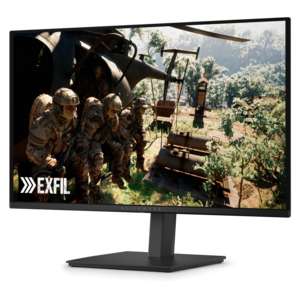
Gaming Monitors With Fast Response Time
Elevate your gameplay with gaming monitors with fast response time, designed to keep you ahead of the action. Experience smoother visuals and enhanced clarity during intense sessions, ensuring every frame counts in competitive play. Whether you're a casual gamer or an esports enthusiast, these monitors help deliver the performance you need for immersive and responsive gaming. Discover options that can transform your setup and take your skills to the next level.
This product is not available
Check out the following recommendations.


Gaming Monitors With Fast Response Time
Gaming monitors with fast response time are designed to keep up with rapid movement, quick camera pans and split-second decisions. A monitor’s response time measures how quickly a pixel can change from one color or shade to another, often shown as gray-to-gray (GtG) or moving picture response time (MPRT). Lower figures can help reduce ghosting, trailing and motion blur, especially in racing games, first-person shooters, fighting games and competitive multiplayer titles. Depending on the panel and test method, advertised response times may range from around 0.03ms to 1ms, but the number should be considered alongside refresh rate, resolution and the monitor’s overall performance. A high refresh rate allows the display to show more frames per second, while a fast response time helps those frames appear cleanly during movement. For example, a 240Hz monitor can refresh the image up to 240 times per second, provided the computer can produce enough frames to take advantage of it. A 144Hz, 165Hz or 200Hz display can also deliver a noticeably smoother experience than a standard 60Hz screen, particularly when moving through detailed environments or tracking a fast opponent. Matching the monitor to the graphics capability of the gaming PC or console helps create a balanced setup rather than paying for performance the rest of the system cannot consistently use.
Resolution is another important consideration when choosing among gaming monitors with fast response time. Full HD, often called 1080p, can be a practical choice for compact screens, entry-level gaming PCs and players who prioritize high frame rates. Quad HD, commonly known as 1440p, offers a sharper image and more workspace while remaining a popular fit for a wide range of gaming systems. 4K provides the finest detail among these common resolutions, making distant objects, text and richly textured scenes look especially crisp, though it generally requires more graphics power to maintain a high frame rate. Larger screens and ultrawide formats can make a racing cockpit, open-world landscape or strategy map feel more immersive, while a smaller display may keep the entire action within a comfortable field of view. Panel technology also affects the experience. IPS-style panels are known for broad viewing angles and balanced color, while OLED panels can provide exceptionally quick pixel transitions, deep contrast and vivid highlights. VA-style panels may offer strong contrast for dark scenes, though motion performance can vary by display. Features such as adaptive sync can help coordinate the monitor’s refresh rate with the graphics output, reducing visible tearing and stuttering when frame rates fluctuate. HDR support, brightness, color coverage and a matte or glossy surface can further influence how games look in a bright room, a softly lit bedroom or a dedicated gaming space. For additional ways to compare screen size, resolution, refresh rate and panel features, explore Best Monitors For Gaming.
A fast-response gaming monitor can be useful for more than competitive play. It can make sports simulations feel more fluid, keep camera movement clear in action adventures and provide a comfortable workspace for streaming, editing clips, browsing the web or completing school and creative projects between gaming sessions. Players who spend long evenings at a desk may appreciate an adjustable stand with height, tilt, swivel and pivot movement, since positioning the top of the screen near eye level can encourage a more relaxed posture. Look for a screen size that fits the desk without crowding speakers, a keyboard or a second display, and check the available connections before choosing. HDMI is common for consoles and many computers, while DisplayPort is often used for higher refresh rates on gaming PCs; USB connections, built-in audio and a headphone output can help keep a setup organized. A low-blue-light mode, flicker reduction and an easy-to-read on-screen menu may add comfort during extended sessions, although frequent breaks and good room lighting remain important. These monitors can also make thoughtful gifts for a student, esports enthusiast, PC builder or family member upgrading a shared entertainment area, particularly when the recipient’s preferred games and computer capabilities are known. During the warmer part of the year and into the cooler months, a responsive display can turn a desk into a more inviting place for evening matches, cooperative adventures and relaxed single-player sessions. Before choosing, consider the games played most often, the available graphics hardware, preferred screen size, target resolution, desired refresh rate and the space available on the desk. A well-matched monitor brings those details together, helping movement look clear and responsive without sacrificing the image quality, comfort and everyday versatility that make a gaming setup enjoyable.
FAQs:
Response time refers to how quickly a monitor’s pixels can change from one color to another, typically measured in milliseconds (ms). Lower response times help reduce motion blur and ghosting, resulting in smoother, clearer visuals during fast-paced gaming. This is especially crucial for competitive gamers where every millisecond counts.
Refresh rate, measured in hertz (Hz), indicates how many times per second the monitor updates with new information. Higher refresh rates, such as 144Hz, 240Hz, or 360Hz, provide smoother and more fluid motion, which can give gamers a significant advantage in fast-action games by making movements look more natural and reducing input lag.
QD-OLED and OLED panels are currently leading the way in fast response times, often achieving as low as 0.03ms. These panels also offer superior color accuracy and contrast. High-quality IPS panels are another popular choice, providing a good balance between speed, color, and viewing angles.
Yes, monitors with fast response times are excellent for a variety of uses beyond gaming. They are ideal for watching action-packed movies, editing videos, and any activity that benefits from smooth motion and sharp visuals, making them a versatile choice for both work and entertainment.
To prevent screen tearing, look for monitors that support adaptive sync technologies such as NVIDIA G-SYNC or AMD FreeSync. These features synchronize the monitor’s refresh rate with the graphics card’s output, ensuring smoother gameplay and eliminating visual artifacts like tearing and stuttering.