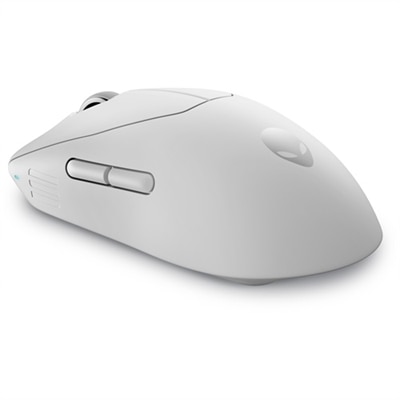
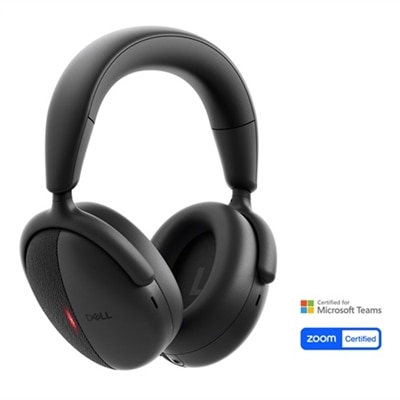
Gaming Mouse Accessories
Enhance your setup and take your play to the next level with gaming mouse accessories. Whether you're seeking improved precision, added comfort, or effortless customization, the right accessories can make a noticeable difference in your gaming experience. Discover a wide selection designed to complement any style and elevate your performance, so you can stay focused and ready for every challenge.
This product is not available
Check out the following recommendations.
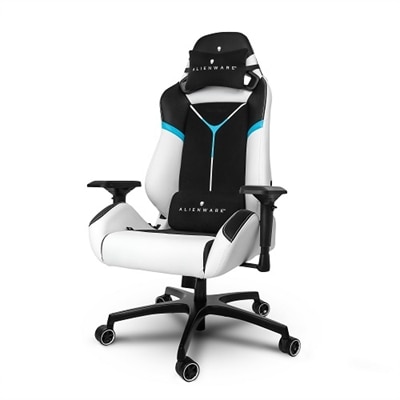
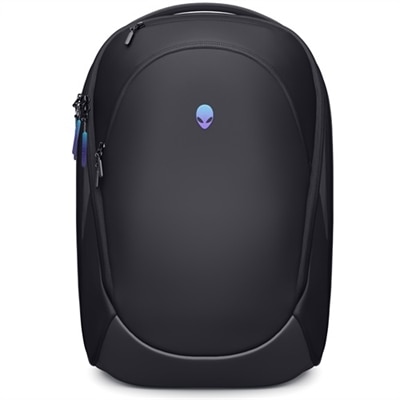
Gaming Mouse Accessories
Gaming mouse accessories can refine the feel of a desktop setup without replacing the mouse itself. A mousepad is often the most noticeable place to begin because it creates the surface that guides every movement, from a short adjustment during a strategy game to a wide, sweeping turn in an action title. Cloth surfaces tend to offer a softer feel and measured resistance, which can help players who prefer deliberate control. Hard surfaces generally provide a faster glide and a firm, consistent foundation, while extended mats give the mouse and keyboard a shared workspace and help keep the hands aligned during longer sessions. Size matters as much as surface texture. A compact pad can suit a small desk or a higher sensitivity setting, while a larger mat gives low-sensitivity players room to move without lifting the mouse as often. Look for a stable backing that stays in place, stitched or reinforced edges that resist fraying, and a surface that is easy to wipe clean. A low-profile edge can also make a difference when the wrist rests near the border for hours. Whether the setup occupies a dedicated gaming desk, a dorm-style workspace, or a family room table, the right surface can make movement feel more predictable and comfortable. A broad selection of compatible equipment is available through Gaming Accessories, including items that can help organize and personalize a play space.
Small contact points can have an outsized effect on control. Replacement mouse feet, also called skates, are designed to restore a smooth glide when the original feet become scratched, uneven, or worn from regular use. Pure PTFE feet are known for low friction and a quick, fluid movement, while glass-style feet can offer an especially slick feel on a suitable hard or smooth cloth surface. Compatibility is essential: the shape, thickness, screw layout, and sensor clearance must match the mouse, and installation requires a clean underside and careful removal of old adhesive. Grip tape offers a different kind of adjustment. Pre-cut pieces can add texture to the sides, primary buttons, or thumb area, helping reduce slips when palms become warm during an intense match or a long creative session. Thinner tape preserves the original shape and button feel, while thicker material can provide more cushioning for players who hold the mouse firmly. Wired setups benefit from a mouse bungee, which raises the cable slightly and limits rubbing against the desk or snagging on the edge of a monitor stand. The result is a more consistent cable path that can feel closer to wireless movement. Wireless users may value a charging dock or an additional receiver, especially when keeping the desktop tidy or maintaining a dependable connection between multiple play areas. A charging solution should match the mouse’s connection and placement requirements, while a receiver should be made for the correct device family rather than chosen only for appearance. These accessories can be practical gifts for a player building a first setup, a student refining a compact desk, or an experienced enthusiast replacing parts that have seen years of use.
Cleanliness and compatibility deserve equal attention when choosing gaming mouse accessories. Dust, skin oils, crumbs, and fabric fibers can gather around the sensor opening, buttons, and side seams, gradually changing the way a mouse feels or tracks. A soft microfiber cloth can remove surface buildup without leaving lint, and a cleaning tool made for electronics can reach narrow gaps more safely than household sprays or abrasive materials. Keep moisture away from openings, disconnect wired equipment before cleaning, and follow the care instructions for the mousepad’s fabric, coating, and backing. A mat that can be rolled or stored easily may suit a shared desk, while a firm surface can be preferable for a permanent station. Players should also consider hand size, grip style, sensitivity, cable placement, and the distance available for movement rather than selecting an accessory by appearance alone. Someone using a fingertip grip may appreciate a smooth, open glide area, while a palm grip user may place more value on a comfortable wrist transition and a stable mat edge. A person who alternates between work and gaming may prefer accessories that blend into a clean desktop and are easy to put away. During the cooler months, when indoor sessions often stretch later into the evening, a comfortable surface, secure grip, and unobstructed cable can make the desk feel more inviting. Together, these details support steadier aim, easier movement, and a setup that feels intentionally arranged for everyday play.
FAQs:
When choosing a gaming mouse pad, consider materials that offer low friction for smooth gliding, a non-slip base for stability, and stitched edges for durability. Some mouse pads also feature RGB lighting or wireless charging capabilities for added convenience and style.
Mouse accessories such as adjustable weights, customizable button kits, and high-quality mouse pads can improve your accuracy, comfort, and response time. These enhancements allow you to tailor your setup to your preferred playstyle, giving you a competitive edge.
Yes, gaming mouse accessories are designed to benefit all types of players. Casual gamers will appreciate the added comfort and style, while competitive gamers can take advantage of performance-driven features like precision surfaces and programmable controls.
Popular mouse accessories include extended mouse pads, wrist rests, cable management solutions, adjustable weights, and travel cases. Each accessory serves a specific purpose, whether it’s enhancing comfort, improving control, or organizing your gaming setup.
Most gaming mouse accessories are compatible with both wired and wireless mice. Features like mouse pads, wrist rests, and cable management systems are designed to accommodate a wide range of devices and setups.