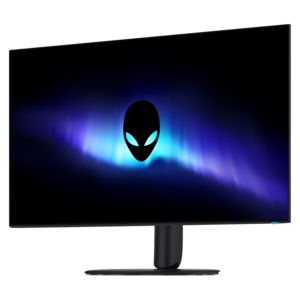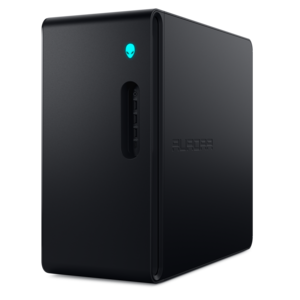
$2329.99
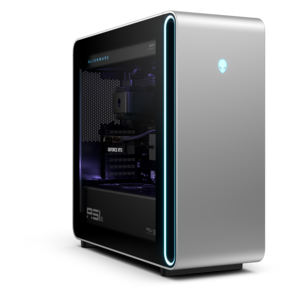
A purpose-built gaming desktop featuring efficient airflow and improved acoustics for immersive play in any setting.
Gaming setups are designed to elevate your experience, providing the tools you need for immersive play and seamless performance. Whether you’re a competitive gamer or enjoy exploring expansive virtual worlds, the right combination of devices and accessories can make all the difference. Explore a variety of options to create your ideal gaming environment, from high-resolution displays to responsive peripherals that keep you in control. Build your ultimate gaming setup and take your sessions to the next level.
A purpose-built gaming desktop featuring efficient airflow and improved acoustics for immersive play in any setting.
A flagship gaming desktop featuring AMD Ryzen 9000X3D series processors, advanced design, and high-performance hardware.
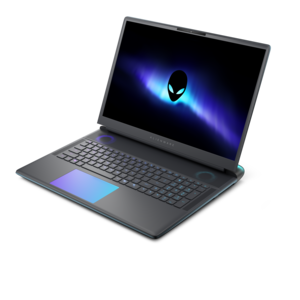
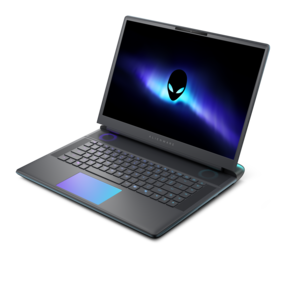
A streamlined gaming laptop delivering powerful performance with NVIDIA GeForce RTX 50 Series graphics.
A flagship gaming laptop engineered with innovative performance for passionate gamers.
A QD-OLED gaming monitor delivering vibrant color, infinite contrast, and ultra-smooth 240Hz gameplay.
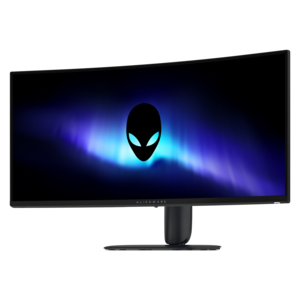
A curved ultrawide WQHD gaming monitor delivering vivid color and an exceptionally smooth 240Hz refresh rate.
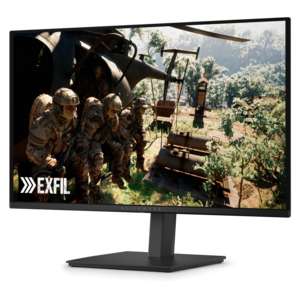
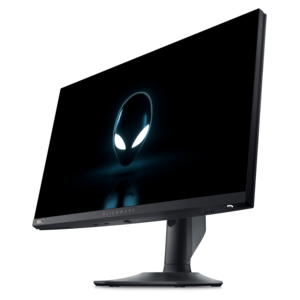
A fast IPS monitor with FHD resolution, 240Hz refresh rate, adjustable stand, and certified eye comfort.
A crisp FHD monitor with smooth 144Hz visuals, built-in speakers, and TÜV 4-star eye comfort certification.
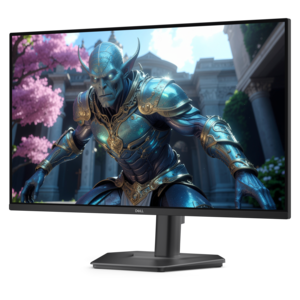
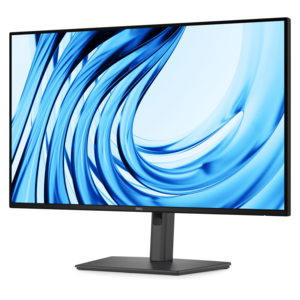
A Full HD productivity monitor with extensive connectivity, high refresh rate, and TÜV-certified four-star eye comfort.
A sleek laptop powered by AMD Ryzen™ AI 400, designed for powerful performance and modern multitasking.
A powerful, space-saving desktop designed to boost everyday productivity.
A powerful desktop featuring advanced graphics and expansive upgradeability for creative workloads, gaming, and demanding tasks.
A gaming laptop powered by AMD Ryzen 200 Series processors and NVIDIA GeForce RTX laptop graphics.
A streamlined gaming laptop delivering essential performance with up to NVIDIA GeForce RTX 50 Series graphics.
A flagship 16-inch gaming laptop engineered with innovative performance for passionate gamers.
A powerful gaming desktop featuring an advanced design for a legendary gaming experience.
Gaming setups bring together computing performance, comfortable controls, clear sound, and a workspace that fits the way someone plays. A gaming desktop or laptop forms the foundation, while monitors, keyboards, mice, headsets, and supporting accessories shape the everyday experience. The right combination depends as much on the room and the games as on individual specifications. Fast competitive matches benefit from responsive inputs and smooth motion, while exploration games and detailed simulations put more emphasis on expansive views, image clarity, and an immersive soundscape. A desktop can suit a dedicated corner with room for a separate display and peripherals; a gaming laptop offers a more portable arrangement for someone who moves between a bedroom, shared living area, and campus. Performance comes from the balance among the processor, graphics hardware, memory, and cooling rather than any single specification. Display resolution also affects the graphics workload, so a higher-resolution screen makes the most sense alongside hardware capable of delivering the desired frame rates in the games being played. High-refresh-rate monitors, including those rated at 144Hz or above, can show motion more smoothly when the computer supplies enough frames. Compatible adaptive-sync technology can help reduce visible tearing as frame rates change. Screen size, viewing distance, and desk depth matter just as much: a large display on a shallow surface may feel crowded, while a smaller screen can leave useful space for a mouse, notebook, or controller. An ultrawide format creates a broad view in supported games, whereas two separate monitors can keep a game and a chat window within reach. Panel characteristics influence contrast, motion clarity, and visibility from different angles, and room lighting affects how noticeable reflections become. For a setup that doubles as a place for homework, creative projects, or remote work, readable text and an adjustable screen position are valuable beyond play. These practical differences give gaming setups their character, from a compact station that clears away easily to a permanent desktop arrangement built around long evenings with friends.
The physical fit of a gaming setup determines how naturally its parts work together. A stable surface needs room for the display at a comfortable distance, the keyboard within easy reach, and enough mouse travel for the player’s preferred sensitivity. The proportions of Computer Gaming Desks are especially relevant in rooms where a computer shares space with schoolwork, hobbies, or everyday household use. Desk depth can be more useful than width alone, and clearance underneath affects whether a chair can move freely without bumping into supports or a computer tower. Materials and construction influence both appearance and everyday durability. Metal frames can provide a rigid foundation, while laminate surfaces are often straightforward to wipe clean; actual stability and weight capacity depend on the complete design. Smooth edges, secure joints, and finishes that tolerate routine contact matter when a workspace sees daily use. Monitor arms can free surface space, provided the display’s mounting pattern and weight match the arm’s specifications and the desk can support its attachment. An adjustable chair complements that arrangement by allowing feet to rest securely and elbows to sit near the working height of the keyboard and mouse. Armrests should fit beneath the desk or adjust out of the way rather than forcing a long reach. Input devices have their own fit considerations: mouse shape, weight, and button placement feel different across hand sizes and grip styles, while keyboard width changes how far the mouse sits from the body. Compact layouts leave more room for broad movements, and full-size layouts retain a dedicated number pad for other tasks. Mechanical switches vary in sound, resistance, and feedback, so a satisfying keyboard for a private room may be distracting in a shared space. Textured keycaps, secure mouse grips, and a flat, consistent mouse-pad surface support regular use without requiring an elaborate arrangement. For someone moving from casual play to a more dedicated gaming space, these small points of contact can make the station feel noticeably more comfortable and familiar.
Audio, lighting, and cable placement complete gaming setups in ways that are easy to notice during an ordinary evening. A headset keeps game sound close and supports voice chat without filling the room, while speakers suit spaces where listening aloud will not disturb others. Headset comfort depends on more than cushioning: clamping pressure, overall weight, earcup depth, and room for glasses can all affect how it feels over time. Fabric coverings may feel more breathable, while coated cushions are often easier to wipe down, though care requirements vary by material. A microphone positioned near the mouth can improve voice pickup, and accessible mute and volume controls are useful when a conversation in the room interrupts a match. Wired accessories offer a direct connection without battery charging; wireless options reduce visible cords but require attention to charging routines, connection compatibility, and receiver placement. Available ports and supported display connections determine how easily a laptop or desktop can accommodate the intended peripherals, especially when a higher refresh rate or several displays are involved. Cable clips, reusable ties, and routing channels keep leads away from mouse movements and chair wheels while leaving enough slack for adjustments. Clear airflow around a computer’s vents remains important, even when the rest of the arrangement is tucked neatly out of sight. Lighting works best as part of the room rather than a distraction on the screen: a soft glow behind the display can make the contrast with a dark wall less abrupt, while task lighting helps illuminate nearby controls and written notes. Routine care helps preserve the setup’s finish and function. A soft microfiber cloth lifts surface dust, and manufacturer-approved cleaning methods help protect screen coatings, key legends, and upholstery; liquids should stay away from openings and electrical connections. Accessories can also make thoughtful birthday, graduation, or housewarming gifts when their fit and compatibility match the recipient’s existing equipment. Whether the space belongs to a weekend player, a college student, or someone gathering friends online after work, a cohesive gaming setup supports both the game on screen and the everyday habits around it.
Add the products you would like to compare, and quickly determine which is best for your needs.