Gifts For Apple Users
This product is not available
Check out the following recommendations.




Gifts For Apple Users
Thoughtful technology gifts make familiar devices more comfortable to use, easier to carry, or better suited to the places where everyday life happens. For someone who moves between a laptop, tablet, and phone, a useful accessory can smooth out small frustrations without changing a setup they already enjoy. A comfortable keyboard supports long stretches of writing, an adjustable stand brings a screen closer to eye level, and a protective sleeve adds a layer between a laptop and the contents of a busy backpack. These kinds of gifts suit students heading to class, professionals working across shared spaces, creative hobbyists, and anyone whose devices travel from the kitchen table to a favorite coffee shop. The strongest match depends less on how many features an accessory has and more on how naturally it fits the recipient’s habits. Someone who edits photographs at a desk may appreciate additional screen space and consistent color reproduction, while a frequent traveler may get more use from compact charging accessories and lightweight protection. Compatibility remains the foundation: connector type, device dimensions, operating system support, and power requirements determine whether an accessory will work as expected. A matching plug alone does not guarantee charging performance, video output, or access to every feature. For gifts centered on a portable computer, Gifts For MacBook Users offers a more focused shopping theme. Across everyday technology accessories, useful details include cables that reach comfortably from an outlet to a work surface, controls that are easy to find by touch, and designs that pack away without loose pieces. Birthdays, graduations, housewarmings, and the start of a new job are natural occasions for these practical upgrades. A gift that supports an established routine can feel personal, whether it helps someone settle into an evening of reading, join a call from a quiet corner, or keep a small workspace ready for the next morning.
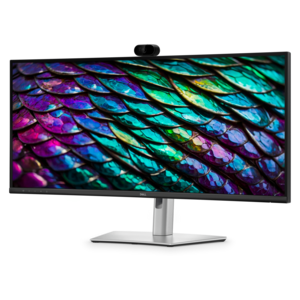
Desk accessories are especially relevant for people who spend several hours working, studying, or creating on a portable device. An external monitor can provide room for a document beside a reference window, a larger view of a photograph, or a less crowded video meeting. Screen size matters in relation to desk depth as well as available surface area; a larger display needs a comfortable viewing distance, and a broad base can take up space needed for a notebook or keyboard. Resolution, text scaling, brightness adjustment, and a height-adjustable stand all affect day-to-day comfort. For color-sensitive work, published color coverage and calibration specifications are more informative than appearance alone. Display connections also deserve attention, since supported resolutions, refresh rates, and the number of external screens vary by computer and connection method. A dock can bring charging, display connections, and peripherals together, but its capabilities depend on the host device, cable, and software requirements. Keyboards and mice bring a different kind of personalization. Some users prefer a compact keyboard that leaves more room for a mouse, while others rely on a number pad for spreadsheets and calculations. Key layout, shortcut support, connection options, and the ability to switch between paired devices can matter more than decorative touches. A mouse should suit the recipient’s hand size and preferred grip, with an appropriate shape and weight for their usual tasks. For someone typing at a raised laptop, a separate keyboard and mouse allow the screen and hands to sit at different heights. Stands benefit from a stable base, secure contact points, and an open design that does not obstruct the device’s ventilation. Smooth metal surfaces can feel substantial and wipe clean easily, while nonslip pads help limit movement on a finished desk. The overall fit is both physical and practical: accessories should leave enough room to work, keep frequently used controls within reach, and remain comfortable through ordinary tasks rather than simply looking tidy in a photograph. Neutral finishes can blend into shared rooms, while a consistent texture or color can make a collection of everyday tools feel cohesive.
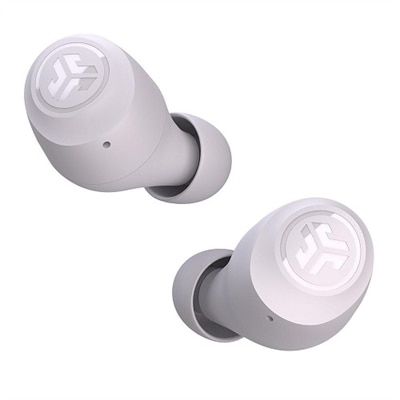
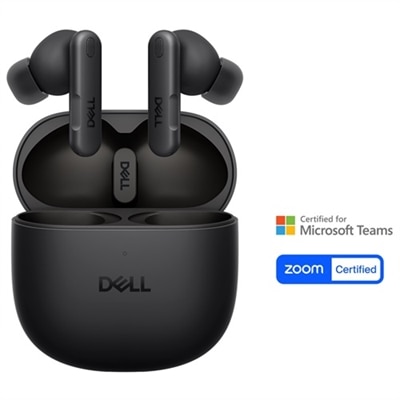
Portable accessories serve the moments between destinations: a morning commute, a library session, an afternoon meeting, or a weekend away. Protective sleeves and cases work best when their interior dimensions and shape match the device closely, including any additional cover already attached. A loose fit allows movement, while an overly tight fit can strain seams or make removal awkward. Padded fabric offers cushioning, a soft lining helps reduce surface scuffs, and reinforced corners can add protection at common contact points, although a sleeve is not a guarantee against drop damage. Water-resistant fabric may help with light splashes, but it should not be confused with waterproof protection. Zipper placement, stitching quality, and protected interior edges are small details that influence durability over repeated use. Cable organizers and accessory pouches can keep connectors from catching on other belongings, with separate compartments making it easier to find a charging cable without emptying a bag. Charging accessories need to match the recipient’s devices in both connection type and supported power delivery. With multiple devices connected, a charger may divide its output among ports, so total wattage alone does not describe the power reaching each device. Wireless charging likewise depends on device support, alignment, and case compatibility; magnetic attachment and charging capability are separate considerations. Audio accessories can suit commuting, focused work, calls, or quiet listening at home, with comfort shaped by weight, ear-contact materials, and adjustment range. Microphone performance and straightforward controls matter for frequent conversations, while a secure carrying case helps protect delicate parts in transit. Care helps these gifts remain useful: sleeves need cleaning appropriate to their fabric, screens and coated surfaces need manufacturer-approved methods, and cables last better when stored without sharp bends or tension at the connectors. Washable components should be cleaned only as directed and dried fully before reuse. The most enduring choices balance protection, comfort, and convenience with the way the recipient actually uses technology, adding something useful to a familiar routine without creating extra upkeep.
FAQs:
The best accessories for Apple users are those that enhance convenience, productivity, or personal style. Popular choices include wireless chargers, portable power banks, ergonomic keyboards, protective cases, and high-quality audio gear. Items that are MagSafe compatible or designed to work seamlessly with Apple devices are especially appreciated for their integration and ease of use.
Many Dell accessories are designed to be compatible with Apple products, including monitors, docking stations, external storage solutions, and input devices like mice and keyboards. These products often feature universal connections such as USB-C or Bluetooth, making them easy to pair with MacBooks, iPads, and other Apple devices.
Tech accessories make excellent gifts for a wide range of people, from students and professionals to creatives and travelers. Anyone who uses Apple devices regularly can benefit from accessories that improve organization, boost productivity, or provide added protection and convenience.
When selecting a gift for an Apple user, look for accessories that are specifically designed for or compatible with Apple products. Features like MagSafe compatibility, Apple Pencil support, or seamless syncing with iCloud and other Apple services ensure the gift will integrate smoothly into the recipient’s existing setup.
For a curated selection of gifts tailored specifically for MacBook users, you can visit Dell’s dedicated page at Gifts For MacBook Users for inspiration and recommendations.