$11.99
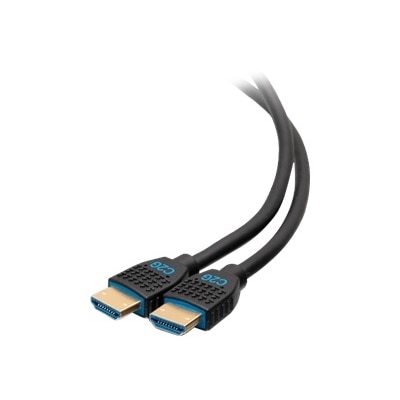
A black 1.5m cable connecting HDMI and DVI-D devices for seamless 1080p video display.
HDMI to DVI converters provide a simple solution for connecting devices with different display ports, making it easy to enjoy seamless video transmission between your favorite electronics. Whether you’re setting up a home office, enhancing your entertainment system, or connecting monitors and projectors, HDMI to DVI converters offer reliable compatibility across a wide range of devices. Explore options designed to support your connectivity needs and ensure smooth performance for both work and play.
A black 1.5m cable connecting HDMI and DVI-D devices for seamless 1080p video display.
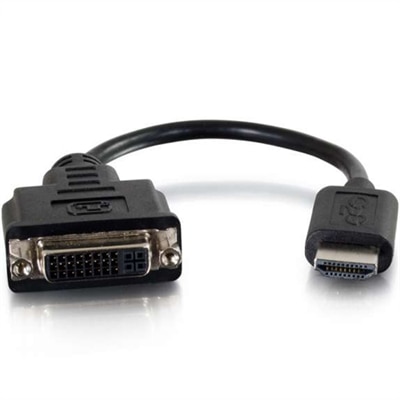
A black 8-inch dongle connects HDMI-enabled devices to DVI-D displays, supporting up to 1920x1200 resolution.
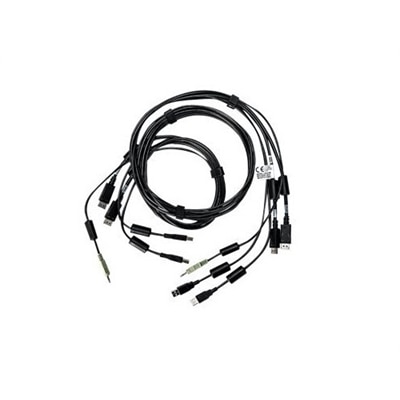
An all-in-one KVM cable offering superb 4K UHD video quality and error-free transmission for high-resolution applications.
As technology continues to evolve, the need for reliable connectivity solutions remains a constant for both home and office environments. HDMI to DVI converters have become indispensable tools for users looking to bridge the gap between newer HDMI-enabled devices—such as laptops, desktop computers, gaming consoles, or streaming boxes—and monitors, projectors, or displays equipped with DVI ports. These adapters are especially useful for professionals setting up dual-monitor workstations, educators connecting laptops to classroom projectors, or gamers seeking a crisp, lag-free display on legacy monitors. During the warmer months, when people often refresh their home office setups or create entertainment spaces for movie nights and gaming marathons, having the right adapter ensures seamless integration across a variety of devices. While HDMI and DVI both support high-definition video signals, it’s important to note that DVI does not carry audio—so if you’re aiming for a full multimedia experience, you’ll want to use a separate audio cable, like a 3.5mm auxiliary cord, to route sound to speakers or headphones.
When selecting an HDMI to DVI converter, consider your specific setup and the devices you plan to connect. These adapters are generally passive and bi-directional, meaning they can also function as a dvi to hdmi adapter, allowing for flexible connections in either direction. Most HDMI to DVI converters support resolutions up to 1920 × 1200, delivering sharp 1080p visuals ideal for presentations, productivity, or immersive gameplay. However, if you’re working with 4K content or require ultra-high-definition output, you may want to explore other solutions, as standard adapters are not designed for 4K video. Another key consideration is the physical design of the adapter itself. Rigid adapters can put undue strain on your device’s ports, particularly in tight spaces or when devices are frequently connected and disconnected. Opting for a short dongle-style cable can help reduce cable strain and prevent potential damage to your equipment. Whether you’re a creative professional editing photos on a dual-monitor setup, a student connecting a laptop to a dorm room TV, or someone setting up a home theater for summer gatherings, these adapters offer plug-and-play versatility that makes life easier.
HDMI to DVI converters also make thoughtful gifts for tech enthusiasts, students heading off to college, or anyone upgrading their workspace or entertainment area. Their universal compatibility and ease of use mean they can be appreciated by users of all experience levels, from seasoned IT professionals to casual home users. For those seeking even more specialized connectivity options, exploring dedicated solutions like DVI D Adapters can further expand your setup’s capabilities. As routines shift with the seasons and technology continues to advance, having the right adapter on hand ensures your devices stay connected, your visuals remain crisp, and your experience is always optimized for work, play, or anything in between.
Add the products you would like to compare, and quickly determine which is best for your needs.