$19.99
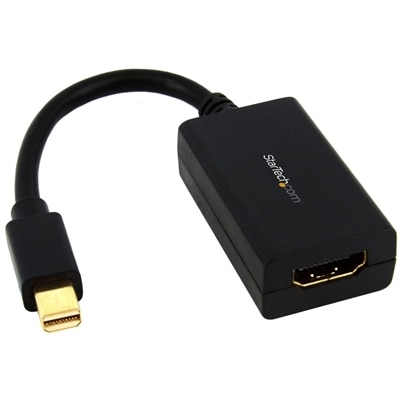
A passive adapter connecting Mini DisplayPort devices to HDMI displays, supporting 1080p resolution and 7.1 audio.
HDMI adapters make it easy to connect a wide range of devices for seamless audio and video transmission. Whether you’re setting up a home theater, enhancing your workstation, or linking gaming consoles to monitors, these versatile solutions provide reliable connectivity. With an array of hdmi adapters available, finding the right fit for your needs ensures smooth integration across your electronics and peripherals. Explore options designed to help you get the most out of your digital experience.
A passive adapter connecting Mini DisplayPort devices to HDMI displays, supporting 1080p resolution and 7.1 audio.
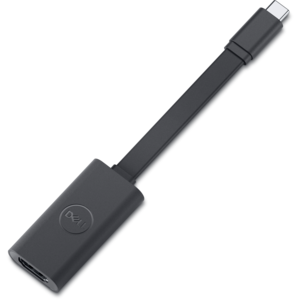
A convenient adapter connecting USB-C video output to HDMI 2.1 displays for high-quality viewing.
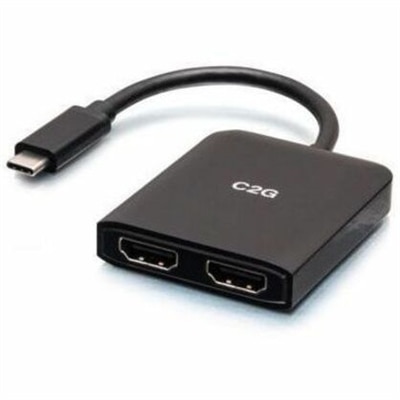
A compact USB-C hub supporting dual HDMI displays, 4K at 60Hz, mirroring, extending, and spanning.
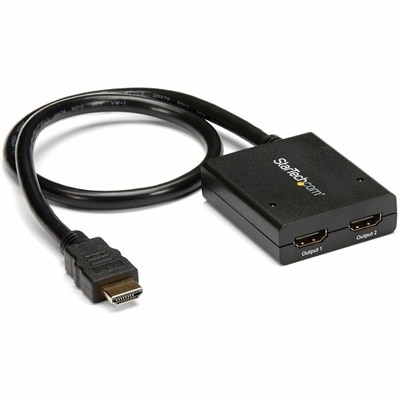
A powered two-port HDMI splitter supporting 4K at 30Hz, 3D video, and backward-compatible 1080p displays.
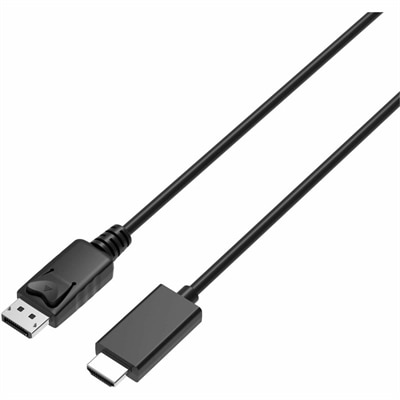
A 2-meter DisplayPort-to-HDMI cable delivering 4K resolution at 60Hz with backward-compatible HDMI support and plug-and-play connectivity.
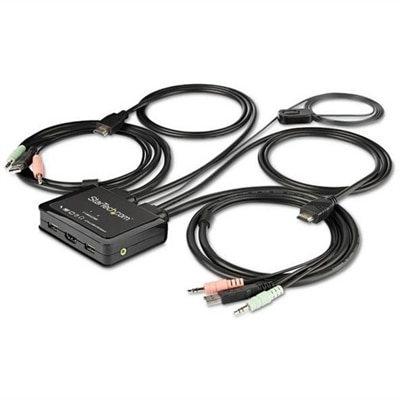
A bus-powered two-port HDMI KVM switch supporting 4K 60Hz, USB peripherals, stereo audio, and remote switching.
HDMI adapters make it easier to connect computers and mobile devices to displays with different types of ports. A laptop, tablet or phone may use USB-C for video output, while a monitor, television or projector may rely on HDMI. An adapter bridges that gap, sending the picture and, in many cases, digital audio from the source device to the display through an HDMI connection. This can be useful at a desk, in a classroom, in a meeting room or at home, where one screen may need to serve several types of devices. A USB-C to HDMI adapter is a common choice for newer laptops and compact devices, but compatibility depends on more than the shape of the connector. The USB-C port must support video output, often identified as DisplayPort Alt Mode or a similar display feature. If the port handles charging or data only, an adapter may not produce an image. HDMI-to-VGA and HDMI-to-DVI adapters can help connect a newer HDMI source to an older monitor or projector, although these formats may have limits involving resolution, audio and copy-protection support. Because adapters can be directional, check whether the connection is designed to send a signal from HDMI to another format or from another format to HDMI. A clear understanding of the source device, display and available ports can prevent the frustration of arriving at a presentation or settling in for a movie only to discover that the picture will not appear. For shoppers comparing compatible computers, the HDMI Laptops collection can provide another starting point when choosing a device for a display-based workspace.
Resolution and refresh rate are important considerations when selecting an HDMI adapter. Basic adapters may be suitable for everyday productivity, web browsing and presentations, while demanding visual work, gaming or high-resolution video calls may call for support for 4K resolution at 60Hz. The resolution describes the number of pixels shown on the screen, while the refresh rate describes how often the image updates; together, they affect clarity and motion smoothness. Look for specifications that match the capabilities of both the source device and the display, since an adapter cannot increase a laptop’s maximum output or make a monitor display a higher resolution than it supports. HDR support can help compatible content show richer contrast and a broader range of brightness, but the computer, adapter, cable and display all need to support the feature. Audio is another detail worth checking. HDMI can carry sound as well as video, but an older connection such as VGA generally carries video only, which may require a separate audio connection. Some adapters include an additional USB-C port with power delivery, allowing a compatible laptop to remain connected to its charger while sending video to a monitor. This can be especially useful for a compact workstation with a single USB-C port, though power delivery limits vary and the adapter should support the wattage required by the computer. Multiport designs may also add USB-A or other connections for peripherals, but adding ports can make the adapter larger and may affect how easily it fits beside other cables. Before making a selection, compare the port type, supported resolution, refresh rate, audio handling, power requirements, operating system compatibility and physical design. A short adapter may be convenient for travel, while a longer or sturdier design can be easier to manage behind a desk or display.
HDMI adapters are practical for people who move between workspaces, share screens with colleagues or use a laptop as the center of a home entertainment setup. A professional can carry one in a computer bag for connecting to a conference-room display, while a student can use one with a classroom projector or external monitor. Remote workers may connect a laptop to a larger screen for spreadsheets, video meetings and side-by-side documents, then disconnect with minimal setup when it is time to move to another room. At home, an adapter can help display photos, streaming content or presentations on a larger screen, and a compatible connection may allow a second monitor to expand the desktop instead of duplicating it. They can also be thoughtful gifts for someone starting a new job, setting up a study area or upgrading a small desk, particularly when the recipient uses a modern laptop with limited ports. During the cooler months, when more work, study and entertainment may happen indoors, a reliable adapter can make a familiar room feel more flexible without requiring a complete equipment change. Keep the adapter accessible, avoid sharply bending its cable and make sure connectors are fully seated before troubleshooting the display. If the screen remains blank, confirm the display input, restart the connection, check the source device’s display settings and verify that the adapter supports the intended signal. With the right match between ports and specifications, an HDMI adapter can turn a simple cable connection into a dependable way to use laptops, desktops, tablets and other compatible devices with a wider range of screens.
Add the products you would like to compare, and quickly determine which is best for your needs.