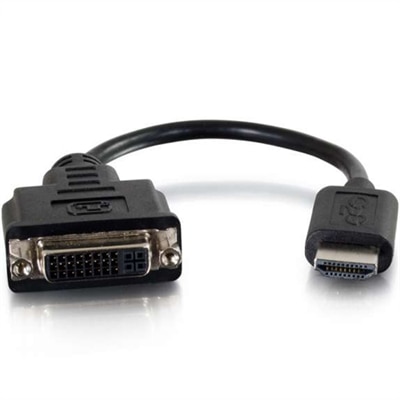
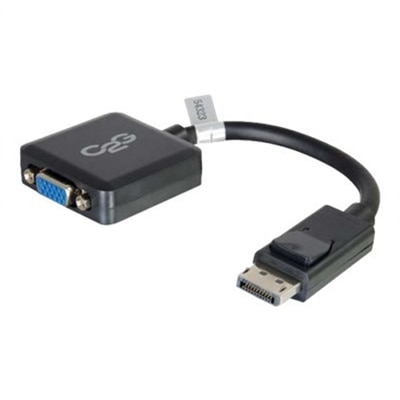
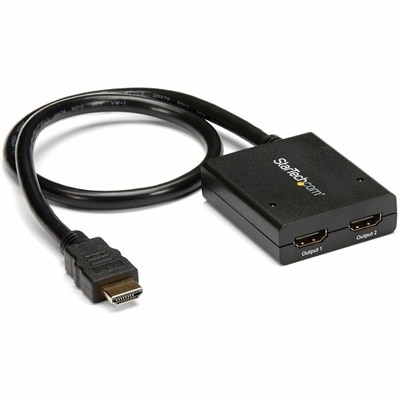
DVI D Adapters
DVI-D adapters provide a reliable solution for connecting digital video devices with ease and efficiency. Perfect for home, office, or professional environments, these adapters help bridge the gap between various display setups, ensuring smooth signal transmission. Explore a wide range of DVI-D adapters designed to support your connectivity needs and enhance your viewing experience across multiple devices.
This product is not available
Check out the following recommendations.
Related Products

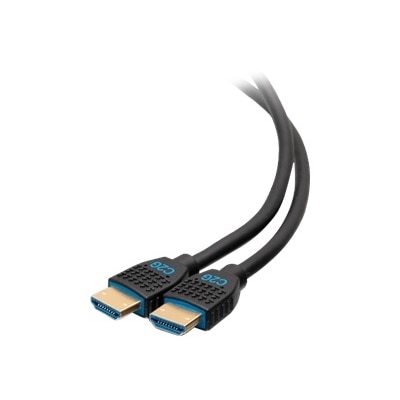

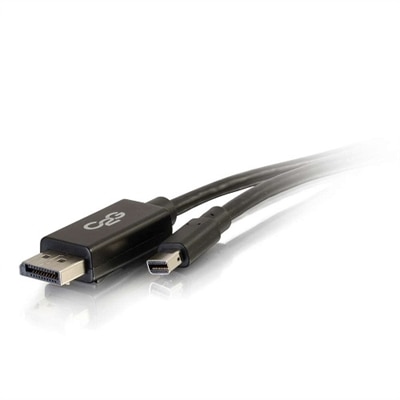
DVI D Adapters
DVI-D adapters provide a practical way to connect digital video equipment that uses different connector types. The “D” in DVI-D indicates that the connection carries a digital signal only, making these adapters suitable for linking a DVI-D output on a desktop computer, laptop docking setup, or other video source with a compatible digital display. Depending on the adapter design, the connection may run from DVI-D to HDMI or from HDMI to DVI-D, allowing an older monitor and a newer computer to work together without replacing equipment that still performs well. Some options also support connections between DisplayPort and DVI-D, though the requirements can vary by direction and device. Before choosing an adapter, identify the connector on the source device, the connector on the monitor, and whether each port is male or female. A DVI-D port commonly uses either a single-link or dual-link layout. Single-link connections are generally suited to everyday resolutions such as 1920 x 1200, while dual-link connections use additional pins to support higher bandwidth and may be preferred for certain higher-resolution displays. The maximum resolution and refresh rate are determined by the full combination of the source, adapter, cable, and monitor, so checking the specifications of each component helps avoid an unexpected limitation. A short adapter can be useful when the existing video cable is long enough, while a cable-style adapter may provide more reach and reduce strain on ports positioned close to a wall, desk surface, or docking station. Compact DVI-D accessories are also convenient to keep in a laptop bag, desk drawer, or shared workspace where different display connections may be encountered.
Compatibility is especially important because DVI-D is digital-only and does not include the analog signal required by a standard VGA display. A simple passive adapter cannot convert a DVI-D output into an analog VGA signal. Connecting those formats requires an active converter with internal processing, and the converter must support the resolution and refresh rate needed by the display. By contrast, DVI-D and HDMI both use digital video, so a properly matched passive connection can often link the two formats when the devices support compatible signal standards. Even in that situation, DVI-D generally carries video without audio. A monitor connected through DVI-D may need separate speakers, a dedicated audio cable, headphones, or another audio connection from the computer or source device. This distinction is easy to overlook when replacing a damaged cable or adapting a familiar setup, particularly when HDMI is commonly associated with both picture and sound. It is also worth checking whether the source device has the right output available and whether its graphics settings recognize the connected display. For a dual-link monitor, select an adapter and cable designed for dual-link operation rather than assuming every DVI connection offers the same bandwidth. For an installation that involves frequent plugging and unplugging, a port saver can help absorb everyday wear between the computer or monitor and the main cable. This small accessory may be useful in classrooms, conference rooms, workstations, repair benches, and home offices where equipment is regularly rearranged. It can also make a thoughtful, practical gift for a remote professional, computer enthusiast, photographer, or family member maintaining a long-standing monitor setup, especially when the recipient values reliable connections and prefers to extend the useful life of existing equipment.
When comparing DVI-D adapters, start with the connection path rather than choosing by appearance alone: write down the source port, display port, desired resolution, refresh rate, and cable length. Confirm whether the source uses DVI-D, HDMI, DisplayPort, or another digital connector, then look for an adapter that explicitly supports that source-to-display direction. A DVI-D to HDMI connection may be appropriate for sending video from a computer with a DVI-D output to a monitor or television with HDMI input, while an HDMI to DVI-D connection may serve the reverse arrangement. Although the connector shape may appear similar to other DVI formats, DVI-I and DVI-A include analog capabilities that DVI-D does not, so counting pins and reading the port description can prevent a mismatched purchase. Look for clear support for single-link or dual-link operation, the required resolution, and the intended refresh rate. A secure fit matters as well: an adapter should sit firmly without forcing the port, and thumbscrews or a compact housing can be helpful for stationary desktop installations. For a clean workspace, consider the direction the cable will travel and whether the adapter could place pressure on a side-facing or rear-facing port. During the cooler months, when home offices and indoor work areas often receive more attention, a dependable display connection can make a desk feel as seamless as a well-organized row of notebooks and a freshly adjusted chair. Keeping the unused connector protected, avoiding sharp bends, and routing cables so they are not pulled across the desk can help preserve the setup. For users who need sound, plan a separate audio path; for users moving from DVI-D to VGA, choose an active conversion solution; and for users connecting digital formats such as DVI-D, HDMI, or DisplayPort, verify that the adapter is designed for the exact pair of connectors. Those who need a related solution for a smaller digital display connector can also explore Mini DisplayPort Adapters as part of a broader collection of display accessories.
FAQs:
DVI D adapters are compatible with a wide range of devices, including desktop computers, laptops, monitors, and some projectors that feature a DVI port. They are often used to connect older graphics cards to modern displays or to add additional screens to a workstation.
Yes, you can use a DVI D to HDMI adapter, such as the dell dvi to hdmi option, to connect your Dell monitor with a DVI input to a device that outputs HDMI. This is a convenient way to bridge the gap between different generations of display technology.
DVI D connectors transmit digital signals only, while other types like DVI-A transmit analog signals, and DVI-I can handle both digital and analog. DVI D is ideal for high-quality digital display connections, ensuring clear and sharp images.
Yes, DVI D adapters support high-resolution displays, often up to 1920x1200 or higher, depending on the specific adapter and cable quality. This makes them a great choice for tasks that require detailed visuals, such as graphic design or gaming.
If you need to connect a device with a DisplayPort output to a DVI monitor, you can explore a variety of options on the DisplayPort To DVI Adapters page for compatible solutions.