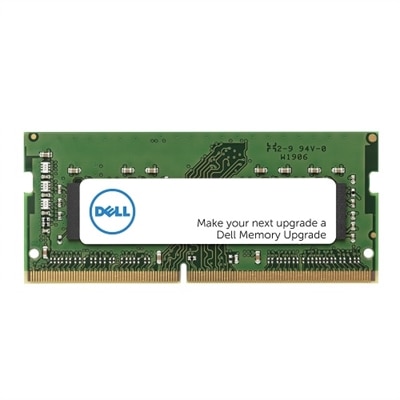
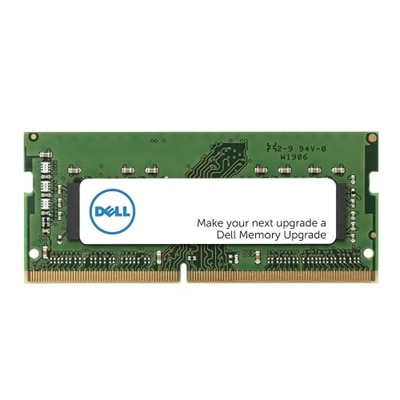
High Capacity RAM
High capacity RAM is essential for users who demand seamless multitasking, faster load times, and enhanced performance from their devices. Whether you're working with large files, running complex applications, or enjoying immersive gaming experiences, upgrading to high capacity RAM can help unlock your system's full potential. Explore a wide range of options designed to meet the needs of professionals, creators, and enthusiasts seeking reliable memory solutions for desktops and laptops.
This product is not available
Check out the following recommendations.




High Capacity RAM
High-capacity RAM gives a computer more room to hold the information that active applications need, from an open design project to the browser tabs, video calls, and background tools surrounding it. For demanding laptop and desktop workloads, 32GB, 64GB, and 128GB or more are common high-capacity configurations, although what counts as high capacity depends on the software and the work being done. RAM is temporary working memory: its contents do not remain when power is removed, and adding more does not increase the space available for saved files. Its value becomes clear when several memory-hungry tasks overlap. A photographer might keep a large photo catalog open while adjusting layered images; a student might move between research papers, statistical software, and a recorded lecture; a creator might edit footage while preparing graphics for the same project. When a computer has too little RAM for its active workload, it may move some working data to a slower drive, contributing to pauses and less responsive switching between applications. More memory can relieve that pressure, but it does not automatically make every task faster. For many demanding everyday setups, 32GB provides useful room for substantial multitasking, gaming alongside communication and streaming applications, and some 4K video editing projects. A 64GB configuration can better accommodate larger creative projects, complex scenes, extensive sample libraries, and multiple virtual machines. Capacities of 128GB or more serve specialized desktop workloads such as large simulations, unusually detailed visual projects, or certain local AI applications, provided the computer supports that amount. These are starting points rather than fixed rules: video resolution alone does not determine memory requirements, and a game's needs vary with settings, modifications, and background applications. Local AI work also depends on model size, precision, and whether processing uses system memory or graphics memory. The most relevant capacity is the one that comfortably holds the actual working set, with some room for projects to grow.
The fit of high-capacity RAM is both physical and technical, making compatibility just as important as the number of gigabytes. Desktop memory commonly uses full-size DIMMs, while many upgradeable laptops use smaller SO-DIMMs; other laptops have soldered memory or use different module formats. A computer with soldered RAM may not permit a later capacity increase, so its original configuration matters throughout its useful life. DDR4 and DDR5 are distinct memory generations with different electrical requirements and keyed connections, and they are not interchangeable. Supported capacity also depends on the processor, motherboard, firmware, operating system, and the limits of each memory slot. A system that supports a particular total capacity may still require a specific arrangement of modules to reach it. For example, 64GB could consist of two 32GB modules or another supported combination, but those arrangements are not automatically equivalent for every computer. Matched memory kits are designed and tested to operate together at their stated specifications; mixing separate kits, even with similar labels, can lead to reduced settings or compatibility problems. Capacity describes how much data RAM can hold, while data rate and latency describe other aspects of how it transfers and accesses that data. A larger kit is not necessarily faster, and the highest advertised data rate may require a supported performance profile rather than the computer's default settings. Memory-channel configuration matters as well: populating the appropriate slots can provide more bandwidth than a single-module arrangement on systems designed for multiple channels. These details have practical consequences for graphics-heavy work, integrated graphics, and other bandwidth-sensitive tasks, although results vary by application. Physical clearance deserves attention in compact desktops, where tall heat spreaders may sit close to a processor cooler. In laptops, the module dimensions and access requirements are often more restrictive. Manufacturer documentation for the exact computer provides the clearest basis for matching memory generation, module type, supported configurations, and operating specifications without relying on appearance alone.
High-capacity RAM is suited to people whose computers regularly carry several demanding responsibilities at once, whether that means producing a short film, building software, composing music, or exploring detailed engineering models. On a desktop, a larger memory configuration can support a workspace with room for substantial projects and, where the hardware allows, future expansion. For people who move between classrooms, studios, offices, and home, Laptops With High RAM bring that working room into a portable format, with overall suitability also shaped by processor performance, graphics capability, cooling, battery life, and weight. A music producer loading numerous instrument samples has different priorities from a traveler handling presentations and spreadsheets, even when both keep many applications open. Likewise, a video editor working with effects-heavy timelines may benefit from additional RAM while still depending heavily on the processor and graphics hardware for playback and export. System RAM does not replace dedicated graphics memory, and unused capacity alone does not improve frame rates or shorten rendering times. For an upgrade intended as a gift, the recipient's exact computer configuration and typical applications matter more than choosing the largest capacity. Memory modules generally combine a printed circuit board, semiconductor chips, and metal contacts; some desktop versions add metal heat spreaders to help dissipate heat. Their durability depends less on a rugged exterior than on correct handling, secure installation, suitable operating conditions, and protection from electrostatic discharge. Modules belong inside a compatible enclosure, away from moisture and excessive heat, with contacts kept clean and untouched. Installation and cleaning should follow the computer manufacturer's procedures, including power disconnection and appropriate static precautions. Stable operation at supported settings is especially important for long editing sessions, overnight calculations, and other sustained work. Enough memory for today's applications, sensible headroom for tomorrow's projects, and a configuration the computer fully supports make high-capacity RAM a practical foundation for a responsive, dependable workspace.
FAQs:
High capacity RAM is especially beneficial for professionals who work with large files or demanding applications, such as video editors, graphic designers, engineers, and software developers. Gamers, students in STEM fields, and users who frequently multitask with multiple programs open at once also experience smoother performance and faster load times with more RAM.
High capacity RAM allows your computer to handle more active applications and browser tabs simultaneously without slowing down. This means you can switch between tasks like editing documents, streaming media, and running complex software with minimal lag or interruptions, making your workflow more efficient and enjoyable.
Upgrading to high capacity RAM can breathe new life into an older computer by improving its ability to run modern applications and handle multitasking more effectively. However, it’s important to ensure that your system’s motherboard and processor support the new RAM modules you plan to install.
When selecting high capacity RAM, check your computer’s compatibility with the latest memory types, such as DDR4 or DDR5, and ensure your motherboard has enough slots and supports the desired capacity. It’s also important to match the RAM speed and voltage requirements to your system specifications for optimal performance.
Yes, creative software like video editing suites, 3D modeling programs, and virtual machine environments benefit significantly from high capacity RAM. More memory allows these applications to process larger files, render projects faster, and run multiple virtual machines or complex simulations without slowing down your computer.