$51.99
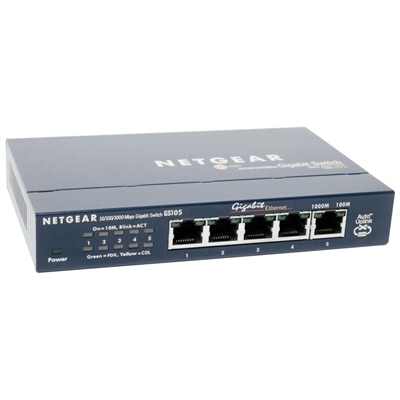
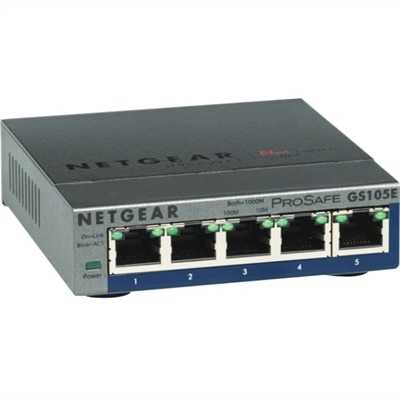
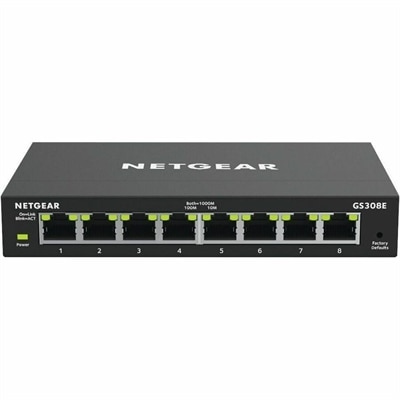
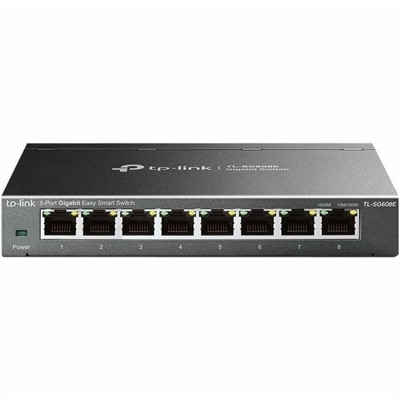
An 8-port Gigabit smart switch featuring durable metal construction, QoS, VLAN, IGMP Snooping, and fanless design.
High performance ethernet switches are essential for businesses and individuals seeking reliable, fast, and efficient network connectivity. Designed to support demanding workloads, these switches enable seamless data transfer and robust network management in a variety of environments. Whether upgrading your office infrastructure or enhancing your home network, high performance ethernet switches provide the flexibility and scalability needed to keep your connections running smoothly. Explore options that help optimize your network’s speed, stability, and overall efficiency.
An 8-port Gigabit smart switch featuring durable metal construction, QoS, VLAN, IGMP Snooping, and fanless design.
High-performance laptops and desktops bring responsive computing to demanding work, from editing detailed photography and assembling video projects to developing software and working across several large applications. The right balance of processing power, memory, graphics capability, and cooling matters more than any single headline specification. A processor handles calculations and application instructions, while memory keeps active projects and programs close at hand. Dedicated graphics can accelerate supported creative applications, drive complex visual workloads, and support gaming, although integrated graphics may be sufficient for everyday productivity and lighter creative work. For someone moving between spreadsheets, video meetings, and browser-based tools throughout the day, enough memory to keep those tasks running comfortably can be more useful than graphics capability that rarely gets used. A video editor reviewing layered footage or a designer rotating a detailed three-dimensional model has different priorities, including application-compatible graphics and consistent performance during extended sessions. Published component specifications provide a starting point, but application requirements and the way a computer behaves under sustained load give those numbers practical meaning. A thin laptop designed for frequent travel may balance speed with battery life and portability, while a larger desktop can offer more room for airflow and future component changes. Neither format is automatically the better fit. A comfortable match depends on where the work happens, how long demanding tasks run, and whether the computer needs to move with its user. For a consultant carrying a laptop between meetings, weight, charger size, and keyboard comfort become daily considerations. For a creator working at the same desk each morning, a desktop paired with a spacious monitor may offer a more settled workspace. Software compatibility also deserves attention, especially when projects depend on specialized applications, plug-ins, or peripherals. Checking recommended requirements rather than minimum requirements helps establish a more realistic baseline for comfortable use. Performance is most useful when it supports an actual routine: opening a complex project without disrupting concentration, switching between applications smoothly, or completing an export while leaving enough responsiveness for other work.
Monitors and accessories shape how effectively that computing power translates into a usable workspace. Screen size determines the physical area in front of the user, while resolution influences how much detail the display can show. A larger screen is not necessarily sharper, and a very high resolution may require text scaling to remain comfortable at a normal viewing distance. Someone comparing two documents may appreciate enough room to place them side by side, while a photographer may place greater importance on color accuracy and support for the color spaces used in their workflow. Refresh rate affects how frequently the screen updates, making it relevant to fast-moving games and the perceived smoothness of on-screen motion. For color-sensitive work, published display specifications are only part of the picture; calibration, application settings, and room lighting also affect results. A monitor facing a bright window may show reflections that make subtle image adjustments difficult, even when its panel is otherwise well suited to the task. Adjustable height, tilt, and compatible mounting options help position the screen without forcing an awkward posture. Physical fit matters just as much for keyboards, mice, headsets, and laptop accessories. A full-size keyboard leaves room for a numeric keypad but occupies more desk space, whereas a compact layout can bring the mouse closer to the typing position. Mouse shape and weight influence comfort over long sessions, and neither a larger body nor a lighter construction suits every hand. Headset padding, clamping pressure, microphone placement, and accessible controls become especially noticeable during back-to-back calls. For laptop users, an external keyboard and an appropriately positioned display can make a temporary work area feel more comfortable during longer tasks. Connection compatibility should be checked against the computer’s specifications, since ports that look alike can support different capabilities. Display resolution, refresh rate, accessory charging, and peripheral support may depend on the complete combination of computer, cable, and accessory. Keeping those requirements aligned helps avoid a workspace in which a capable computer is limited by an incompatible connection or an accessory that cannot support the intended function. The most effective arrangement leaves enough room for ordinary movement, keeps frequently used controls within easy reach, and supports the work without unnecessary clutter.
Construction, cooling, and routine care contribute to how well laptops, desktops, monitors, and accessories hold up over time. Metal laptop enclosures can provide rigidity and a distinctive feel, while well-designed polymer housings can keep weight manageable and withstand everyday handling; material alone does not establish durability. Hinge construction, chassis reinforcement, port placement, and the way a device is transported all play a role. A laptop carried daily benefits from a properly fitted, padded compartment that separates it from loose objects and protects its corners. At a desk, placing a computer on a stable surface with unobstructed ventilation helps it manage heat during demanding work. Soft bedding and thick fabric can block openings, and a desktop pushed tightly against surrounding furniture may not have the clearance its cooling system requires. Fan noise also deserves consideration in shared rooms, recording spaces, and quiet home offices, particularly when intensive applications run for extended periods. Routine cleaning should follow the manufacturer’s directions, with the device powered down as instructed and liquids kept away from openings. A clean microfiber cloth is often suitable for gentle surface care, but screen coatings and finishes may require specific cleaning methods. Cables should have enough slack to avoid pulling on connectors without trailing across walkways or becoming trapped beneath chair wheels. For long-term use, serviceability and documented upgrade options can matter alongside initial performance. Some computers allow selected components to be replaced or expanded, while others prioritize compact construction and offer fewer changes after purchase. Checking those details in advance helps match the device to an expected working life. Battery runtime varies with screen brightness, application load, and power settings, so a portable computer’s suitability should reflect realistic daily use rather than light-use estimates alone. A student running demanding coursework, a professional building presentations, and a hobbyist editing weekend footage may all value responsive computing, but each will place different weight on portability, display quality, noise, and accessory comfort. Matching those everyday needs creates a cohesive setup that remains practical through both quick tasks and longer, more involved projects.
Add the products you would like to compare, and quickly determine which is best for your needs.