High Performance Laptops for Software Engineering

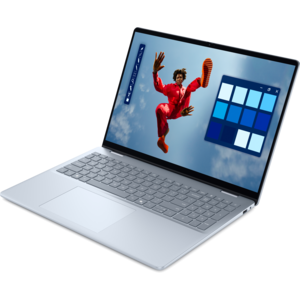
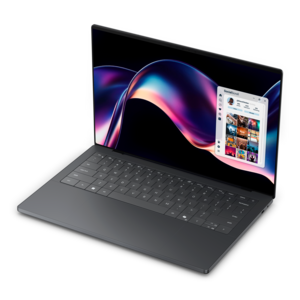
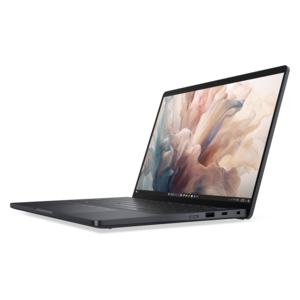
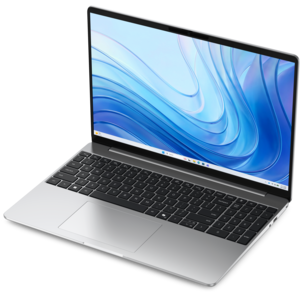
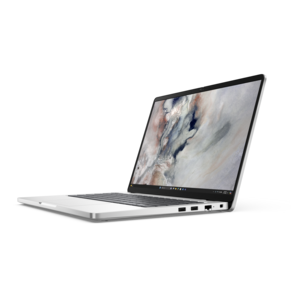
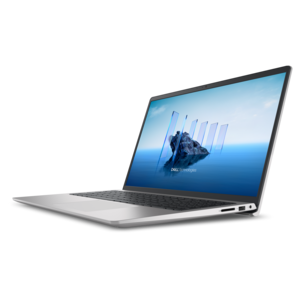
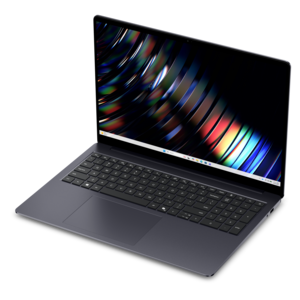
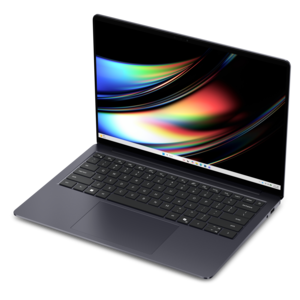
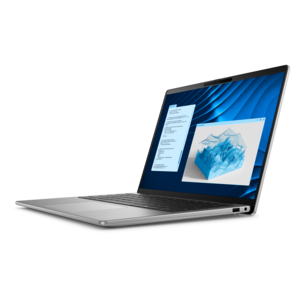
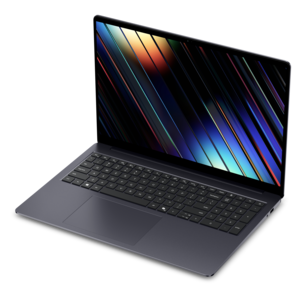
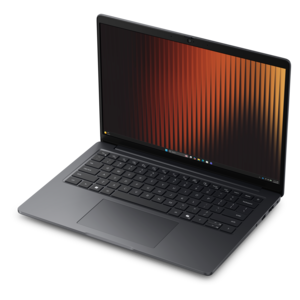
High Performance Laptops for Software Engineering are essential tools for developers who need reliable computing power to handle complex coding, testing, and development tasks. Designed to support demanding workloads, these laptops offer the speed and efficiency required for seamless software creation and multitasking. Whether you are building applications, running virtual machines, or managing large datasets, finding the right laptop can make a significant difference in your workflow. Explore a selection of High Performance Laptops for Software Engineering that help boost productivity and keep your projects moving forward.

Filters

$3395.00

A powerful professional laptop combining exceptional performance, scalability, ease of use, and advanced on-device AI.
$3395
$1799.99

A thin, high-performance creator laptop delivering exceptional battery life for demanding creative work.

$1799.99
$2461.00

A powerful laptop with a large display, built for productivity and design applications on the go.

$2461
$1199.99

An AI-powered laptop with a spacious display and Intel Arc graphics for creators and developers.

$1199.99
$2399.99

A thin 14-inch laptop built for mobile creation with exceptional battery life.

$2399.99
$849.99

A thin, lightweight laptop made with eco-friendly materials and powered by Series 3 Intel Core processors.

$849.99
$1257.00

A lightweight AI PC delivering outstanding performance and battery life for highly mobile professionals.

$1257
$999.99

A thin, lightweight laptop crafted with eco-friendly materials and powered by Series 3 Intel Core processors.

$999.99
$1343.00

A portable, durable laptop with modular design, strong security, spacious 16:10 display, and built-in AI options.

$1343
$1099.99

A laptop with a built-in FHD camera, enlarged ergonomic keyboard, and Intel 13th Gen processors.

$1099.99
$1299.99

A sleek laptop powered by the latest AMD Ryzen AI 400 Series processors for demanding everyday performance.

$1299.99
$1549.99

An AI-ready laptop with a spacious display, designed for creators and developers seeking high performance.

$1549.99
$1349.99

A sleek laptop with a stylish modern design and powerful performance for multitasking.

$1349.99
$1460.00

A durable, modular laptop with robust security, a spacious display, and optional built-in AI for workdays.

$1460
$1744.00

A thin, lightweight business laptop with durable design, commercial-grade security, manageability, and AMD Ryzen processors.

$1744
$1649.99

A sleek laptop powered by AMD Ryzen™ AI 400, designed for powerful performance and modern multitasking.

$1649.99
$1789.00

A professional laptop delivering powerful on-device AI, impressive unplugged performance, and groundbreaking battery life.

$1789
$1699.99

A sleek laptop delivering smooth AI experiences and accelerated creative workflows for demanding high-performance users.

$1699.99
$1778.00

A thin, lightweight business laptop with AMD Ryzen processors, commercial-grade security, and durable, manageable construction.

$1778
$1892.00

A durable modular laptop with a 16:10 display, numeric keypad, robust security and built-in AI options.

$1892
$2005.00

A remarkably thin laptop powered by AMD Ryzen AI PRO 400 Series processors for professional performance.

$2005
$1932.00

A thin, lightweight business laptop with durable construction and commercial-grade security and manageability.

$1932
$1906.00

A laptop with modular design, durable construction, 16:10 display, numeric keypad, robust security, and AI options.

$1906
$2135.00

A productivity-focused Copilot+ PC powered by a capable AMD CPU, GPU and NPU combination.

$2135

High Performance Laptops for Software Engineering

High-performance laptops for software engineering combine a capable multicore processor, sufficient memory, a responsive solid-state drive, and sustained cooling to keep development work moving smoothly. For many professional workflows, 32GB of RAM provides room for an integrated development environment, browser tabs, local databases, and containers running together. Lighter coding projects and introductory coursework can be comfortable with 16GB, while 64GB can be useful for several virtual machines, large datasets, or particularly demanding development environments. Processor performance matters in different ways: strong single-core performance helps with interactive tasks, while additional capable cores can shorten parallel builds and support simultaneous workloads. The difference becomes noticeable when a developer edits a project, runs automated tests, and rebuilds an application without closing the other tools needed for the afternoon. An SSD helps applications launch quickly and keeps file-intensive operations responsive; capacity matters as project repositories, dependencies, virtual machine images, and compiled artifacts accumulate. A 1TB SSD can provide practical room for multiple projects, although actual needs vary considerably by workload. Dedicated graphics are not essential for most web development, scripting, or general application programming. They become more relevant for game development, 3D visualization, and local machine learning tasks that can use graphics acceleration. For those workloads, graphics memory and compatibility with the intended frameworks deserve attention alongside processor and system memory specifications. Cooling is equally important because a laptop that feels quick during a short task may behave differently during a lengthy compilation. Chassis design, airflow, and power settings all influence sustained performance and fan noise. The strongest fit is therefore not simply the configuration with the highest number on a specification sheet, but a laptop whose resources match the work performed every day. A developer maintaining a modest application has different requirements from an engineer building large codebases or testing several operating environments locally.

The physical experience of using a development laptop matters just as much during long working sessions. A sharp display makes dense code, terminal output, and small interface elements easier to distinguish, while a taller screen shape can show more lines without constant scrolling. Larger displays provide space for an editor beside documentation or a running application, although they also increase the footprint of the laptop in a backpack or on a crowded desk. A compact laptop can suit someone moving between classrooms, shared workspaces, and home, especially when an external monitor handles the larger workspace at a regular desk. Display brightness and glare control affect comfort near windows, and adjustable scaling helps balance readable text with the amount of information shown. Color accuracy becomes more important when software engineering overlaps with interface design, visual testing, or graphics work. Keyboard layout also has everyday consequences: well-spaced keys, clear legends, accessible navigation controls, and a comfortable typing feel can make hours of editing less tiring. A responsive touchpad is helpful when there is no room for a mouse, and a stable hinge keeps the screen steady while typing. Construction influences how a laptop handles regular travel. Metal chassis designs can provide rigidity, while well-engineered reinforced materials can balance strength and weight; the quality of the hinges, base, and assembly matters more than the material name alone. A protective sleeve helps reduce scuffs and protects against minor bumps inside a bag, but no everyday chassis should be treated as immune to drops or spills. Physical fit includes the accessories carried alongside the computer. The laptop, power adapter, and any adapters or peripherals all contribute to the weight carried between appointments or lectures. At a desk, an external keyboard and elevated display can support a more comfortable working position than leaning over the built-in screen throughout the day.

Connectivity, battery behavior, and software compatibility round out the requirements for a laptop used in software engineering. Ports should suit the working environment, whether that means connecting an external display, attaching a test device, or using a docking station with a keyboard and mouse. USB-C ports can support different combinations of charging, video, and data transfer, so the capabilities of the particular port matter more than its shape. Support for multiple external displays also depends on the laptop configuration and connection method. Battery runtime varies with screen brightness, processor load, graphics use, and background activity; sustained compiling or running virtual machines generally draws more power than editing text. A machine that lasts through note-taking may still need its adapter during an extended build session. Operating system and processor architecture compatibility are especially important when coursework, employer requirements, development tools, or device testing depend on a particular environment. Support for virtualization, required drivers, and specialized libraries can determine whether a workflow runs smoothly without workarounds. For professional use, features such as biometric sign-in and hardware-backed security can help protect access, while encryption and dependable backups remain important parts of safeguarding project files. Long-term practicality also includes whether memory or the SSD can be replaced, since some thin designs have components fixed in place. Routine care helps preserve the everyday experience: keeping ventilation openings clear, using the laptop on a firm surface during demanding tasks, and cleaning it according to the manufacturer’s directions can reduce avoidable wear. Students balancing assignments, personal projects, and internships can also explore best laptops for software engineering students for an education-focused selection. For an experienced developer, a career changer, or a graduate receiving a laptop as a gift, the most useful configuration supports both current tools and reasonably anticipated projects. That means enough performance for focused work, a comfortable screen and keyboard for daily use, and a portable design that fits the places where coding actually happens.

FAQs:

Add the products you would like to compare, and quickly determine which is best for your needs.

Add the products you would like to compare, and quickly determine which is best for your needs.