High Performance Laptops for Video Editing

High Performance Laptops for Video Editing are essential tools for creators seeking smooth workflows and reliable results. Designed to handle demanding editing software and large media files, these laptops offer the power and efficiency needed to bring creative visions to life. Whether you’re working on short clips or full-length films, choosing the right laptop can make a significant difference in productivity and output quality. Explore a range of options tailored for video editing professionals and enthusiasts who require exceptional performance on the go.

Filters

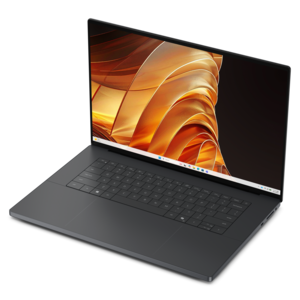
$3418.00

A sleek, lightweight laptop with Intel Core Ultra processors, NVIDIA graphics, and advanced on-device AI.
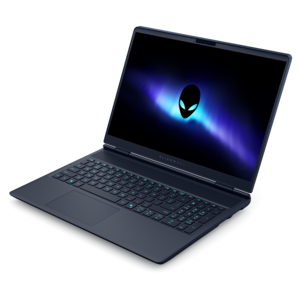
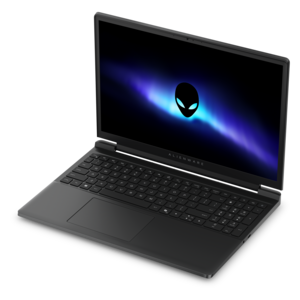
$3418
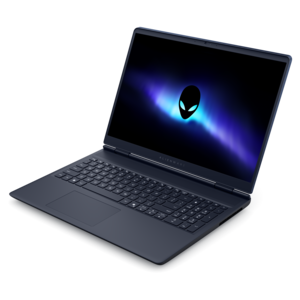
$2699.99

A streamlined gaming laptop delivering powerful performance with NVIDIA GeForce RTX 50 Series graphics.

$2699.99
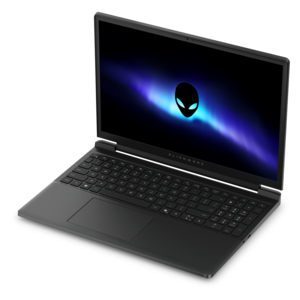
$1399.99

A streamlined gaming laptop featuring Intel Core processors and NVIDIA GeForce RTX graphics for powerful performance.

$1399.99
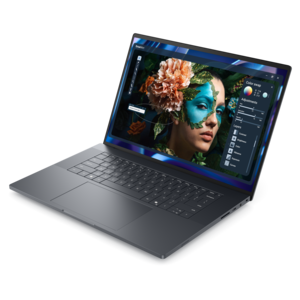
$4799.99

A high-performance creator laptop with NVIDIA RTX Spark™ graphics for AI, development, and gaming.

$4799.99
$2649.99

A streamlined gaming laptop delivering essential performance with up to NVIDIA GeForce RTX 50 Series graphics.

$2649.99
$1299.99

A streamlined gaming laptop powered by AMD Ryzen 200 Series processors and NVIDIA GeForce RTX graphics.

$1299.99

High Performance Laptops for Video Editing

High-performance laptops for video editing combine capable processors, graphics acceleration, ample memory, and responsive solid-state drives to handle demanding creative work in a portable format. Their value becomes clear during everyday production: scrubbing through a crowded timeline, layering interview footage over background audio, adjusting color across several camera angles, or exporting a finished project while preparing the next cut. Smooth playback depends on more than resolution alone. Video codecs, frame rates, effects, and the number of simultaneous streams all influence how much processing power a project requires. A short 4K sequence with simple cuts can behave very differently from a multicamera edit with noise reduction, stabilization, and animated titles. Modern multicore processors help with tasks such as decoding, rendering, and exporting, while a dedicated graphics processor can accelerate supported effects, color adjustments, and other operations within compatible editing software. Hardware support for the codecs used by a camera can matter as much as headline specifications. Memory gives active projects room to work: 16 GB can accommodate lighter editing, while 32 GB often provides more flexibility for larger timelines and several creative applications running together. Particularly demanding projects may benefit from 64 GB or more, depending on software requirements and workflow. Fast internal drives help footage, project files, and media caches remain responsive, and sufficient capacity leaves space for working files that can grow quickly during production. For editors handling high-resolution footage, proxy workflows can also improve responsiveness without changing the resolution of the final export. These laptops suit freelance editors, filmmakers, content creators, students, and professionals producing everything from documentary interviews to training videos. The strongest match is not simply the machine with the highest specification in every category, but one whose processing capabilities, memory, graphics resources, and drive capacity fit the footage and software used most often. That balance helps keep attention on the timing of a cut or the expression in a subject’s face rather than on interruptions between creative decisions.

Display quality shapes the editing experience just as directly as processing speed. A sharp screen makes fine details easier to inspect, but resolution is only one part of a useful editing display. Color gamut, accuracy, brightness, contrast, and consistent viewing angles influence how confidently an editor can evaluate skin tones, shadow detail, and the relationship between shots. Coverage of the color space required by the intended delivery format matters more than a vague promise of vivid color. Accurate work also depends on appropriate calibration and viewing conditions; a bright room or direct sunlight can make even a capable screen harder to judge. For standard video, dependable color reproduction is essential, while HDR work requires suitable display capabilities and a compatible workflow rather than resolution alone. A larger laptop screen can make room for a preview window, audio meters, media bins, and a detailed timeline without constant rearranging. A smaller chassis, by contrast, can be easier to carry between classrooms, client locations, and shared workspaces. The practical fit includes keyboard comfort, touchpad precision, screen reflections, and enough physical room to work comfortably for an extended session. Connections matter, too. Compatible high-bandwidth ports can support external displays and fast external drives, while a built-in memory card reader may simplify moving footage from certain cameras. Port types and supported speeds vary, so the connection requirements of existing equipment remain an important part of the overall fit. An external monitor can expand the workspace at a desk, and headphones can make dialogue edits and background noise easier to assess than laptop speakers alone. For someone assembling a travel documentary in a hotel room or reviewing interview selects with a collaborator, these everyday details can be as consequential as benchmark results. The most useful configuration keeps the image clear, the controls comfortable, and the necessary equipment connected without making a portable editing setup unnecessarily complicated.

Sustained performance is another defining consideration for video editing laptops because a brief burst of speed does not tell the whole story of a lengthy export. Cooling design, power limits, and the surrounding temperature affect how consistently a laptop can maintain performance under load. Larger systems may have more room for cooling hardware, while thinner designs often emphasize portability; neither shape alone guarantees a particular result. Fan noise can become noticeable during intensive work, especially in a quiet room where voice recordings or detailed audio checks are taking place. Many performance-focused laptops deliver their strongest results when connected to power, and battery runtime during editing is typically shorter than during lighter tasks such as reading or writing. Construction also matters for equipment that travels regularly. Metal chassis materials can provide a rigid feel, while well-designed reinforced materials can balance strength and weight. Hinge stability, a protective carrying sleeve, and careful handling help protect the screen and body during trips between a home workspace and a production location. Clear ventilation openings and a firm working surface help the cooling system operate as intended. Routine care includes following the manufacturer’s cleaning instructions, using an appropriate cloth on the display, and keeping liquids away from the keyboard. Separate backup copies of footage and project files are equally important, since a durable laptop cannot replace a sound backup routine. For creators who divide their time between editing and interactive entertainment, Laptops For Video Editing And Gaming can serve both interests, although creative software compatibility and display accuracy remain distinct considerations. A capable editing laptop can also be a thoughtful graduation gift for a film student or an aspiring creator, particularly when its capabilities match the recipient’s coursework and creative plans. Whether the setting is a kitchen-table workspace, a campus editing session, or a temporary desk near a filming location, the right combination of performance, screen quality, connectivity, and practical durability supports the work from the first imported clip to the final exported frame.

FAQs:

Add the products you would like to compare, and quickly determine which is best for your needs.

Add the products you would like to compare, and quickly determine which is best for your needs.