$576.99
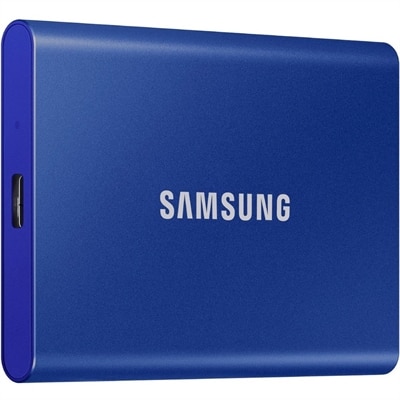
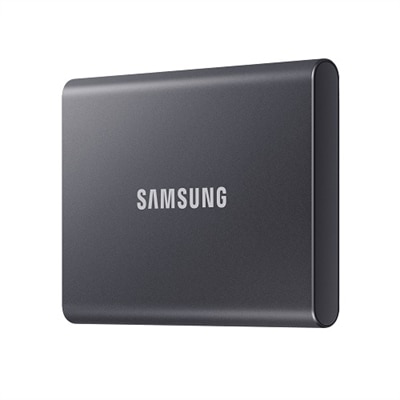
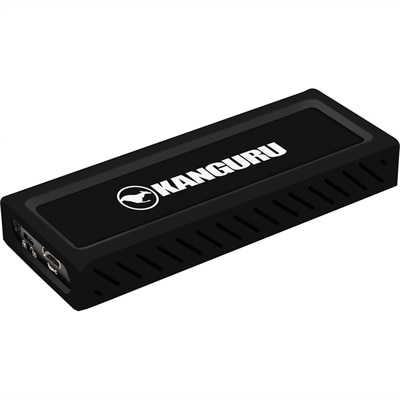
A sleek metal USB-C NVMe SSD delivering 675MB/s reads, 575MB/s writes, and write protection.
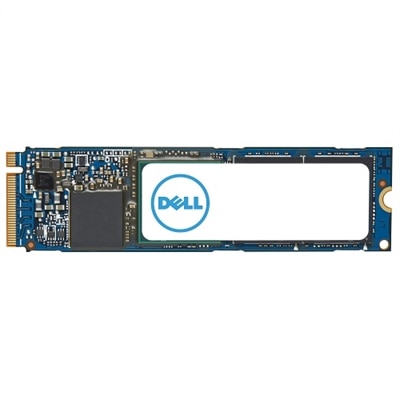
High performance NVMe SSDs are designed to supercharge your computing experience, offering rapid data transfer speeds and enhanced responsiveness for demanding tasks. Perfect for gamers, content creators, and professionals alike, these advanced storage solutions help maximize productivity and efficiency. Explore a wide selection of high performance NVMe SSDs to find the ideal upgrade for your desktop or laptop, ensuring seamless multitasking and reliable performance every step of the way.
A sleek metal USB-C NVMe SSD delivering 675MB/s reads, 575MB/s writes, and write protection.
High-performance NVMe SSDs bring a more responsive feel to compatible laptops and desktops, especially when the day involves more than a browser tab and a document. Opening a large photo library, loading a game with detailed environments, or copying a folder full of video clips can expose the limits of an older drive. NVMe, short for Non-Volatile Memory Express, is a protocol designed for flash memory that communicates over a computer’s PCIe connection. Compared with older SATA-based SSDs, NVMe models can offer substantially greater bandwidth and handle more simultaneous requests, although the improvement you notice depends on the application and the rest of your computer. Sequential read and write speeds describe how quickly a drive moves large, contiguous files; random performance and latency are often more relevant when applications retrieve many small pieces of information. That distinction matters when comparing specifications. A striking maximum read speed does not automatically mean every program opens proportionally faster, and replacing an already capable NVMe SSD may deliver a smaller everyday improvement than moving from a mechanical hard drive. For many home users, students, and gamers, a well-matched PCIe 4.0 SSD provides ample performance. PCIe 5.0 models offer additional bandwidth that can be useful for frequent large-file transfers and demanding creative workflows, provided the computer supports that connection and can manage the heat. Neither generation makes a slow processor faster or replaces the need for sufficient memory. Instead, a suitable SSD helps keep files and applications accessible without adding unnecessary waiting to the tasks your computer is otherwise equipped to handle. The practical appeal is easy to picture: returning from a trip with hundreds of photographs, sitting down to organize them, and spending more of the evening choosing favorites rather than watching progress bars. Performance is most valuable when it removes those interruptions, not simply when it produces a larger number on a specification sheet.
Choosing a high-performance NVMe SSD begins with compatibility, because the right connection and physical fit matter more than the highest advertised speed. M.2 describes a form factor, not a guarantee of NVMe support; some M.2 connections support SATA drives, some support PCIe NVMe drives, and some support both. Check the computer manufacturer’s documentation for the supported interface, drive dimensions, available slots, and any installation restrictions. The common M.2 2280 size measures 22 millimeters wide by 80 millimeters long, but compact laptops may require a shorter module or have limited clearance for components on both sides of the drive. A desktop may accommodate a substantial heatsink, while a thin notebook typically needs a solution that fits within its existing thermal design. PCIe generations are generally backward compatible when the slot supports the drive’s interface, but performance is limited by the supported generation and lane configuration. Installing a newer drive does not upgrade the connection itself. Capacity deserves equally careful attention. A 1TB model can suit everyday applications and a moderate collection of files, while 2TB or more may make sense for a growing game library, extensive photography, or active video projects. Actual usable space is lower than the advertised capacity after formatting and system requirements, and leaving room for updates, temporary files, and future projects makes ownership easier. Beyond capacity, compare warranty terms, endurance ratings, and sustained write behavior. Terabytes written, or TBW, is an endurance specification commonly tied to warranty conditions, not a precise countdown to failure. Drives also differ in flash type, controller design, caching, and power consumption. Some deliver excellent short bursts but slow during lengthy writes after their fast cache fills; that difference can matter when transferring an entire project folder rather than a few documents. TLC and QLC flash can both serve consumer needs, though their endurance and sustained performance characteristics vary by implementation. For laptop use, power efficiency and heat output deserve attention alongside speed, since a drive that performs well within the machine’s cooling limits can be a better fit than one selected solely for peak throughput.
The strongest reason to choose additional NVMe performance is a workload that can put it to use. Gamers may appreciate shorter loading times and more room for large installations, but an SSD upgrade generally should not be expected to raise average frame rates substantially; graphics performance, processor capability, and memory remain central to that experience. Photographers working with large catalogs can benefit from responsive access to previews and source files, while video editors may value faster media transfers and room for footage, proxies, and scratch files. For editing, the benefit depends on the codec, number of streams, software, and processing hardware, so the fastest drive is not automatically the most effective upgrade. Students and remote workers often benefit most from adequate capacity, dependable responsiveness, and a configuration that suits their laptop rather than an extreme performance tier. An NVMe SSD can also be a thoughtful gift for someone building a desktop, maintaining a compatible notebook, or finally making space for a creative hobby. Confirming the recipient’s exact computer model and available slot first prevents the familiar disappointment of a useful component that cannot be installed. Installation planning is part of the purchase, too. Replacing a computer’s existing drive may require cloning its contents or reinstalling the operating system, while adding a second drive depends on an unused compatible slot. Back up important files before making changes, keep any required encryption recovery information accessible, and follow the computer manufacturer’s service instructions. A faster SSD is not a substitute for a backup: family photographs, coursework, and unfinished projects still need a separate protected copy. During everyday use, appropriate cooling and some available free space can help the drive maintain consistent behavior, particularly during extended transfers. Ultimately, the best high-performance NVMe SSD for a personal computer balances compatibility, capacity, sustained performance, efficiency, and cost. That balance leaves room for the things the computer is there to do, whether that means keeping a semester’s work organized, exploring a new game, or turning a weekend’s footage into a finished film.
Add the products you would like to compare, and quickly determine which is best for your needs.