High Performance Ultrabooks

Find high-performance ultrabooks for multitasking at your desk or on the go. Compare processing power, memory, screen size, and weight to choose a thin-and-light laptop that fits your workflow and portability needs.

Filters

$1699.99

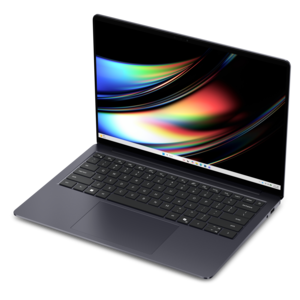
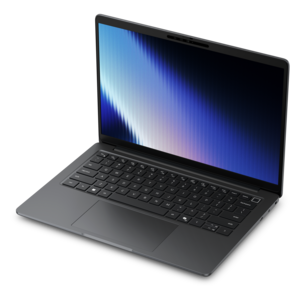
A sleek laptop delivering smooth AI experiences and accelerated creative workflows for demanding high-performance users.
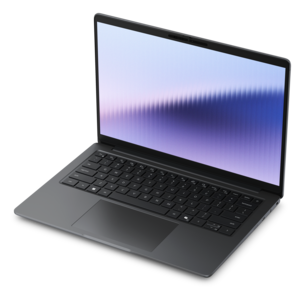
$1699.99
$2399.99

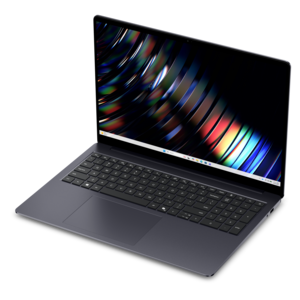
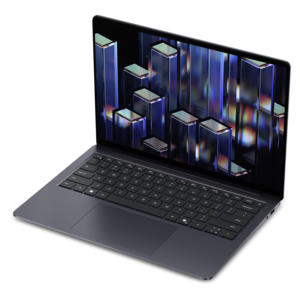
A thin, high-performance 16-inch laptop with exceptional battery life, designed for creators.

$2399.99
$2193.00

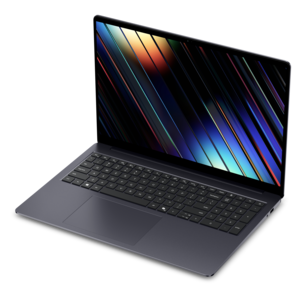
A remarkably thin laptop delivering portable performance with Series 3 Intel Core Ultra processors.

$2193
$1149.99

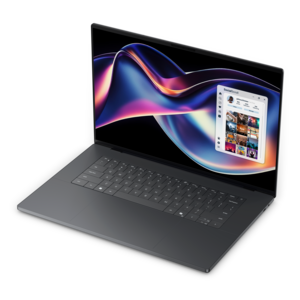
A sleek laptop powered by the latest AMD Ryzen™ AI 400 Series processors for demanding users.

$1149.99
$1649.99

A sleek laptop powered by AMD Ryzen™ AI 400, designed for powerful performance and modern multitasking.

$1649.99
$3358.00

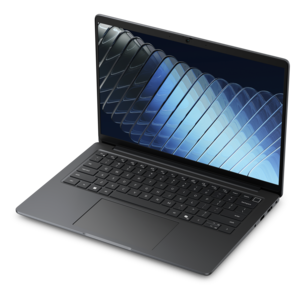
A durable, ultra-thin laptop designed for powerful performance in a compact chassis.

$3358
$2976.00

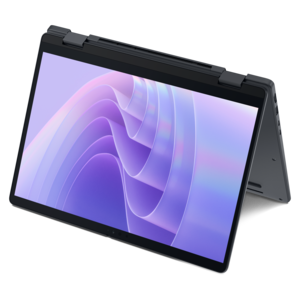
A versatile 2-in-1 laptop with a remarkably thin design and Intel Core Ultra Series 3 performance.

$2976
$2346.00

A thin laptop combining portability and performance, powered by Series 3 Intel Core Ultra processors.

$2346
$1599.99

A sleek laptop with a stylish modern design and powerful performance for multitasking.

$1599.99

High Performance Ultrabooks

High-performance ultrabooks combine a slim, lightweight design with capable processors, fast memory, and solid-state drives for responsive computing beyond basic browsing. Advanced integrated graphics or, in some configurations, discrete graphics support visual work while keeping the footprint smaller than many traditional performance laptops. These portable computers suit professionals moving between meetings, students balancing research with creative projects, and frequent travelers who need a productive workspace that fits inside a carry-on. Their appeal is the balance between computing power and portability: a laptop light enough for a morning commute, yet capable of handling a large spreadsheet, a presentation, and a video call during the same afternoon. Processor capability matters, but sustained performance also depends on cooling, power settings, and the demands of the application. A thin chassis has less room to dissipate heat, so short bursts of speed do not necessarily predict performance during a lengthy video export or software compilation. Memory capacity affects how comfortably multiple applications run together; 16GB is a practical starting point for many productivity workloads, while 32GB can provide additional headroom for larger creative projects, development tools, and heavier multitasking. Some slim laptops have memory fixed to the main board, making the initial configuration especially important for longer-term use. A solid-state drive helps applications open quickly and makes everyday file handling feel responsive, while drive capacity determines how much room remains for project folders, photos, and downloaded media. Graphics requirements vary considerably. Modern integrated graphics can handle everyday visual tasks and some photo editing, while more demanding rendering, complex effects, and certain games benefit from stronger graphics hardware. For sustained, graphics-intensive work, a larger performance laptop may be a better match. Within the ultrabook category, the strongest fit comes from matching the computer to the actual workload rather than assuming that the thinnest design or the highest processor specification tells the whole story.

The physical design of a high-performance ultrabook shapes its usefulness just as much as the components inside. Aluminum and magnesium chassis are common because they can provide rigidity without excessive weight, although overall durability also depends on construction, hinge quality, and how the laptop is handled. A firm keyboard deck and a stable display hinge contribute to a reassuring feel when typing on a narrow train table or opening the computer between appointments. Screen size influences both carrying comfort and working space: smaller displays fit easily into compact bags, while larger screens leave more room for side-by-side documents, detailed spreadsheets, and editing timelines. Resolution affects text sharpness, but a higher pixel count is not automatically the most practical choice for every task. Brightness, reflections, color accuracy, and comfortable scaling can matter more during hours of reading or design work. A matte finish can reduce distracting reflections in a bright office, while a glossy display may emphasize contrast but show nearby windows and overhead lights more clearly. Touch input can be useful for marking up documents or navigating presentations, though it is not essential for every workflow. Keyboard spacing, key feedback, and touchpad accuracy influence daily comfort, especially for people who write extensively or work without a separate mouse. Connections deserve similar attention. USB-C ports that support charging, video output, or high-speed data can simplify a desk setup, but those capabilities differ by laptop and port. An external monitor, keyboard, and mouse can make a compact computer more comfortable for longer sessions without changing its portable role. Bag fit should account for the laptop’s actual dimensions, its protective sleeve, and the charger rather than screen size alone. Routine care helps preserve the finish and moving parts: a soft microfiber cloth removes fingerprints, liquids stay away from openings, and vents need clear space. Carrying the computer in a padded compartment and avoiding pressure against the lid can reduce wear from daily travel.

Battery life completes the balance between performance and mobility, but it varies with the configuration and the way the computer is used. Writing notes at moderate brightness draws less power than exporting a video, driving a high-resolution external display, or joining back-to-back video meetings. A larger battery can extend time away from an outlet, although battery capacity alone does not determine runtime; processor efficiency, display technology, background applications, and power settings all contribute. Published battery results are most useful when their test conditions resemble the intended routine. Someone spending an afternoon reviewing documents in a library has different needs from a designer working through image adjustments on a cross-country flight. Charging convenience matters, too. A compact USB-C charger can reduce bag clutter when the laptop supports it, while charging speed depends on the computer, power adapter, cable, and operating conditions. For shoppers whose priorities lean even more strongly toward carrying comfort, the Thin and Light Ultrabooks category emphasizes the portable side of this balance. High-performance models remain particularly useful when a lightweight computer must also serve as the main workstation. Webcam quality, microphone clarity, and speakers become important during remote interviews, online coursework, and client presentations; a physical camera shutter or supported biometric sign-in can add everyday convenience and privacy. Compatibility with essential software, required accessories, and external displays helps determine whether a laptop will settle smoothly into an existing routine. These computers can also make thoughtful gifts for a college student beginning a demanding program, a graduate starting a professional role, or a family member pursuing photography or writing. In those situations, the recipient’s applications, preferred screen size, and carrying habits matter more than an impressive specification in isolation. A well-matched ultrabook feels useful across ordinary moments: opening a project before the first meeting, revising a document between classes, and packing away quickly when it is time to head home.

FAQs:

Add the products you would like to compare, and quickly determine which is best for your needs.

Add the products you would like to compare, and quickly determine which is best for your needs.