$49.99
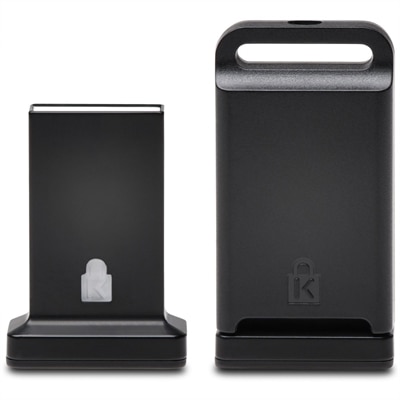
A cross-platform USB-A fingerprint security key offering FIDO2, FIDO U2F, passwordless and multi-factor authentication.
In today's digital landscape, safeguarding sensitive data is more crucial than ever, and information security systems are at the forefront of this mission. These systems are designed to protect networks, devices, and programs from digital attacks, ensuring that your business or personal data remains secure. Whether you're a small business owner or part of a large corporation, implementing robust information security measures can help defend against unauthorized access and cyber threats. Explore our range of solutions to find the right fit for your security needs and keep your digital environment protected.
A cross-platform USB-A fingerprint security key offering FIDO2, FIDO U2F, passwordless and multi-factor authentication.
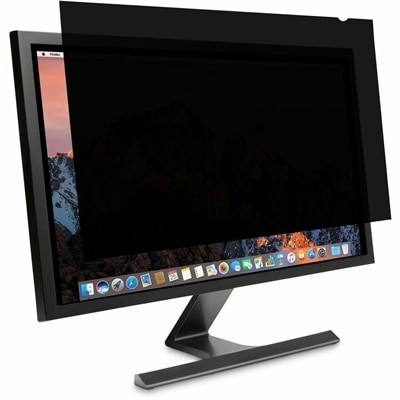
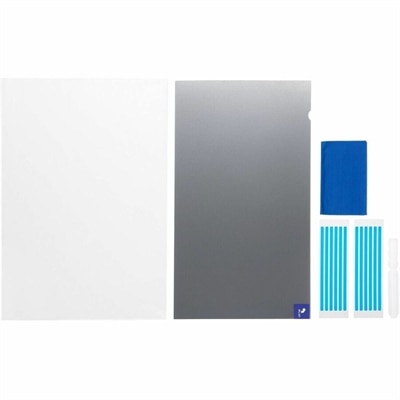
A reversible monitor privacy screen with anti-reflective coating, 30-degree viewing restriction and up to 30% blue-light filtering.
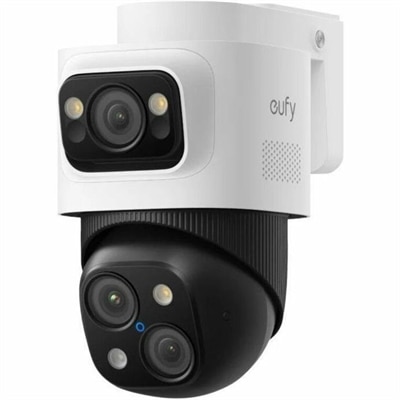
A weatherproof PoE security system with 2TB local recording, AI noise reduction, and expandable 8-to-16-channel monitoring.
A business-ready tower desktop with AI-enhanced productivity, robust security, seamless manageability, and expandable performance.
Information security systems are the combination of technology, settings, and everyday practices used to protect information from unauthorized access, accidental changes, loss, or destruction. For a home office, classroom, small business, or growing workgroup, that protection often begins with dependable computing devices and the habits built around them. Laptops and desktops used for banking, customer records, creative work, medical information, school assignments, or internal business documents should support secure sign-in, timely software updates, and separate user profiles so each person has access only to what they need. Monitors and accessories also have a role: a privacy-focused screen can help reduce shoulder-surfing in a shared workspace, while a lockable setup, privacy cover, or carefully placed webcam can add a practical layer of protection when a device is used near visitors or in public. The central goals of information security are confidentiality, integrity, and availability. Confidentiality keeps private information away from people who do not have permission to view it. Integrity helps ensure that files, messages, and records remain accurate and are not quietly altered. Availability allows authorized users to reach the information and tools they depend on when work needs to get done. When comparing options in this category, consider who will use each device, what type of information it will handle, and where it will be used. A family computer may need simple account controls and clear privacy settings, while a small office may benefit from centralized management, stronger authentication, and a consistent update routine across every workstation. A lightweight laptop can suit employees who move between rooms or locations, whereas a desktop may be a better fit for a fixed workstation where a larger display and comfortable accessories encourage careful, focused work.
A thoughtful purchase is only one part of a sound security plan. Before choosing an information security system, review support for multifactor authentication, secure boot features, automatic updates, user permissions, device encryption, and recovery tools. Multifactor authentication adds a second proof of identity beyond a password, making a stolen password less useful on its own. Access control should follow the principle of least privilege: people receive the permissions required for their responsibilities, but not broad access by default. Encryption helps make readable information unintelligible without the proper key, both when it is stored and when it moves between approved services. Backups are equally important because a security incident is not the only threat to information; spilled coffee, a damaged device, an overwritten document, or a forgotten password can interrupt a normal day just as quickly. Keep more than one recoverable copy, check that backups are completing, and periodically test whether files can actually be restored. A firewall can help screen unwanted traffic, while endpoint protection and safe browsing practices can reduce exposure to malicious software and deceptive websites. These measures are most effective when paired with practical routines: use long, unique passwords; install updates from trusted sources; lock the screen before stepping away; review account access as responsibilities change; and teach household members or coworkers how to recognize suspicious links and unexpected requests. For additional browsing and comparison, explore Security Systems alongside the computing devices and accessories that support a safer workspace. During the warmer and cooler parts of the year alike, a brief security check can fit naturally into a device refresh, a move to a home office, or preparation for a new school or work season. The best setup is one people can use consistently: clear controls, comfortable equipment, reliable recovery options, and protection that works quietly in the background while authorized users get on with their day.
Add the products you would like to compare, and quickly determine which is best for your needs.