$199.99
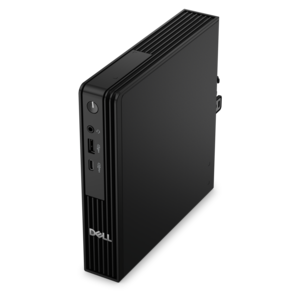
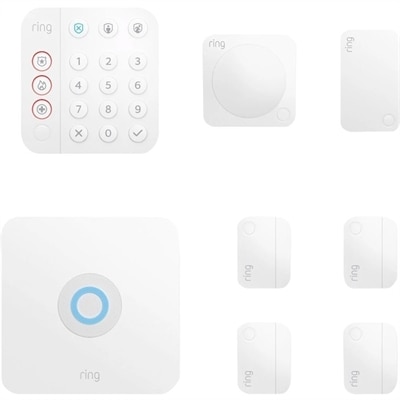
A five-piece home security system with sensors, keypad, motion detection, and expandable wireless connectivity.
In today's digital age, safeguarding your valuable data and ensuring seamless business operations are paramount. Secure IT systems are the backbone of any successful organization, offering robust protection against cyber threats while enhancing productivity. These systems integrate cutting-edge technology with user-friendly interfaces to provide reliable security solutions tailored to meet the unique needs of businesses large and small. Explore a diverse range of secure IT systems designed to fortify your infrastructure and empower your team with confidence in their digital environment.
A five-piece home security system with sensors, keypad, motion detection, and expandable wireless connectivity.
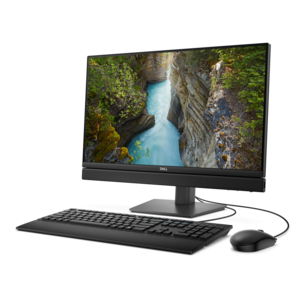
A space-saving all-in-one desktop with AI options, enhanced productivity, and robust security and manageability features.
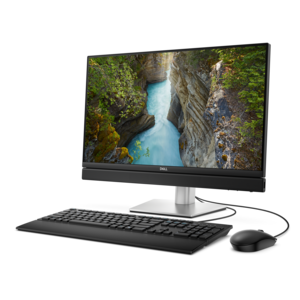
An AI-ready all-in-one desktop with an optional 5MP IR camera and streamlined security and manageability features.
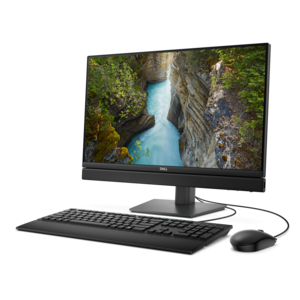
A space-saving, AI-ready all-in-one desktop with a 24-inch display and streamlined security and manageability features.
Secure IT systems are built from layers that work together rather than from a single application or device. For a small business, a growing office, a remote team, or a household managing sensitive documents, the right foundation begins with dependable computing equipment and clear control over who can access it. Laptops and desktops should support current security features, receive regular firmware and operating system updates, and provide enough performance for protective software to run without slowing everyday work. Displays, keyboards, mice, docks, and other accessories also deserve attention in a business environment, particularly when several people share work areas or connect from different locations. Look for equipment that supports secure sign-in methods, automatic updates, device encryption, and user permissions that can be adjusted as responsibilities change. A fingerprint reader, facial recognition camera, or compatible security key can make a strong sign-in routine feel as natural as opening a familiar door, while multi-factor authentication adds another checkpoint by requiring a second form of verification. Single sign-on can make access easier to manage when employees use several approved applications, but it should be paired with strong identity controls and prompt removal of access when someone changes roles or leaves. These details matter during ordinary moments: a laptop left briefly in a conference room, a work device used at a kitchen table, or a replacement computer being prepared for a new employee. A secure setup helps protect information without making trusted users fight through unnecessary obstacles. For an overview of equipment and practices that support safer computing, visit Computer Security.
Protection continues after a device is switched on. Endpoint security tools can scan for malicious software, block suspicious activity, and help prevent unauthorized programs from opening or changing important files. Firewalls can filter unwanted connections, while encryption helps keep confidential information unreadable to anyone who gains access without permission. Encryption should be considered both for information saved on a device and for information moving between approved applications and services. Patch management is equally important because software updates often repair known weaknesses that criminals actively target. Automatic updates are convenient, but organizations should still confirm that updates are completing successfully and that older applications are not being left behind. A practical purchasing review includes checking how many devices can be protected, whether policies can be managed centrally, how alerts are delivered, and whether the tools work across the operating systems used by the household or company. It is also wise to consider the physical environment. A computer used in a reception area may need stronger privacy controls than one kept in a locked office; a portable device used while traveling may benefit from a privacy screen, a sturdy carrying solution, and a shorter automatic lock interval. Families can use these principles to help protect tax records, medical paperwork, personal photographs, and account credentials, while small organizations can apply them to customer files, invoices, design work, and internal correspondence. Secure computing equipment can also be a thoughtful gift for someone beginning remote work or building a home office, especially when ease of setup, comfortable ergonomics, and dependable sign-in features are considered together. The goal is not to create a complicated wall of technology. It is to make the safer choice the easy choice each time a person signs in, opens a file, connects a device, or steps away from a desk.
Technology works best when it is supported by consistent habits and documented decisions. Begin with a security audit that lists every computer, display with smart features, accessory, application, user account, and permission in use. Review which people need access to particular files or services, remove dormant accounts, and avoid giving broad privileges when a narrower level is sufficient. A written policy should explain password length, multi-factor authentication, acceptable device use, installation of applications, handling of removable media, and the steps for reporting a lost device or suspicious message. Password managers can help individuals create unique credentials, while account recovery details should be protected as carefully as the accounts themselves. Continuous monitoring adds another layer by reviewing sign-in records, device alerts, application activity, and system logs for unusual patterns, such as repeated failed attempts, an unfamiliar location, or a program contacting an unrecognized destination. Alerts should be assigned to a person who can respond promptly, because a warning that no one reviews offers little practical protection. Prepare an incident plan in advance: isolate a suspected device, preserve relevant records, notify the right decision-makers, reset affected credentials, and restore normal work only after the source of the problem is understood. Regular staff training helps people recognize deceptive messages, unexpected attachments, urgent payment requests, and impersonation attempts. Revisit the plan whenever the organization adds employees, adopts a new application, changes working arrangements, or replaces aging equipment. With capable endpoint devices, layered safeguards, careful access control, encryption, timely patching, written policies, and ongoing review, a secure IT environment becomes part of the daily routine—quietly protecting work, communication, and personal information while allowing people to focus on what they need to accomplish.
Add the products you would like to compare, and quickly determine which is best for your needs.