$54.99
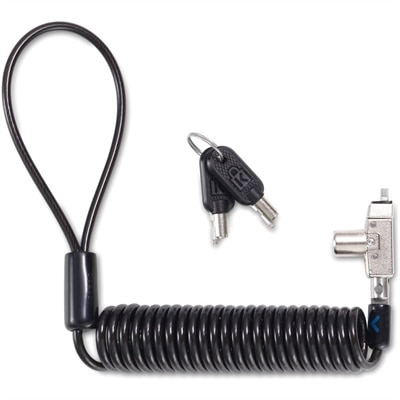
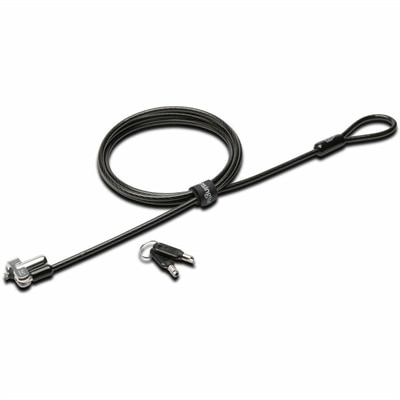
A master-keyed security lock with wedge-slot compatibility, carbon-steel cable, anti-pick technology, pivoting design, and TAA compliance.
In today's digital age, safeguarding your devices and data is more crucial than ever. System security is the cornerstone of a safe and efficient digital environment, offering peace of mind as you navigate through your daily tasks. Whether you're protecting sensitive information or ensuring smooth operation of your systems, investing in robust security solutions is essential. Explore a range of advanced tools and technologies designed to fortify your defenses against potential threats and vulnerabilities. Prioritize system security to maintain the integrity and confidentiality of your digital world, ensuring that both personal and professional information remains protected at all times.
A master-keyed security lock with wedge-slot compatibility, carbon-steel cable, anti-pick technology, pivoting design, and TAA compliance.
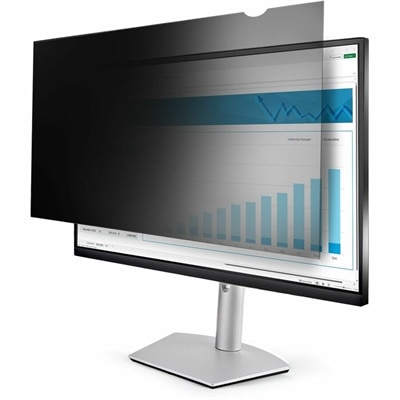
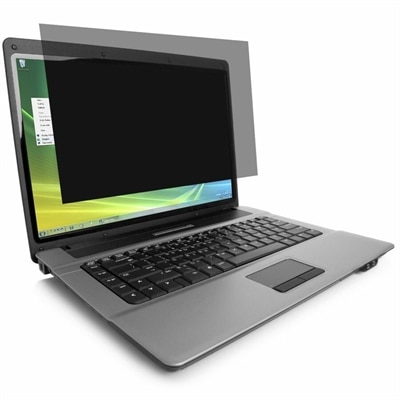
A reversible privacy filter reducing blue light, glare, and unwanted viewing with matte and glossy finishes.
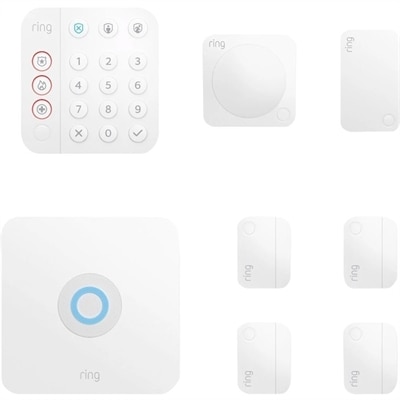
A customizable home security system with base station, keypad, contact sensors, motion detector, and range extender.
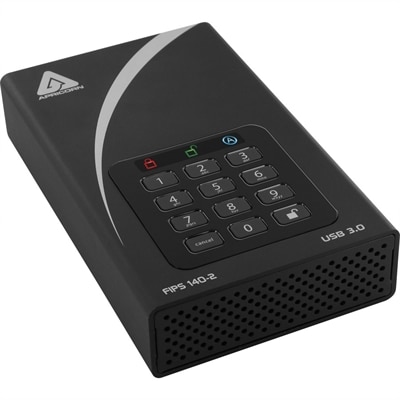
A black external hard drive with software-free AES-XTS 256-bit hardware encryption and USB 3.0 connectivity.
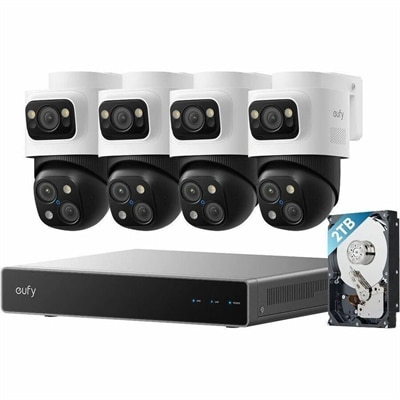
A PoE security system with 2TB storage, expandable 16 channels, AI noise reduction, and IP65 weatherproofing.
System security is the practice of protecting a computer and the information it holds from unauthorized access, accidental damage, theft, and disruption. The goal is broader than installing a single security tool. Effective protection supports three essential principles: confidentiality, integrity, and availability. Confidentiality helps keep personal files, financial records, work documents, and private messages hidden from people who should not see them. Integrity helps prevent unauthorized users or malicious software from changing, corrupting, or deleting important information. Availability helps ensure that an authorized person can access the computer, applications, and files when they are needed. When comparing laptops, desktops, monitors, and accessories for a security-conscious setup, consider how each item fits into the entire computing environment. A computer with a current operating system, dependable update support, and built-in protections can provide a strong foundation. Features such as a fingerprint reader, facial recognition, a privacy shutter, or a physical security slot may add practical safeguards, while a bright, adjustable monitor can make it easier to review account activity, permission settings, and security notifications without eye strain. Accessories also have a role: a privacy filter can limit side-angle viewing in a shared workspace, and a secure external drive can help keep a separate copy of important files when used with appropriate encryption and access controls. The right choices depend on where the computer will be used, how many people need access, the sensitivity of the information, and whether the device travels between home, school, work, and public spaces.
Authentication is one of the first layers to evaluate. Strong, unique passwords help prevent one compromised account from exposing several others, while multifactor authentication adds another check, such as a verification code, security key, or biometric credential. Biometric features can be convenient, but they should complement—not replace—careful account recovery settings and a strong primary password. Access control is equally important. A household computer may benefit from separate user profiles so each person has an individual sign-in and cannot casually open another person’s files. A small office may need standard user accounts for everyday work and limited administrative access for installing software or changing system settings. Automatic screen locking, guest access, and permissions for applications can reduce the risk created by an unattended or shared device. Encryption helps scramble stored information so it is difficult to read if the computer or removable drive is lost, while secure connections and trusted software updates help protect information as it moves between applications and services. Firewalls can block unwanted traffic according to established rules, and intrusion detection features can watch for unusual activity or signs of an attempted compromise. These layers work best together: a firewall cannot correct a reused password, and encryption cannot prevent someone with an unlocked account from opening a file. For additional infrastructure-focused information, visit Server Security. On a practical level, security also includes everyday habits. Keep the operating system and applications updated, download software from reputable sources, review app permissions, avoid unknown attachments, and pause before entering credentials after following an unexpected link. A quick check of the sender, web address, and request can prevent a rushed mistake from becoming a serious problem.
System security products can serve a wide range of people. A remote worker may use a laptop with biometric sign-in and a privacy accessory to protect client documents at a kitchen table or in a shared workspace. A student can benefit from a separate profile, automatic locking, and reliable backup practices when coursework, identification documents, and personal photos are all stored on one computer. A home user might choose a desktop for a stationary setup, pair it with a monitor that supports comfortable review of account alerts, and keep sensitive files behind individual permissions. Small-business owners can look for computers that support centralized updates, role-based access, encryption, and recovery tools, especially when several employees share applications or handle customer information. These products can also make thoughtful gifts for someone setting up a home office, returning to school, or replacing an aging computer, particularly when ease of use and dependable security features matter as much as speed or appearance. During the cooler months, when more time may be spent indoors catching up on work, organizing photos, or managing household accounts, a well-protected computer can bring quiet confidence to everyday tasks. Before choosing, check compatibility with the operating system and existing accessories, confirm that the intended user can comfortably manage sign-in and recovery steps, and consider the physical environment: a portable computer needs protection against loss and shoulder surfing, while a shared desktop may require stronger user separation. No single feature eliminates every risk, but thoughtful hardware selection, sensible configuration, regular updates, secure authentication, controlled access, encryption, and attentive habits create a layered approach that helps protect confidentiality, preserve integrity, and keep essential systems available.
Add the products you would like to compare, and quickly determine which is best for your needs.