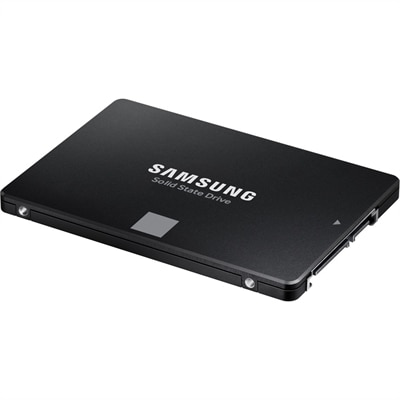
Internal Storage Upgrades for Faster Computing

Filters

Internal Storage Upgrades for Faster Computing offer an effective way to enhance your device’s performance and streamline everyday tasks. Whether you’re looking to expand capacity for important files, speed up system responsiveness, or support demanding applications, upgrading your internal storage can make a noticeable difference. Explore a wide selection of options designed to suit various computing needs and discover how the right upgrade can help you get more out of your laptop or desktop.

$679.99

An M.2 PCIe NVME Gen 4x4 SSD offering 1TB storage and enhanced data transfer speeds.

$679.99
An M.2 PCIe NVME Gen 4x4 SSD offering 1TB storage and enhanced data transfer speeds.
$1119.99

A high-capacity 2TB solid state drive offering enhanced data transfer speeds in a compact M.2 2280 form.

$1119.99
A high-capacity 2TB solid state drive offering enhanced data transfer speeds in a compact M.2 2280 form.
$699.99

A compact M.2 2230 SSD offering 1TB storage capacity for efficient data management.

$699.99
A compact M.2 2230 SSD offering 1TB storage capacity for efficient data management.
$109.99

A versatile PCIe card enabling up to four M.2 NVMe SSDs for enhanced storage configuration.

$109.99
A versatile PCIe card enabling up to four M.2 NVMe SSDs for enhanced storage configuration.
$439.99

A compact M.2 2230 SSD offering 512GB storage for enhanced data capacity and performance.

$439.99
A compact M.2 2230 SSD offering 512GB storage for enhanced data capacity and performance.
$399.99

A 1TB M.2 PCIe NVME Gen 4x4 SSD offering enhanced data transfer speeds and ample storage capacity.

$399.99
A 1TB M.2 PCIe NVME Gen 4x4 SSD offering enhanced data transfer speeds and ample storage capacity.
$279.99

A compact M.2 2230 SSD offering 256GB storage for enhanced data capacity and performance.

$279.99
A compact M.2 2230 SSD offering 256GB storage for enhanced data capacity and performance.
$689.99

A high-capacity 2TB M.2 2230 SSD offering fast PCIe NVMe Gen 4x4 performance for data storage needs.

$689.99
A high-capacity 2TB M.2 2230 SSD offering fast PCIe NVMe Gen 4x4 performance for data storage needs.
$54.99

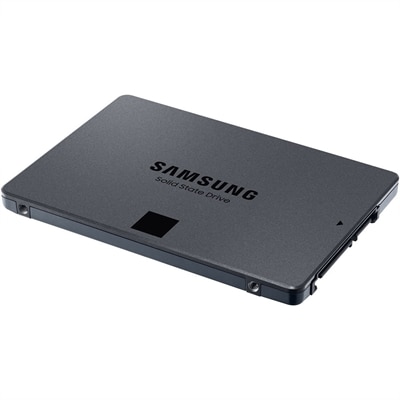
A reliable 500GB SATA SSD featuring TurboWrite, V-NAND technology, and low power DDR4 SDRAM cache.

$54.99
A reliable 500GB SATA SSD featuring TurboWrite, V-NAND technology, and low power DDR4 SDRAM cache.
$31697.94

A 3.84TB SSD offering up to 24Gbps speed, ideal for read-intensive tasks with hybrid carrier.

$31697.94
A 3.84TB SSD offering up to 24Gbps speed, ideal for read-intensive tasks with hybrid carrier.
$6979.54

A 1.92TB NVMe SSD designed for read-intensive enterprise applications with U2 G4 compatibility.

$6979.54
A 1.92TB NVMe SSD designed for read-intensive enterprise applications with U2 G4 compatibility.
$8095.51

A 1.92TB read-intensive SSD with FIPS-140 encryption, 512e format, and 2.5-inch hot-plug design.

$8095.51
A 1.92TB read-intensive SSD with FIPS-140 encryption, 512e format, and 2.5-inch hot-plug design.
$8100.00

A 1.92TB SSD with 12Gbps speed, featuring FIPS-140 security and a 2.5in form factor.

$8100
A 1.92TB SSD with 12Gbps speed, featuring FIPS-140 security and a 2.5in form factor.
$869.99

A high-capacity 1TB M.2 NVMe SSD for expanding your system's storage efficiently.

$869.99
A high-capacity 1TB M.2 NVMe SSD for expanding your system's storage efficiently.
$2499.99

An 8TB SSD offering 560 MB/s read and 530 MB/s write speeds for enhanced PC performance.

$2499.99
An 8TB SSD offering 560 MB/s read and 530 MB/s write speeds for enhanced PC performance.
$95.99

A versatile PCIe card enabling dual NVMe SSD configuration for enhanced storage on Precision workstations.

$95.99
A versatile PCIe card enabling dual NVMe SSD configuration for enhanced storage on Precision workstations.
$239.99

A versatile PCIe card enabling dual NVMe SSD configuration for enhanced storage on Precision workstations.

$239.99
A versatile PCIe card enabling dual NVMe SSD configuration for enhanced storage on Precision workstations.
$419.99

A high-speed 512GB solid state drive offering enhanced data transfer with M.2 2280 form factor.

$419.99
A high-speed 512GB solid state drive offering enhanced data transfer with M.2 2280 form factor.
$5810.24

A 1.92TB SSD with 12Gbps speed and FIPS-140 encryption, featuring a 2.5in hybrid carrier.

$5810.24
A 1.92TB SSD with 12Gbps speed and FIPS-140 encryption, featuring a 2.5in hybrid carrier.
$691.77

A 600GB 10K RPM SAS drive offering fast access and enhanced data transfer speeds.

$691.77
A 600GB 10K RPM SAS drive offering fast access and enhanced data transfer speeds.
$769.99

A high-speed 1TB NVME SSD offering enhanced data transfer and storage capacity in M.2 2280 form factor.

$769.99
A high-speed 1TB NVME SSD offering enhanced data transfer and storage capacity in M.2 2280 form factor.
$6810.00

An 800GB SAS solid-state drive offering 12Gbps transfer speed and 10 DWPD durability.

$6810
An 800GB SAS solid-state drive offering 12Gbps transfer speed and 10 DWPD durability.
$9061.12

A 1.6TB SSD offering 12Gbps speed and 2.5-inch form factor for efficient data storage.

$9061.12
A 1.6TB SSD offering 12Gbps speed and 2.5-inch form factor for efficient data storage.
$34.99

A Dell Original M.2 SSD card daughterboard designed for a perfect fit in your system.

$34.99
A Dell Original M.2 SSD card daughterboard designed for a perfect fit in your system.

Internal Storage Upgrades for Faster Computing

When it comes to maximizing the speed and efficiency of your computer, internal storage upgrades can make a remarkable difference in everyday use. Whether you’re a creative professional working with large media files, a student juggling research projects and coursework, or a gamer seeking seamless load times, upgrading your internal storage is one of the most effective ways to breathe new life into your device. With the arrival of warmer months and the increased pace of both work and leisure activities, the demand for faster computing often becomes more apparent. The right internal storage solution not only accelerates boot times and application launches but also provides a smoother, more reliable experience when multitasking or handling data-intensive tasks. As technology continues to evolve, options like NVMe M.2 SSDs and SATA SSDs offer significant improvements over traditional hard drives, delivering faster read and write speeds, enhanced durability, and quieter operation. These advancements are especially valuable for those who rely on their devices for demanding workloads, whether that means editing high-resolution videos, managing extensive photo libraries, or running complex simulations and software.

Choosing the best internal storage upgrade depends on several factors, including the type of computer you have, your typical usage patterns, and your future needs. NVMe M.2 SSDs, for example, are known for their blazing-fast performance and are ideal for high-performance desktops and laptops that support the PCIe interface. These drives are a popular choice among gamers and professionals who require rapid access to large files or want to minimize loading times in resource-intensive applications. On the other hand, SATA SSDs offer a substantial speed boost over traditional hard drives and are compatible with a wider range of older systems, making them a smart upgrade for those looking to extend the lifespan of their existing devices. Internal storage upgrades are also a thoughtful gift for students heading into a new academic year, remote workers setting up efficient home offices, or anyone looking to streamline their digital life. The peace of mind that comes with improved reliability and reduced risk of data loss is a benefit that resonates with users of all backgrounds. For those interested in exploring more about the latest advancements in storage technology or comparing different upgrade options, the High-Speed Storage Upgrades for PCs and Laptops page offers a comprehensive overview to help you make an informed decision.

Upgrading internal storage isn’t just about speed—it’s about transforming the way you interact with your technology. Imagine powering on your laptop and being ready to work in seconds, or opening massive design files without a hint of lag. For families sharing a home computer, quicker access to documents and photos can make everyday tasks feel effortless. In the world of gaming, faster storage means less waiting and more playing, with levels and assets loading in the blink of an eye. Even routine activities like transferring files or installing updates become noticeably more efficient. The benefits extend beyond performance: modern SSDs are more resilient to physical shocks, consume less power, and operate silently, contributing to a cooler and quieter workspace. Whether you’re gearing up for a productive summer, preparing for new projects, or simply looking to enhance your digital experience, an internal storage upgrade is a practical, impactful investment that delivers immediate and long-lasting results.

FAQs:

Upgrading your internal storage can boost your computer’s speed, improve system responsiveness, and provide more space for applications and files, resulting in a smoother computing experience.

You can check your device’s specifications or user manual to confirm compatibility with different types of internal storage upgrades, such as SSDs or HDDs.

Upgrading internal storage does not automatically affect your existing data, but it’s important to back up your files before installation to ensure nothing is lost during the process.

SSDs (Solid State Drives) offer faster data access and improved performance compared to HDDs (Hard Disk Drives), which are typically used for higher capacity needs at a lower cost.

Many internal storage upgrades are designed for easy installation, but it’s recommended to follow the manufacturer’s instructions or consult a professional if you’re unfamiliar with the process.

Add the products you would like to compare, and quickly determine which is best for your needs.
Add the products you would like to compare, and quickly determine which is best for your needs.