$10.99
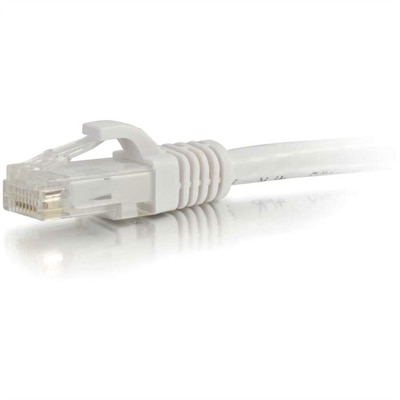
A white copper Cat6 Ethernet cable with a snagless boot supporting Gigabit networking and bandwidth-intensive applications.
Internet networks are essential for staying connected at home or in the office, supporting everything from remote work to streaming and online learning. The right internet networks equipment can help you create a seamless digital experience, whether you’re setting up a new space or upgrading your current setup. Explore a variety of options designed to help you maintain reliable connectivity for all your devices and activities.
A white copper Cat6 Ethernet cable with a snagless boot supporting Gigabit networking and bandwidth-intensive applications.
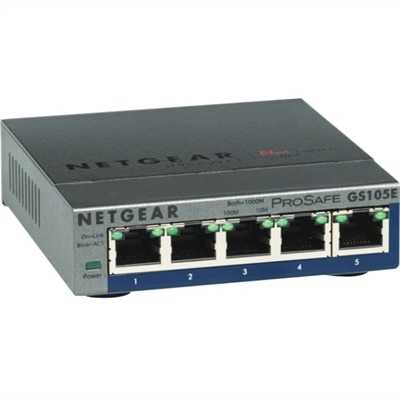
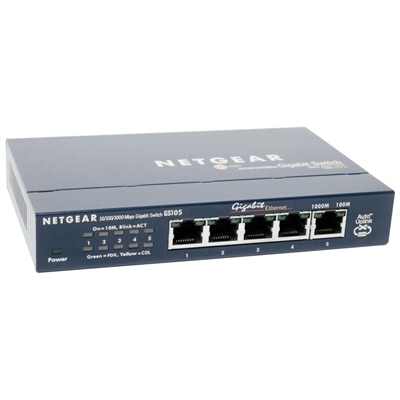
A 5-port Gigabit Ethernet switch featuring VLAN, QoS, IGMP snooping, link aggregation, and traffic monitoring.
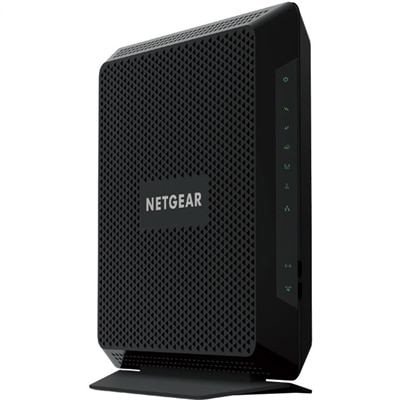
A Wi-Fi 7 router delivering up to 27Gbps, 10Gb connectivity, and coverage for 200 devices.
Internet networks connect computers and other devices so people can exchange information, access websites, collaborate online, and use shared digital resources. The internet itself is a worldwide network of interconnected networks, with standardized communication protocols allowing different devices and applications to communicate. A local area network, or LAN, connects devices within a limited setting such as a home, classroom, or office, while a wide area network, or WAN, extends across larger geographic distances. The internet connects networks around the world, making it possible for a laptop at a kitchen table to retrieve a document from another continent in seconds. Wi-Fi and Ethernet describe ways a computer can connect to a local network; neither term, by itself, describes the internet service reaching a building. That distinction matters during everyday activities, from joining a morning video meeting to uploading a folder of photographs. A computer may have a strong local connection while an online application still responds slowly because of internet service limitations or congestion elsewhere along the connection. For related context, Networking Systems connects this broader subject with the environments where connected computing takes place. Internet access can reach homes and workplaces through fiber, cable, DSL, satellite, or cellular service, with performance depending on the service, location, and conditions. Fiber carries information as pulses of light through thin glass strands, while cable and DSL use different forms of wired infrastructure. Satellite and cellular connections provide other paths to online access, including in places where wired service choices may be limited. For the person using a laptop or desktop, the practical experience comes down to whether pages load promptly, conversations remain clear, and files move without interrupting the task at hand. Download speed affects incoming information, upload speed affects outgoing information, and latency describes communication delay. Each contributes differently to the feel of everyday connected computing.
Laptops, desktops, monitors, and accessories support the activities people carry out over internet networks, from completing coursework to managing a small business or keeping in touch with relatives. A laptop suits someone who moves between a desk, a shared workspace, and a quiet corner for calls, while a desktop fits a more permanent setup with room for a full-size keyboard and a larger display. The right balance depends on the work happening on the screen. Writing documents and browsing reference pages place different demands on a computer than editing high-resolution video while transferring large project files online. Memory supports working across multiple applications, and processor capability influences how smoothly demanding tasks run alongside a browser or meeting app. Wireless compatibility also matters, although a computer’s supported Wi-Fi standard is only one part of the connection: actual performance depends on the surrounding environment and the capabilities of the local network. Walls, distance, interference, and competing activity can all affect wireless results. For a computer that stays at a desk, support for a compatible wired connection may be useful when consistent performance is important. Physical fit deserves equal attention. A lightweight laptop is easier to carry between appointments, but its screen should still leave enough room for the documents, messages, and browser windows used throughout the day. A larger monitor can make a spreadsheet easier to read or keep a shared presentation visible beside meeting controls. Screen size, resolution, text scaling, and viewing distance work together; more screen space is helpful only when the display remains comfortable to use. Adjustable positioning, a supportive desk arrangement, and appropriately sized input accessories can make long sessions less awkward. Clear microphone pickup and headphones that remain comfortable through an extended call are especially useful in a shared household. These details shape the daily experience as much as a connection specification does. A remote worker discussing a project, a college student attending an online seminar, and a grandparent catching up with family may use the same internet connection, yet benefit from very different computer layouts and accessories.
Materials, construction, care, and intended use help determine how well connected computing equipment fits into a routine over time. Laptop enclosures commonly use plastic, aluminum, or combinations of materials, each with different implications for weight, feel, and portability. Material alone does not establish durability; hinge construction, careful handling, and protection during travel also matter. For a laptop carried regularly in a backpack, a properly fitted padded compartment helps reduce knocks and keeps loose objects from pressing against the lid. On a desk, enough space around ventilation openings allows heat to escape, particularly during long calls or demanding creative work. Soft bedding can obstruct airflow, making a firm, stable surface a better setting for extended use. Screens and exterior surfaces benefit from cleaning according to the manufacturer’s instructions, with suitable cloths and no liquid sprayed directly onto the device. Cables positioned away from chair wheels and walking paths are less likely to be pulled or strained. These practical habits help preserve equipment used for everything from weekly appointments to evening entertainment. Software maintenance is another part of that routine: operating system and browser updates, supported security features, and strong account protection help reduce exposure to common online threats. Connection speed alone does not make an online activity secure, just as a newer computer cannot correct every interruption originating outside the home. A household sharing internet access may notice different results when several people stream video, download files, and join calls at once. In that setting, the demands of each activity matter more than a single headline speed figure. A student submitting an assignment needs dependable access at the moment of upload; a designer sharing a large portfolio may place greater importance on upload capacity; someone enjoying a live conversation is more likely to notice delay or broken audio. For a graduation gift or a family member establishing a home workspace, a computer or accessory is most useful when it matches existing equipment, preferred applications, and available desk space. Across these uses, thoughtfully matched devices support the real purpose of internet networks: making information, work, learning, and personal connection easier to reach.
Add the products you would like to compare, and quickly determine which is best for your needs.