$39.99
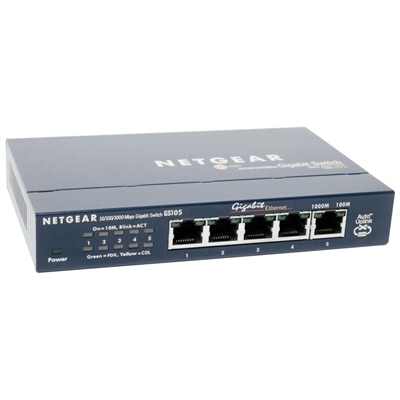
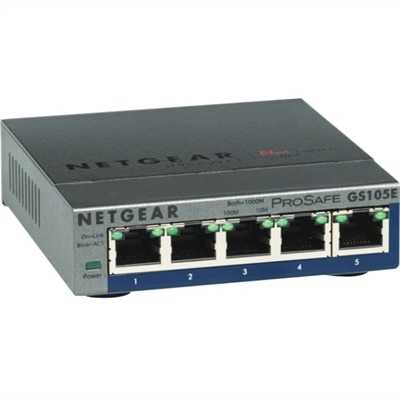
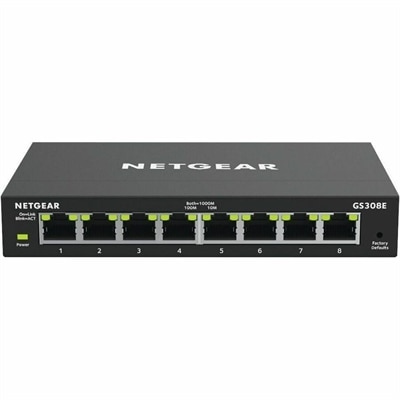
A managed Ethernet switch providing VLANs, QoS, and IGMP snooping for optimized SOHO network traffic.
Home networking is essential for connecting your devices and creating a seamless digital experience throughout your home. Whether you're working, streaming, or gaming, the right setup helps ensure smooth connectivity and reliable performance. Explore a variety of solutions designed to support everything from everyday browsing to smart home integration. Enhance your home networking environment and keep all your devices connected with ease.
A managed Ethernet switch providing VLANs, QoS, and IGMP snooping for optimized SOHO network traffic.
Home networking connects compatible devices within a household so they can use a shared internet connection and, when configured to do so, exchange files or access shared resources. For everyday use, that connection supports familiar routines: a laptop carrying a video conversation from the kitchen table, a desktop handling homework in a quiet corner, or a connected workspace where documents move between family members without an email attachment. The computers and accessories used at each end of that connection help shape the experience, from how clearly someone appears on a call to how comfortably a screen accommodates several open applications. A household with one person checking email has different demands than one where remote work, online classes, multiplayer gaming, and evening entertainment overlap. Internet service, connection quality, device capabilities, and the number of active users all influence performance; a newer computer alone cannot resolve every interruption. Even within the same home, distance, walls, nearby interference, and the location of a workspace can affect a wireless connection. A laptop that works smoothly beside the living room window may behave differently in an upstairs bedroom with the door closed. These practical differences make intended use more meaningful than a single speed specification. Portability matters for someone who moves between rooms, while a consistent desk setup may matter more for a person who spends most of the day in meetings. Shared computers also benefit from accessible controls, readable displays, and enough processing capability for the applications household members actually use. Related options can be explored through Networking Systems, with individual device requirements providing useful context for compatibility. Whether the setting is a compact apartment or a home with several separate work areas, the goal is a connected environment that supports ordinary tasks without making the technology the center of attention. That includes the small transitions throughout a day, such as moving from a private work session to a shared family video call.
Laptops and desktops serve different roles in a connected home, and their physical design can be just as important as their connection capabilities. A lightweight laptop is easier to carry from a desk to a dining table, while a larger display can make spreadsheets, class assignments, and side-by-side documents easier to read. Screen size, keyboard spacing, overall weight, and battery life affect how well a portable computer fits those changing locations. Battery runtime varies with workload, brightness, and settings, so a long afternoon of video meetings may create different needs than occasional web browsing. A desktop generally suits a more permanent workspace, where a separate monitor, full-size keyboard, and comfortable mouse can remain arranged for the person using them. Compact designs can help preserve surface space, although ventilation clearance and access to ports still matter. For home networking, wireless capabilities built into a computer influence compatibility and potential connection performance, but the entire connection path determines the result. Where supported, a wired connection can provide a consistent option for a stationary computer; it does not guarantee faster internet service or eliminate delays originating elsewhere. Some slim laptops need a compatible adapter or dock for certain physical connections, making port specifications worth considering alongside the device itself. A connector’s shape does not tell the whole story: similar-looking ports may support different data rates, charging functions, or display features. Docks also have limits on supported monitors, resolution, and power delivery. These details become especially noticeable when a workday begins with one cable connecting a laptop to an established desk setup. For a college student working from home, flexibility may take priority; for someone editing photos or managing detailed documents, screen space and input comfort may carry more weight. A shared household computer may need a balance of both, with accessible connections and a layout that accommodates different users. The most suitable combination reflects actual habits rather than an assumption that every connected household needs the same equipment.
Monitors and accessories complete the spaces where a home network gets used, even when those products do not connect to the network themselves. An external monitor can give a remote worker room for meeting notes beside a video window, while an adjustable stand can make a shared desk easier to adapt between users. Screen finish matters in a room with bright windows: a matte surface can reduce distracting reflections, although placement and ambient light still affect visibility. A headset can help keep conversations more private in a busy household, and a separate webcam may offer more flexible positioning than a camera built into a laptop screen. Neither accessory improves the underlying internet connection, but both can influence how a conversation looks and sounds. Physical fit deserves similar attention. A keyboard should leave room for relaxed hand placement, a mouse needs a usable surface, and cables should reach their connections without stretching across a walkway or pulling against a port. Accessory materials and construction affect daily handling: reinforced connection points, stable bases, smooth adjustment mechanisms, and well-fitted housings are useful details in spaces that are rearranged often. A braided cable covering can resist some surface wear, but it is not a substitute for sound construction or careful handling. Durability also depends on use, including how frequently a laptop travels between rooms or a connector is unplugged. Manufacturer-recommended cleaning methods help protect screen coatings and finishes, while unobstructed vents allow computers to manage heat as designed. In a household where several people share devices, separate user accounts, current software, and thoughtfully managed sharing permissions support a more organized experience. Sharing an internet connection does not automatically mean that personal documents should be accessible to everyone. These practical considerations also make computer accessories useful gifts for an adult student, a remote worker, or someone creating a dedicated hobby space, provided compatibility and personal preferences are known. A well-matched screen, comfortable input device, or suitable headset can make an existing setup more pleasant to use, supporting the everyday activities that give home networking its purpose.
Add the products you would like to compare, and quickly determine which is best for your needs.