$39.99
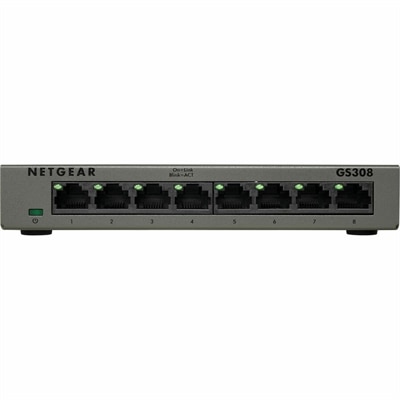
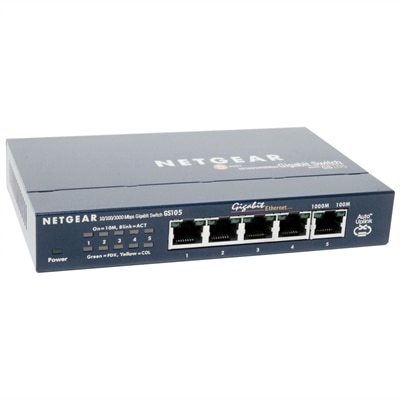
A compact, fanless five-port Gigabit Ethernet switch with a durable metal chassis for quiet, reliable networking.
Networking systems are the backbone of any modern business, providing seamless connectivity and ensuring efficient communication across devices and locations. Whether you're setting up a home office or managing a large-scale enterprise network, finding the right networking solution is crucial for optimizing performance and security. Explore our diverse range of networking systems designed to meet various needs, from enhancing wireless coverage to facilitating robust data transfer. Empower your digital infrastructure with cutting-edge technologies that keep you connected, productive, and ahead in today's fast-paced world.
A compact, fanless five-port Gigabit Ethernet switch with a durable metal chassis for quiet, reliable networking.
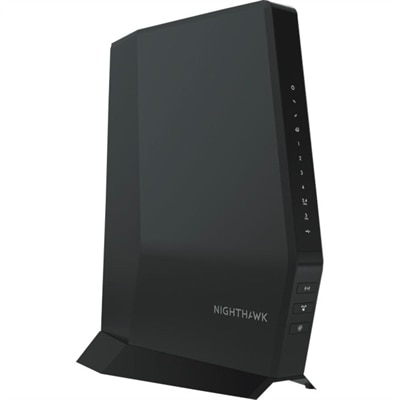
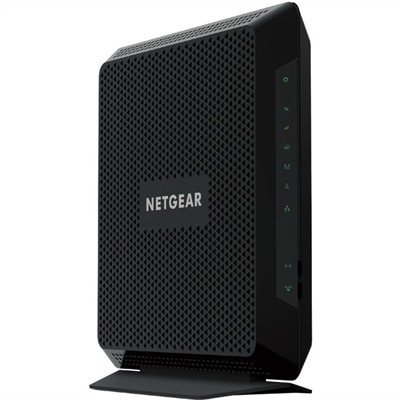
A Wi-Fi 6 cable modem router with DOCSIS 3.1, multi-Gigabit speeds, enhanced capacity, and reliable coverage.
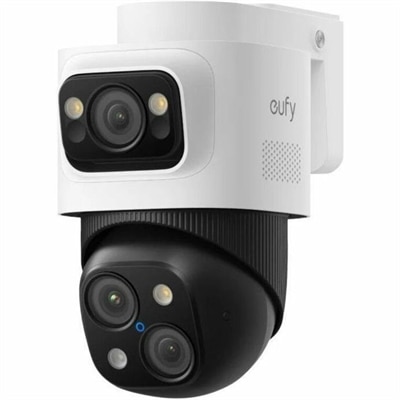
A weatherproof PoE security system with 2TB local recording, AI noise reduction, and expandable 8-to-16-channel monitoring.
Computers and accessories give a connected workspace its everyday usefulness, turning a desk, kitchen counter, or shared office into a place to work, study, and stay in touch. Laptops and desktops are the devices people interact with directly, whether they are joining a video meeting, revising a presentation, attending an online course, or reviewing photographs with family. The right combination depends on where those activities happen and how much flexibility the space needs. A laptop suits someone who moves between rooms or carries work between home and an office, while a desktop can anchor a dedicated workstation with a larger display and a consistently arranged keyboard and mouse. Neither format determines performance by itself; the processor, memory, graphics capabilities, cooling design, and software requirements all contribute to how comfortably a computer handles daily tasks. Someone working with documents and browser-based applications may have different needs from a designer editing detailed images or a student running demanding technical software. Keeping several applications open at once also places different demands on a system than completing one task at a time. Monitors and accessories shape the experience around that computer. A readable display can make a dense spreadsheet easier to follow, a well-positioned webcam can improve the framing of a remote conversation, and a comfortable headset can help keep spoken details clear in a busy room. For related accessory options, explore Networking Peripherals. Across the workspace, compatibility matters more than matching appearances: the computer’s supported connections, operating system, and display capabilities need to align with the accessories attached to it. A slim connector does not necessarily support every function associated with its shape, and an external display’s maximum capabilities may depend on the computer, cable, and connection used together. These details affect whether a workspace feels straightforward from the first morning meeting through the last assignment of the evening.
Physical fit deserves as much attention as technical specifications, especially in rooms that serve more than one purpose. A compact desk beside a living room window has different constraints from a deep work surface in a dedicated office. Monitor width, stand depth, and the space needed for comfortable keyboard placement all influence how much usable room remains for a notebook, a drawing tablet, or the simple movement of a mouse. Screen size alone does not describe the viewing experience. Resolution affects how much detail a display can show, while scaling settings influence the size of text and interface elements. A large screen with very small text may be less comfortable than a carefully adjusted display that keeps documents readable at a natural sitting distance. Adjustable stands can help position the screen without relying on stacked books, and a compatible mounting solution may free desk space when the furniture and mounting requirements allow it. Lighting matters, too: a bright window reflected in the screen can distract during focused work, even when the display otherwise suits the task. For portable computers, the fit extends beyond the desktop to the bag, commute, and places where the device will be used. Weight, overall dimensions, hinge movement, keyboard spacing, and the size of the power adapter can become noticeable during a long day away from a fixed workspace. Battery runtime varies with workload, brightness, settings, and battery condition, so a light writing session and a video-heavy afternoon may produce very different results. Materials also contribute to the feel of everyday use. Metal enclosures may feel rigid and substantial, while well-designed polymer housings can offer a practical balance of weight and durability; construction quality matters more than material alone. Smooth edges, stable display hinges, and secure accessory connections are small details that become important through repeated handling. For shared households, a setup that accommodates different users through adjustable seating, display placement, and separate computer accounts can be more useful than one arranged around a single task.
Long-term satisfaction comes from equipment that fits established routines and remains manageable as those routines change. A remote professional may spend hours moving between calls, documents, and reference material, making clear audio, readable text, and consistent input-device placement particularly valuable. A college student may need a computer that travels comfortably between a residence, classroom, and library, with accessories that pack without adding unnecessary bulk. Creative users often benefit from display characteristics suited to their work, although resolution, color coverage, and color accuracy describe different qualities and should not be treated as interchangeable. Someone sharing photos, filling out forms, or keeping in touch with relatives may value a simple layout and accessible controls more than a crowded collection of extras. Thoughtful care helps preserve comfort and reliability for all of these uses. Computers need unobstructed ventilation, so soft bedding and upholstered surfaces are poor substitutes for a stable work surface when they cover air openings. Drinks kept away from keyboards and carefully routed cords can reduce common household mishaps. Cables should have enough slack for normal movement without being pinched under furniture or pulled tight at their connectors. Cleaning methods depend on the surface and the manufacturer’s recommendations; a soft, appropriate cloth and gentle handling are generally preferable to abrasive materials or liquid sprayed directly onto equipment. Portable devices benefit from a properly fitted protective compartment that limits movement during travel, rather than a bag where loose objects press against the screen or scratch the enclosure. Keeping software current, using supported account protections, and reviewing application permissions are also part of responsible everyday ownership. Before choosing a computer or accessory as a gift, the recipient’s existing equipment, preferred operating system, workspace dimensions, and accessibility needs provide useful context. A familiar keyboard layout or an easily adjusted display may matter more than a feature the recipient rarely uses. Across home offices, study spaces, and shared desks, a coherent combination of computers, monitors, and accessories supports the real rhythm of the day: settling into a task, shifting comfortably between activities, and putting everything away without unnecessary friction.
Add the products you would like to compare, and quickly determine which is best for your needs.