$169.99
A professional docking station delivering 130W power and versatile connectivity for streamlined productivity.
Enhance your connectivity and streamline your digital ecosystem with our extensive selection of networking peripherals. Whether you're setting up a home office, upgrading your gaming setup, or optimizing your business infrastructure, finding the right tools is essential for seamless communication and data transfer. Our range of networking peripherals offers solutions tailored to meet various needs, ensuring you stay connected with speed and reliability. Explore options that cater to both wired and wireless environments, providing flexibility and efficiency to support your ever-evolving technological demands.
A professional docking station delivering 130W power and versatile connectivity for streamlined productivity.
A smart docking station offering up to 130W USB-C power delivery and remote management capabilities.
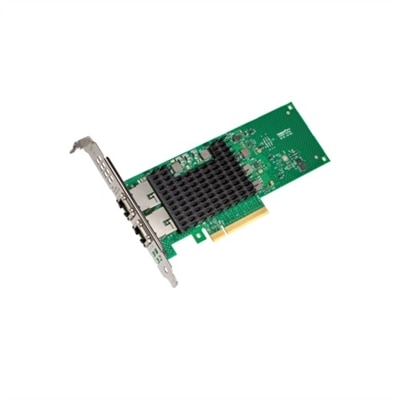
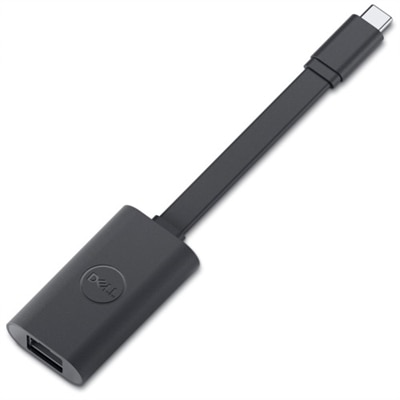
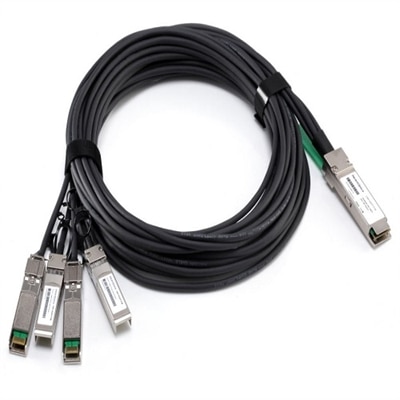
Networking peripherals are add-on devices that help computers and nearby electronics join, communicate across, or make better use of a local network. They can be especially helpful when a laptop has limited ports, a desktop needs a wired connection, or a home office must support several devices in one convenient workspace. Common categories include network interface cards, USB network adapters, wireless adapters, hubs, KVM switches and related connection accessories. A network interface card, whether built into a computer or added separately, provides the hardware needed for a wired or wireless connection. An external adapter can bring a reliable connection to a computer that lacks the right port, while a compact hub can make it easier to connect several accessories without repeatedly reaching behind a desk. For wired setups, choosing the right Network Cables can help create a neat, dependable path between compatible devices. KVM switches serve a different purpose: they allow one keyboard, monitor and mouse to control multiple computers, which can simplify a shared workstation, testing area or multitasking setup. Together, these peripherals can reduce desktop clutter, make connections more flexible and help people get more practical use from the computers they already own.
When choosing networking peripherals, begin with the devices you need to connect and the way you use them throughout the day. Check the computer’s available ports, operating system compatibility and connection standards before selecting an adapter or hub. A newer laptop may rely on compact ports, making an external adapter or hub useful for adding wired connectivity and connecting several accessories at once. A desktop in a fixed location may benefit from a direct wired connection, while a frequently moved computer may be better served by a lightweight wireless adapter. Pay attention to supported connection speeds, range, power requirements and the number and type of ports. A hub with too few ports can quickly become frustrating when a webcam, keyboard, mouse, external display and other accessories all compete for space. Physical design matters, too: a short adapter can sit neatly beside a laptop, a longer cable can help position a device away from a crowded port, and a compact enclosure may be easier to carry between a home office, classroom or shared workspace. For a KVM switch, confirm the video connections, display resolution support and the number of computers it can control. These details help prevent compatibility surprises and make the finished setup feel intentional rather than improvised.
Networking peripherals can serve a wide range of people, from students and remote professionals to families, creative workers and small office teams. Someone working from a kitchen table may use a USB adapter to establish a more consistent connection when wireless performance varies from one corner of the room to another. A household with several computers can use compatible network-connected accessories to make shared printing and everyday collaboration more convenient, without moving a cable from one computer to another. In a small office, a hub or adapter can help employees connect modern laptops to established desk accessories, while a KVM switch can keep two work computers accessible from one comfortable workstation. These accessories can also make thoughtful gifts for a graduate setting up a first apartment, a colleague refreshing a home office or a family member who is untangling cables and reorganizing a study area. During the warmer months, portable adapters and compact hubs can travel easily between rooms, patios and temporary workspaces; as cooler months encourage more time indoors, they can help create a comfortable, organized desk for work, learning or entertainment. Before completing a setup, review the specifications of every connected device, allow room for ventilation, keep cables from sharp bends and label connections that may be difficult to identify later. With the right fit, networking peripherals can extend the usefulness of a computer, simplify resource sharing and provide a cleaner path for expanding a workspace as needs change.
Add the products you would like to compare, and quickly determine which is best for your needs.