iPad Mini Charging Cables
Keep your devices powered up and ready to go with a wide selection of iPad mini charging cables. Whether you need a replacement cable for everyday use or an extra cord for travel, you'll find reliable options designed to keep your iPad mini connected. Explore various lengths and styles to suit your charging needs and enjoy seamless compatibility with your devices. Find the perfect iPad mini charging cables to ensure you stay charged wherever life takes you.
This product is not available
Check out the following recommendations.
Related Products


iPad Mini Charging Cables
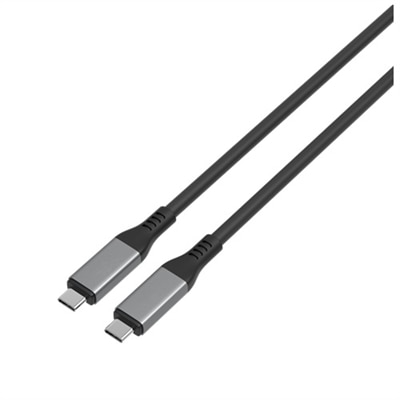
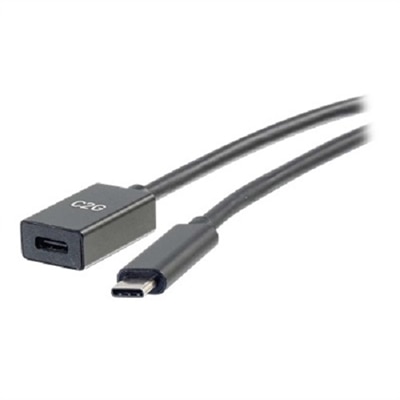
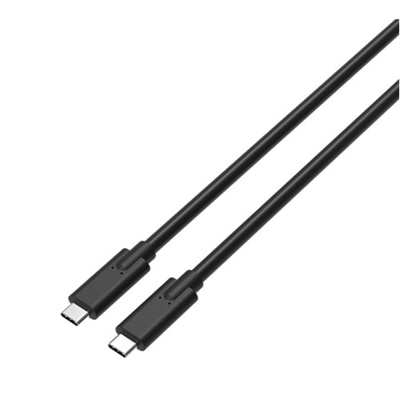
Choosing an iPad mini charging cable begins with identifying the connector on the tablet, since different generations use different charging standards. Newer iPad mini models, including the sixth generation and later models such as the 2024 edition, use a USB-C port and generally require a USB-C to USB-C cable when paired with a USB-C power adapter. Older iPad mini models, including the fifth generation and earlier versions, use a Lightning port and need a Lightning cable on the tablet end. The other end may be USB-A for use with a traditional USB power adapter, computer, vehicle charger or older charging hub, or USB-C for use with a newer USB-C power adapter. Matching both ends of the cable to the tablet and the available power source helps avoid an inconvenient return and makes it easier to charge wherever the device is used. For newer models, a 20W or higher USB-C power adapter can support fast charging when the cable and adapter are compatible, while older models can benefit from a dependable Lightning cable paired with an appropriate power source. A cable can also transfer photos, files and other data, so it is worth checking that it supports more than basic power delivery if it will be used with a laptop or desktop. For shoppers replacing a misplaced cable, the port on the bottom edge of the iPad mini is the quickest way to narrow the choices. A Lightning connector has a slim, solid metal tip, while USB-C has a smaller, rounded-rectangle shape that can be inserted in either orientation. Taking a quick look before ordering is especially useful in households where several tablets, phones and accessories share a charging drawer.
Length, construction and everyday convenience matter just as much as connector type. A short cable can keep a nightstand or work surface tidy, but a longer cable may be more comfortable when the iPad mini is used from a sofa, bedside table or passenger seat. A compact cable is easy to tuck into a backpack pocket for reading, navigation or entertainment during a commute, while a longer option can reach behind furniture or across a desk without putting strain on the connector. Look for flexible insulation, reinforced ends and a secure fit that does not wobble in the tablet port. Braided exteriors can provide added resistance to bends and tangles, although any cable should be coiled loosely rather than wrapped tightly around an adapter. A cable that feels sturdy at the plug and strain-relief points is less likely to fray after being pulled from a crowded travel bag or bent repeatedly near a bed. It is also helpful to keep separate cables in the places where charging usually happens: one near a desk, another in a living area, and one in a travel pouch can reduce the temptation to stretch a cable across a walkway or use a damaged cord. For a replacement or backup, shoppers may also want to consider whether the cable is certified or rated for the intended device and charging speed. A suitable cable will not make a low-output adapter charge faster, so check the complete setup rather than focusing on the cable alone. Those seeking a Lightning connection for an older iPad mini can also browse Fast Charging Lightning Cables for options designed around that connector type. Keeping the cable and adapter matched to the tablet generation helps support reliable charging and may make a noticeable difference when the battery needs to be restored before leaving home.
An iPad mini charging cable can be a practical addition to a home office, classroom supply kit, travel bag or shared family charging station. Students may use one to keep a compact tablet ready for notes and reading, while travelers can use it to maintain battery life during airport waits, road trips or hotel stays. It can also be a thoughtful gift for someone who carries a tablet between work and home, has recently moved into a new space, or regularly searches for a missing cable at the bottom of a bag. A spare is particularly useful for readers who use an iPad mini in bed, cooks who follow recipes in the kitchen, and commuters who rely on the tablet for maps or downloaded entertainment. During the cooler months, when more time is often spent indoors, a conveniently placed charging cable can keep a tablet ready for streaming, video calls, digital books and creative projects without requiring a search through drawers. Before choosing, confirm the iPad mini generation, identify the tablet-side connector, check the connector on the available power adapter, and select a length that suits the intended location. Consider whether the cable will be used mainly for charging or also for data transfer, and choose a durable design that can handle regular bending and travel. Keeping connectors clean and free of lint can help maintain a stable connection, while replacing a cable with exposed wiring, loose plugs or intermittent charging is a sensible safety measure. With the right connector, suitable power source and a construction style that fits daily routines, an iPad mini charging cable can provide simple, dependable access to power at a desk, beside the bed, in the car or on the move.
FAQs:
The latest iPad Mini models, such as the 6th generation, use a USB-C to USB-C charging cable. Pairing this cable with a 20W or higher USB-C power adapter will provide optimal charging speed and compatibility.
Many iPad Mini charging cords, especially USB-C and Lightning cables, are compatible with a variety of other devices like smartphones, tablets, and accessories that use the same port type. Always check your device’s port to ensure compatibility.
Braided or woven iPad Mini charging cables are known for their enhanced durability and resistance to tangling. They are less prone to fraying and can withstand more wear and tear, making them a great choice for frequent travelers or busy households.
Yes, you can use your iPad Mini while it is charging. If you need more flexibility, consider choosing a longer charging cable, which allows you to comfortably use your device from your preferred spot while it powers up.
Yes, pairing your charging cable with the recommended power adapter—such as a 20W USB-C adapter for newer iPad Mini models—ensures faster and more efficient charging. Using the correct combination helps maintain your device’s battery health and performance.