Laptop Cases for Students

Find laptop cases for students by comparing fit, design, and how you plan to carry your computer. Check each case’s listed dimensions against your laptop’s measurements, and consider whether you’ll carry it on its own or inside a backpack between classes.

Filters

$19.99

A lightweight briefcase made from durable 100% recycled fabric with 360° protection.

$19.99
$29.99

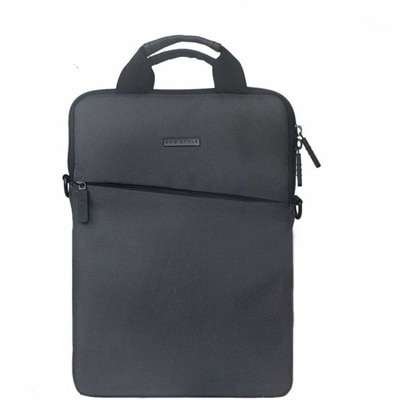
A gray ballistic nylon sleeve with foam-insulated protection, accessory pocket, ID holder, and detachable shoulder strap.

$29.99
$74.99

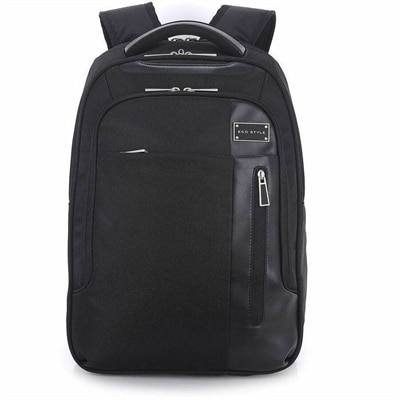
A black laptop backpack with dedicated tablet storage, TSA-friendly access, and ergonomic shoulder straps.

$74.99
$104.99

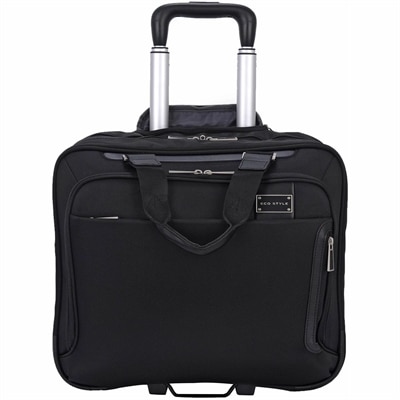
A black rolling laptop case with tablet compartment, expandable storage, organizer pockets, and removable pouches.

$104.99
$31.99

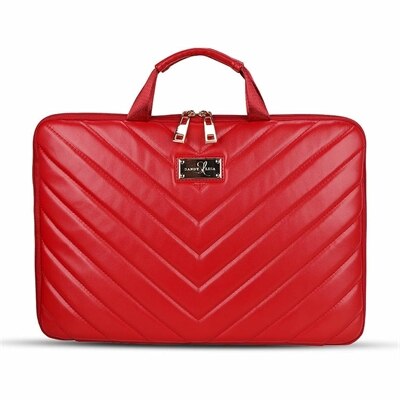
A vibrant red chevron laptop sleeve with convenient handles and room for valuables and accessories.

$31.99

Laptop Cases for Students

Laptop cases for students add a protective layer between a computer and the everyday bustle of school, from a crowded bus ride to an afternoon spent moving between classrooms and the library. The main styles include slim sleeves, handled cases, shoulder bags, and briefcase-style carriers, each suited to a different way of getting through the day. A sleeve fits around the laptop with minimal extra bulk, making it useful for a student who already carries a backpack filled with textbooks and notebooks. A handled case works well for short trips between study spaces, while a shoulder bag can keep a laptop, charger, and a few essentials together without a second bag. The right fit depends on the laptop’s physical dimensions, not just its advertised screen size. Screen measurements run diagonally across the display and do not account for the frame, chassis thickness, hinges, or protruding feet. Two computers with the same screen size can therefore need different case dimensions. Interior length, width, and depth provide a more useful comparison, with enough clearance for the device to slide in easily without shifting excessively once the case is closed. A laptop with a protective shell attached may need additional room. Closures should fasten without stretching the fabric or pressing tightly against the computer’s corners. Inside, a dedicated padded compartment helps separate the device from other belongings, while a soft lining reduces direct contact with rough fabric and hardware. For students carrying a charger or mouse, separate accessory pockets keep hard objects from rubbing against the laptop. Bulky adapters are better kept outside the main device compartment, where they are less likely to create pressure against the screen. A slim profile is especially practical when a sleeve needs to slide into a backpack compartment beside a binder, while a wider-opening case can make packing easier at a small classroom desk.

Materials and construction influence how a student laptop case feels, how much weight it adds, and how it responds to daily wear. Woven polyester and nylon are common choices for fabric exteriors, with durability depending on the fabric weight, weave, stitching, and overall construction rather than the material name alone. Neoprene sleeves offer a flexible, close-fitting feel and light cushioning, while more structured cases can help the compartment hold its shape when carried on its own. Recycled fabrics are another material option, though recycled content by itself does not establish a case’s protective performance. Padding deserves attention at the base and corners, where a laptop may meet the floor when a bag is set down beside a desk. Foam panels, cushioned edges, and reinforced corners can help absorb everyday bumps, but no case makes a computer immune to damage. A heavily packed backpack, a sharp impact, or pressure from someone leaning against a bag can still put the device at risk. Water-resistant fabric can help with a brief walk through light rain or an accidental splash, but it is not the same as waterproof construction. Seams, pocket openings, and zippers may still allow moisture inside, and drinks belong in a separate compartment whenever possible. Everyday durability also shows up in smaller details: secure stitching around handles, reinforced shoulder-strap attachment points, smooth-moving zippers, and lining that stays neatly in place as the computer slides out. A fabric barrier behind the zipper can help prevent the hardware from rubbing against the laptop’s edges. For a student who opens a case several times a day, easy-grip zipper pulls and an opening that does not catch on the corners can make a noticeable difference. Protective features work best alongside sensible handling, with the case kept away from leaking bottles and the laptop compartment free of loose pens, grit, and overfilled pockets.

Comfort and organization matter just as much during a full school day as they do on the trip home. A padded handle can make a standalone case more comfortable to carry between buildings, while an adjustable shoulder strap allows the bag to sit at a convenient height without swinging awkwardly at the hip. The combined weight of the computer, case, charger, and school supplies matters more than the case’s weight alone. Students who walk longer distances may prefer a slim sleeve inside a supportive backpack rather than carrying everything from one shoulder. Families choosing bags for both students and educators can also explore laptop backpacks for teachers for classroom-to-home carrying needs. Within a student case, a few thoughtfully placed compartments can be more practical than numerous small pockets: a charger pocket, a place for a mouse, and a flat section for papers help keep essentials easy to find. A luggage pass-through can be useful for students traveling between campus and home, provided the case is secured to a compatible suitcase handle. For everyday care, the material’s cleaning instructions take priority. Many fabric exteriors can be gently spot-cleaned with a soft cloth and mild soap when permitted by the care label, then left open to air-dry completely before the laptop goes back inside. Harsh cleaners, direct heat, and machine washing can damage coatings, padding, or adhesives unless the manufacturer specifically allows them. Loose debris should be removed from the lining and zipper tracks regularly. The laptop should be shut down or asleep before being packed away; ordinary sleeves are not designed to support ventilation during use. A student laptop case can also make a useful graduation or start-of-term gift when the recipient’s device measurements and daily routine are known. Simple styling can move easily from class to an internship, while a distinctive color or texture helps a case stand out among similar bags in a shared study space.

FAQs:

Add the products you would like to compare, and quickly determine which is best for your needs.
Add the products you would like to compare, and quickly determine which is best for your needs.