$570.00
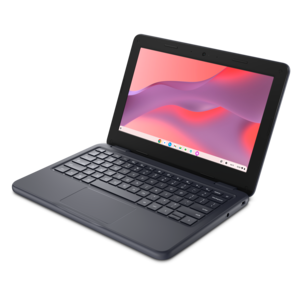
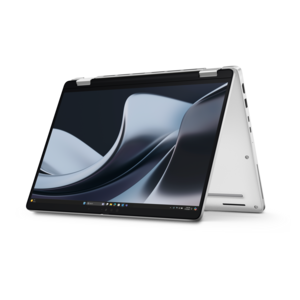
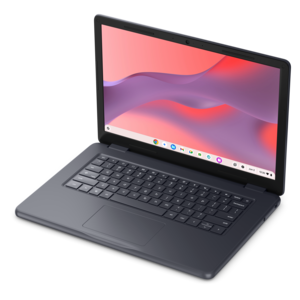
A durable, serviceable Chromebook designed specifically for education environments.
Laptops for online learning and virtual classes make it easy to stay connected, organized, and productive from anywhere. Whether attending lectures, completing assignments, or collaborating with classmates, the right device supports a seamless educational experience. Explore a range of options designed to help students and educators succeed in digital classrooms while balancing performance, portability, and convenience. Find laptops for online learning and virtual classes that fit your needs and empower your academic journey.
A durable, serviceable Chromebook designed specifically for education environments.
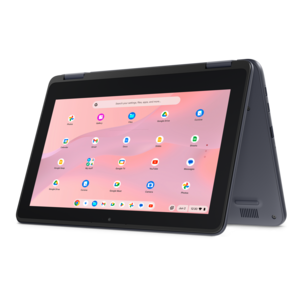
A durable, serviceable Chromebook laptop or 2-in-1 designed specifically for K–12 learning environments.
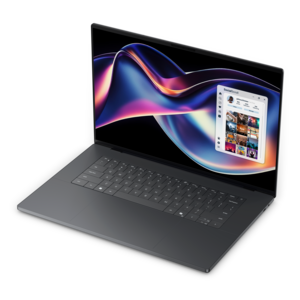
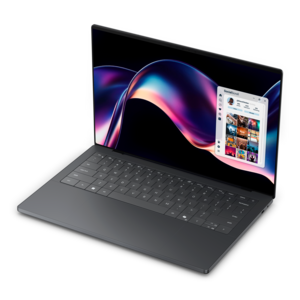
A thin, high-performance creator laptop delivering exceptional battery life for demanding creative workflows.
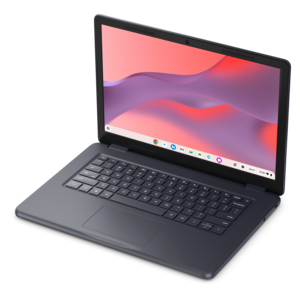
A durable, serviceable Chromebook tailored for education environments and commercial learning needs.
A durable, serviceable Chromebook designed for K–12 learning environments.
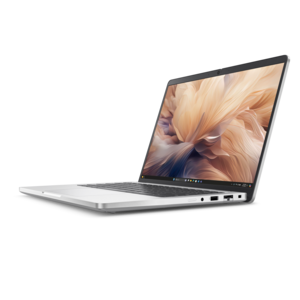
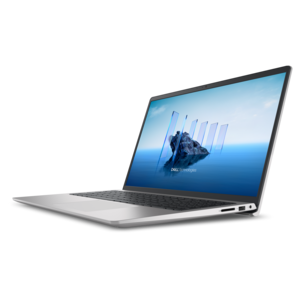
A secure, scalable commercial AI laptop featuring a durable aluminum design and productivity-focused display.
A sleek laptop built for mobile creation with exceptional battery life and an ultra-thin design.
A commercial AI laptop with a durable aluminum body, roomy display, outstanding security, and scalable performance.
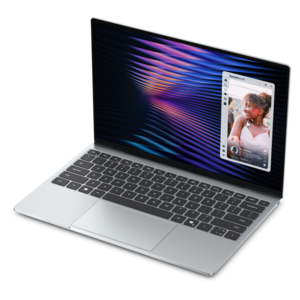
A thin and lightweight laptop designed for ultimate mobility.
Laptops for online learning and virtual classes support live lessons, digital assignments, research, and the everyday work of staying organized between sessions. A practical configuration for general coursework includes a modern processor, 8GB to 16GB of memory, a clear Full HD display, and a dependable webcam and microphone. For lighter tasks such as reading course materials, writing papers, and joining a video call, 8GB of memory can be sufficient; 16GB provides more room for a meeting, presentation, browser tabs, and reference documents to run together. More demanding subjects, including engineering, digital art, and video production, may require additional memory, stronger graphics capabilities, or particular software, so course requirements matter more than any single specification. A solid-state drive helps a laptop start promptly and open applications responsively, while adequate drive capacity leaves room for downloaded lectures, project files, and assignments that need to remain accessible without an internet connection. Operating system compatibility is equally important: a browser-based classroom may have different requirements from a course that uses specialized desktop applications or remote testing software. Students in elementary school may spend much of their time in a learning portal, while college students and adults pursuing professional credentials often move among spreadsheets, recorded lectures, collaborative documents, and research databases. The most suitable laptop supports those actual routines without making simple tasks cumbersome. Reliable wireless connectivity helps maintain access to lessons, although video quality also depends on the internet connection and conditions in the study space. For households sharing a connection during the school day, a laptop cannot eliminate every interruption caused by limited bandwidth. Useful everyday features include an easy-to-read keyboard, responsive controls, and enough connections for the accessories a student already uses. Together, these details help turn a kitchen table, bedroom desk, or quiet library corner into a workable place to attend class and complete assignments. They also support the less visible work around class, from checking instructor feedback to naming files clearly before submitting a finished project.
Screen comfort and clear communication become especially noticeable during a full morning of virtual classes. A Full HD screen, commonly 1920 by 1080 pixels, keeps text and lesson materials legible, while a taller display can show more of a document or webpage with less scrolling. A compact laptop is easier to carry between rooms or across campus, but a larger screen offers more space for a lecture window beside class notes. Screen dimensions alone do not determine readability; resolution, brightness, text scaling, and the distance between the student and the display all affect the experience. An anti-glare finish can reduce distracting reflections near a window, though positioning the screen away from direct sunlight remains helpful. For live discussions, a 1080p webcam can provide a clearer image than a lower-resolution camera when lighting and connection quality support it. Soft light in front of the student generally works better than a bright window behind them. A built-in microphone should capture speech clearly enough for questions and presentations, while a compatible headset can make a shared room less distracting and reduce the chance that class audio will be picked up by the microphone. A physical camera shutter, when included, provides a visible way to cover the lens between meetings. Keyboard feel and touchpad responsiveness also deserve attention because online coursework often involves hours of typing rather than video calls alone. Well-spaced keys help with essays and discussion posts, and a backlit keyboard can make key labels easier to see in a dim room. Touchscreens and convertible designs can suit students who annotate readings or sketch diagrams, provided the device supports the intended input method; active pen compatibility varies. For longer sessions at a desk, an external keyboard and mouse can allow the laptop screen to sit higher, encouraging a more comfortable viewing position. An external monitor can add workspace for research or detailed assignments, provided the laptop supports the required display connection.
Portability, construction, and everyday care shape how well a learning laptop fits life beyond the desk. A lighter design is easier to carry in a backpack, while sturdy hinges and a well-supported chassis matter when the lid opens and closes several times a day. Aluminum and plastic enclosures can both be appropriate for student use; material alone does not establish durability, and careful handling remains important with either. A padded sleeve and a backpack compartment that keeps the laptop separate from books, loose pencils, and drink bottles help protect it during travel. Battery life deserves similar context. Published estimates may reflect different conditions from an actual school day, and continuous video meetings, higher brightness, and demanding applications can shorten time between charges. Convenient charging therefore matters alongside battery capacity, particularly for students moving between classes or studying away from an outlet. If charging through a USB-C port is part of the routine, the laptop, charger, and cable must support the required power delivery. Ports for a headset, external display, or removable drive can simplify daily work, while adapters may be necessary on thinner designs. At home, placing the laptop on a firm surface helps keep ventilation openings clear; blankets and soft cushions can obstruct airflow. A clean, dry microfiber cloth is useful for routine screen care, with cleaning methods and any liquids handled according to the manufacturer's directions. Regular software updates, secure account settings, and a consistent backup routine help protect coursework from avoidable disruption. For a graduation gift or the start of a new academic program, the student's course requirements and preferred working style provide a more useful starting point than appearance alone. For a closer look at this study-focused category, Best Student Laptops for Online Classes and Homework connects classroom participation with the practical demands of independent assignments. A well-matched laptop feels comfortable during a short quiz, stays manageable on the move, and supports the longer stretch of reading, writing, and revision that follows the final video call of the day.
Add the products you would like to compare, and quickly determine which is best for your needs.