$114.99
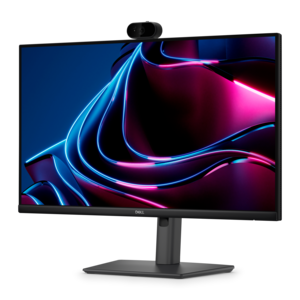
A professional 2K QHD webcam delivering clear visuals, secure features, and seamless collaboration across leading platforms.
Discover the perfect blend of functionality and clarity with our selection of laptops with HD webcams, designed to enhance your video conferencing, streaming, and virtual interactions. Whether you're working remotely, attending online classes, or connecting with loved ones, these laptops provide sharp visuals and seamless performance to elevate your digital experience. Explore a variety of models that cater to diverse needs and preferences, ensuring you find the ideal match for both professional and personal use. With an HD webcam at your fingertips, enjoy crystal-clear communication and stay connected like never before.
A professional 2K QHD webcam delivering clear visuals, secure features, and seamless collaboration across leading platforms.
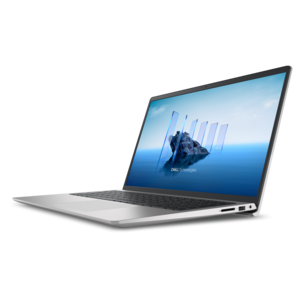
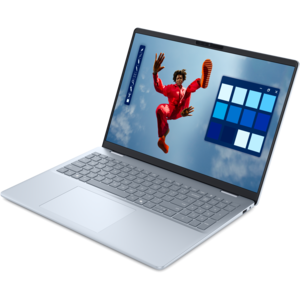
A thin, lightweight laptop crafted from eco-friendly materials with Series 3 Intel Core processors for productivity.
A laptop featuring an FHD camera, enlarged ergonomic keyboard, and Intel 13th Gen processors.
A portable laptop with a sleek design, 16:10 display, and AI PC options for productivity anywhere.
A durable productivity laptop featuring an expansive 16:10 display and convenient numeric keypad.
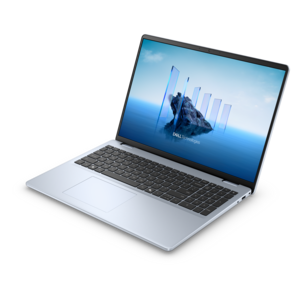
A sleek, portable laptop with an expansive 16:10 display for reliable productivity anywhere.
A modern laptop with AMD Ryzen™ processors, delivering effortless productivity and captivating entertainment in a design.
A slim, lightweight laptop with Intel® Core™ processors and graphics for productive work anywhere.
A laptop featuring an FHD camera, enlarged ergonomic keyboard, and AMD Ryzen™ processors for everyday productivity.
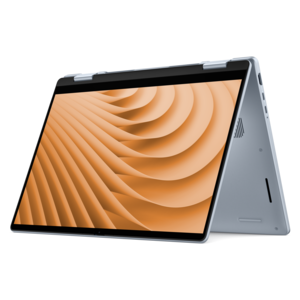
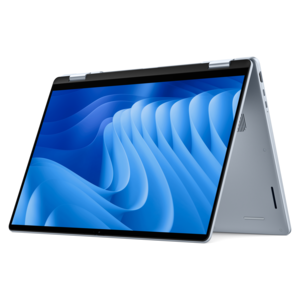
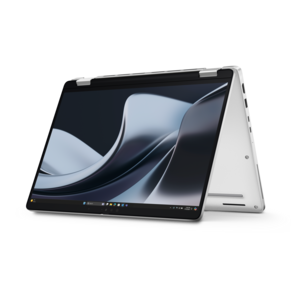
A versatile 2-in-1 laptop with multiple modes, Intel Core processors, and DDR5 memory for mobile creativity.
A versatile 2-in-1 laptop designed for AI experiences and seamless multitasking on the go.
A versatile 2-in-1 laptop with AI experiences, all-day battery life, and seamless multitasking.
A sleek laptop with a stylish modern design, built for multitasking and powerful everyday performance.
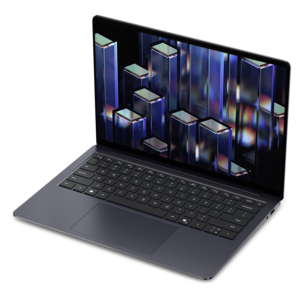
A lightweight AI-powered laptop with Intel Arc graphics, ideal for creative professionals and small businesses.
A modern laptop with Intel Core processors and graphics for effortless productivity and captivating entertainment.
A stylish, lightweight AI-powered laptop designed to boost productivity for creatives and small businesses.
An AI-ready laptop with a spacious display, designed for creators and developers seeking high performance.
A durable modular laptop with a 16:10 display, numeric keypad, robust security, and built-in AI options.
A sleek laptop delivering smooth AI experiences and accelerated creative workflows for demanding high-performance users.
An AI-powered laptop with a spacious display and Intel Arc graphics for creators and developers.
A versatile 2-in-1 laptop with built-in AI and a spacious display for creative work.
A secure, scalable commercial AI PC in a sleek, durable aluminum body for on-the-go multitasking.
A secure, scalable AI laptop with durable aluminum construction and a spacious productivity-focused display.
A secure, scalable commercial AI laptop featuring a sleek, durable aluminum body and productivity-focused display.
Laptops with HD webcams bring a more polished presence to virtual meetings, online classes, family calls, interviews, telehealth appointments, and everyday conversations. In this category, “HD” generally refers to a camera capable of producing a clearer image than standard-definition video, while 1080p webcams can provide additional detail and definition when supported by the meeting or streaming service. A sharper camera can make facial expressions easier to read, keep text on a nearby document more legible, and present a more natural image when you move slightly away from the display. Image quality also depends on more than resolution. Look for features such as automatic exposure, color correction, autofocus, wide dynamic range, and low-light processing, especially if your workspace includes a bright window, a dim corner, or mixed lighting from a desk lamp and overhead fixture. Dual microphones or a microphone array can help voices sound more focused by reducing surrounding noise from keyboards, air conditioners, and nearby conversations. Some laptops add infrared sensing for facial sign-in, while others include a physical privacy shutter or an electronic camera control for added peace of mind. These details can make a noticeable difference during a busy morning meeting, when there is little time to adjust the camera before joining.
The right laptop with an HD webcam should also match the way you work away from the camera. For remote employees and small-business owners, a responsive processor, ample memory, and a solid-state drive help keep video calls, documents, browser tabs, and collaboration tools moving smoothly at the same time. Students may value a lightweight design, dependable battery life, and a comfortable keyboard for moving between a classroom, library, and bedroom desk. Families often appreciate a simple camera setup for keeping in touch with relatives, while frequent travelers may prefer a compact chassis, durable construction, and fast charging that can restore useful battery power during a short stop at an airport or café. If you plan to stream, record lessons, create presentations, or host live demonstrations, consider a 1080p webcam, a capable graphics solution, and an adaptable display angle. A 2-in-1 design can be useful for sharing a recipe in the kitchen, sketching notes with a compatible pen, or placing the screen in a tent-like position for a hands-free call. Display size and quality matter as well: a bright, sharp panel makes faces and shared content easier to see, while a taller aspect ratio can provide more room for documents and chat panels. Anyone comparing alternatives for younger learners or simple home computing may also want to browse Chromebooks With Webcams for streamlined options built around web-based tasks.
When choosing among laptops with HD webcams, start by considering your typical call environment and the software you use most often. A camera with a wide field of view can include two people seated together, but a narrower view may feel more private and keep distractions outside the frame. Privacy features are particularly valuable for a laptop that stays open on a kitchen counter, shared desk, or home office. Check whether the camera supports the resolution advertised by your preferred conferencing platform, since some services reduce video quality to manage bandwidth. A dependable wireless connection, modern connectivity ports, and support for an external monitor or docking setup can be just as important as the camera itself. If you spend hours on calls, look for a comfortable viewing angle, an anti-glare screen, and speakers that make conversation easier to follow without constant headphone use. Battery estimates vary with display brightness, call duration, processor activity, and wireless conditions, so choose a capacity suited to your routine rather than relying on a single headline figure. These laptops can be thoughtful gifts for a college student attending classes from home, a relative who wants clearer family calls, a professional beginning remote work, or a creator building a simple streaming setup. With the right balance of camera clarity, microphone performance, portability, processing power, privacy controls, and comfort, a laptop becomes more than a screen for video calls: it becomes a dependable workspace for learning, collaboration, creativity, and staying connected.
Add the products you would like to compare, and quickly determine which is best for your needs.