$2445.00
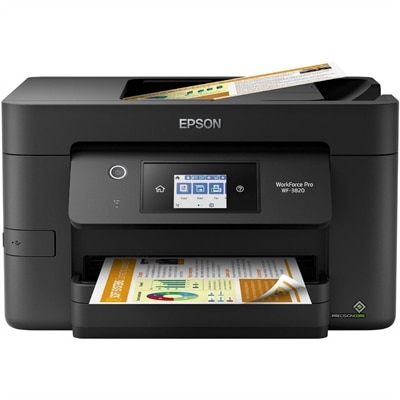
A compact color multifunction printer with integrated scanning, copying, wireless connectivity, and durable pigment-based ink output.
Large format engineering printers are essential tools for professionals who need to produce high-quality technical drawings, blueprints, and detailed schematics. Designed to handle oversized documents with precision and clarity, these printers support a variety of applications across architecture, engineering, and construction industries. Explore a selection of large format engineering printers that help bring your most ambitious projects to life with efficiency and reliability.
A compact color multifunction printer with integrated scanning, copying, wireless connectivity, and durable pigment-based ink output.
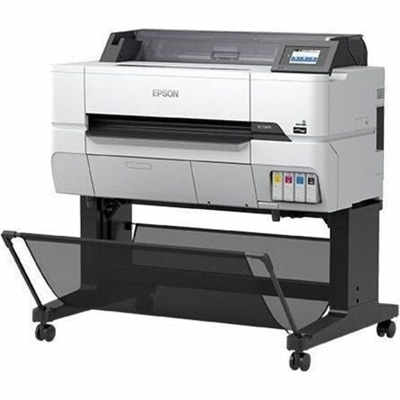
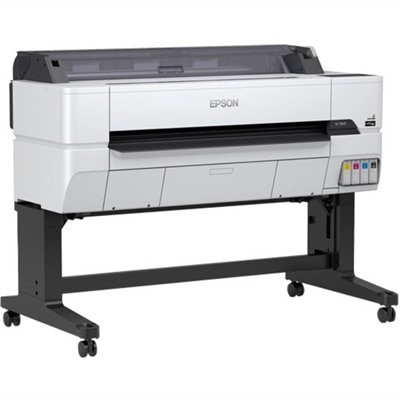
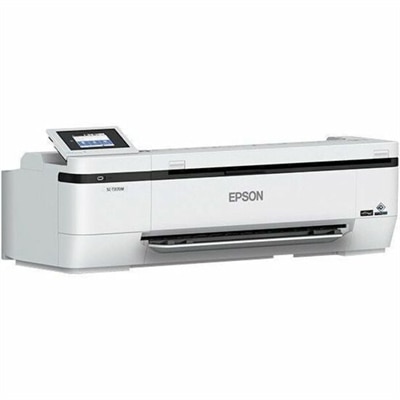
Large format engineering printers, often called plotters, are designed to produce oversized technical documents with the precision and clarity that everyday office printers cannot provide. They are commonly used for architectural plans, construction drawings, mechanical schematics, electrical diagrams, landscape designs, maps, and GIS presentations. For professionals who work with CAD files or other detailed digital drawings, a large format printer turns an on-screen plan into a practical document that can be reviewed at full scale, marked up in a meeting, carried to a job site, or displayed for a client. A 24-inch printer is often a sensible fit for smaller offices and standard engineering documents, while 36-inch and 44-inch models provide more room for full architectural blueprints, civil engineering plans, site layouts, and wide-format maps. The right print width depends on the largest documents your team handles, the space available for the printer, and whether plans need to be printed with borders, title blocks, notes, and revision details intact. A compact model may suit an independent architect or a design studio that prints periodically, while a faster, higher-capacity printer can help a busy architecture, engineering, construction, manufacturing, or surveying team keep projects moving without relying on an outside print service. As the weather warms or cooler months bring more time indoors for planning and documentation, dependable access to clear, properly scaled drawings can make collaboration easier across the office, classroom, workshop, and job site.
Print quality is especially important when a document includes fine lines, small labels, symbols, or layered color information. Look for a printer with high-resolution output and precise line placement so that measurements, dimensions, hatch patterns, and annotations remain legible when a drawing is enlarged. Pigment-based inks are often preferred for technical work because they can offer strong resistance to smudging, fading, and moisture compared with less durable alternatives. This can be valuable when prints are handled repeatedly, transported in a tube, reviewed in a busy studio, or taken outdoors for field work. Color capability is another consideration: monochrome line drawings may be the foundation of an engineering workflow, but color can help distinguish utilities on a site plan, identify design revisions, separate layers on a map, or make a presentation drawing easier to understand. Media handling also affects everyday productivity. A printer that supports multiple paper sizes can accommodate everything from smaller reference sheets to large D-size plans, while roll-fed designs help produce long drawings without piecing pages together. Dual-roll configurations can make it easier to switch between media types or widths, reducing manual changes when a team moves from black-and-white construction documents to color presentation boards. Consider whether the printer accepts plain bond paper, coated paper, durable media, or other specialty options, and review the available cutter, sheet feeder, and finishing features before choosing a configuration. If your work involves frequent plan sets, a built-in stacker or organized output area may help keep pages in sequence. For additional browsing focused on design professionals, explore Large Format Printers for Architects.
Workflow features can be just as important as print resolution. Large format engineering printers may connect through wired Ethernet, Wi-Fi, USB, or direct mobile and computer connections, allowing them to fit into a range of office environments. Ethernet is useful for a shared printer serving multiple workstations, while Wi-Fi can simplify placement when running a network cable is inconvenient. USB printing may be helpful for reviewing approved files from a thumb drive, particularly in a conference room, studio, or temporary project office. Check compatibility with the operating systems, design applications, and file formats your team uses, including common PDF, CAD, and image workflows. Automatic paper detection, ink-level monitoring, print previews, and remote status notifications can reduce interruptions and help staff catch problems before a lengthy print run begins. Speed should be evaluated in relation to document type and print volume rather than by a single headline number. A printer that produces a D-size page in roughly 20 to 30 seconds may be well suited to an office with regular plan revisions, while production-oriented models are intended for larger queues and frequent multi-page output. Estimate the number of sheets or square feet your team prints during a typical week, then allow room for project surges, deadline-driven revisions, and larger submissions. Also measure the available floor and wall space, including room for paper rolls, open trays, ventilation, and access for loading media or replacing ink. With the right combination of width, image quality, ink durability, media flexibility, connectivity, and operating speed, a large format engineering printer can become a dependable part of the design process—helping teams move from digital concepts to readable, shareable documents with less waiting and fewer compromises.
Add the products you would like to compare, and quickly determine which is best for your needs.