Large Gaming Monitors

Level up your play with large gaming monitors that deliver an immersive experience for every genre. Designed to enhance your setup, these expansive displays provide the screen real estate needed for fast-paced action, detailed visuals, and multitasking. Whether you’re battling opponents or exploring open worlds, large gaming monitors help create a captivating environment that keeps you fully engaged. Discover the perfect addition to your gaming station and enjoy a new dimension of entertainment.

Filters

$299.99

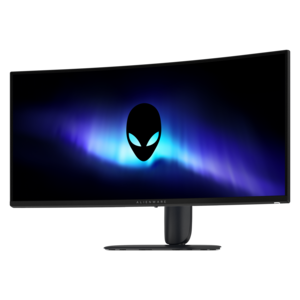
A curved ultrawide WQHD gaming monitor delivering vivid color and an exceptionally smooth 240Hz refresh rate.
$299.99
$129.99

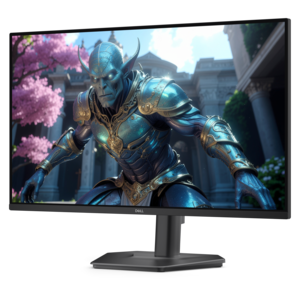
A fast IPS monitor with FHD resolution, 240Hz refresh rate, adjustable stand, and certified eye comfort.

$129.99
$159.99

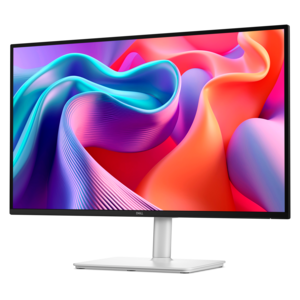
A QHD monitor with a 144Hz refresh rate, built-in speakers, and TÜV 4-star eye comfort certification.

$159.99
$1749.99

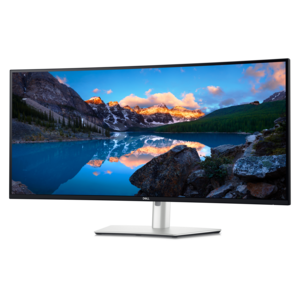
A curved 5K Thunderbolt hub monitor with a smooth 120Hz refresh rate for immersive productivity.

$1749.99

Large Gaming Monitors

Large gaming monitors create a wider, more immersive view that can make a familiar game feel newly expansive. Instead of seeing a narrow slice of a racing circuit, flight simulator cockpit, or open-world landscape, a large curved display can place more of the environment within your peripheral vision. Ultrawide screens are especially well suited to racing, driving, flight, strategy, and role-playing games, where the additional horizontal space can reveal upcoming turns, menus, maps, or distant scenery without constant camera movement. Common formats range from wide 21:9 displays to super-ultrawide 32:9 screens measuring roughly 49 inches or more, while exceptionally large options can approach the viewing area of two 4K monitors placed side by side. Resolution is an important part of that experience. A 3,440 x 1,440 panel can provide a substantial step up from standard high definition, while 5K2K and dual-4K-class displays deliver sharper text, more detailed environments, and greater room for multitasking. Higher resolution is most noticeable on a large panel, where it helps fine details remain clean rather than appearing stretched across a broad surface. For fast-paced games, a high refresh rate allows the display to update the image more frequently, making camera pans, quick turns, and competitive movement appear smoother. A 144Hz refresh rate is a strong starting point for many players, while 240Hz options can be appealing to people who play competitive shooters or other games where fluid motion and quick visual feedback matter. Response time also deserves attention, particularly when comparing large gaming monitors for rapid action. Lower response times can help reduce visible ghosting behind moving objects, though real-world performance depends on the panel, selected settings, and the frame rate produced by the computer. Variable refresh rate support can further help synchronize the monitor with the graphics card, reducing distracting tearing and stuttering when frame rates change.

The physical scale of a large gaming monitor should be considered just as carefully as its specifications. Measure the desk from edge to edge, then account for the monitor stand, cable clearance, speakers, a keyboard, and the space needed to move a mouse comfortably. A super-ultrawide display can occupy a substantial portion of a desk, and its weight may call for a sturdy, deep work surface or a monitor arm rated for the panel’s size and weight. A 1000R curve can make an exceptionally wide screen feel more natural by bringing the outer edges closer to the viewer, while a flatter or gentler curve may be preferable for productivity work, design tasks, or shared viewing. Sitting too close to a very large screen can make it difficult to take in the entire image, so viewing distance and eye level matter; the top of the display should generally sit near a comfortable line of sight, with the center positioned to avoid repeated neck movement. Panel technology also changes the character of the picture. OLED displays are known for deep blacks, vivid colors, and extremely quick pixel response, which can give dark game scenes a rich, cinematic quality. Mini-LED and VA-style displays can offer strong contrast and high brightness, making them useful in rooms with daylight or overhead lighting. IPS-style panels are often valued for consistent color and broad viewing angles. Resolution, refresh rate, brightness, contrast, and panel type should be evaluated together rather than in isolation. A demanding dual-4K or high-resolution ultrawide monitor can require a powerful graphics card to run games at its native resolution and highest refresh rate, so check the computer’s GPU, available video outputs, and supported standards before choosing. DisplayPort and HDMI versions affect which combinations of resolution and refresh rate are possible, and a USB hub, audio output, or built-in speakers may simplify a desk that also serves as a work-from-home station.

Large gaming monitors can suit dedicated players, creative hobbyists, streamers, and anyone who prefers one expansive workspace instead of several smaller screens. A streamer might keep a game centered while placing chat, recording controls, or a browser window beside it; a creator could arrange a timeline, preview, and tool panels across the same broad canvas; and a student or professional may appreciate opening multiple documents without constantly switching between windows. The same screen can also become a memorable gift for someone upgrading a gaming setup, particularly when the recipient spends long evenings exploring expansive worlds, practicing racing lines, or competing in quick online matches. Before giving one as a gift, it helps to confirm the available desk width, the computer’s graphics capability, and whether the recipient prefers an ultrawide screen or a more traditional 16:9 format. Room lighting is another practical consideration: glossy OLED surfaces may produce reflections near windows or lamps, while brighter matte displays can be easier to see in a well-lit room. Cable routing, height adjustment, tilt, swivel, wall-mount compatibility, and warranty coverage can make a meaningful difference after installation. For additional context when comparing screen sizes, resolutions, panel types, and gaming features, explore Best Monitors For Gaming. A thoughtfully selected large gaming monitor should fit the desk, match the computer’s capabilities, and support the way the screen will actually be used, whether that means leaning into a panoramic game world, keeping several applications visible, or creating a more comfortable and engaging centerpiece for a personal setup.

FAQs:

Add the products you would like to compare, and quickly determine which is best for your needs.

Add the products you would like to compare, and quickly determine which is best for your needs.