Large Office Printers
Elevate your business operations with large office printers that seamlessly blend efficiency and reliability, catering to the dynamic needs of bustling work environments. Designed to handle high-volume tasks with ease, these printers are the backbone of productivity, ensuring your team can focus on what truly matters. Whether you're producing crisp documents or vibrant marketing materials, large office printers offer the robust performance and versatility necessary for any professional setting. Discover how these essential tools can transform your office workflow and support your business goals.
This product is not available
Check out the following recommendations.




Large Office Printers
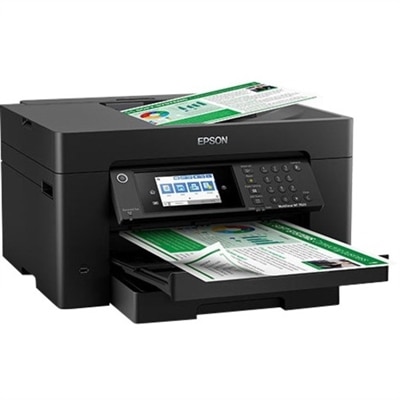
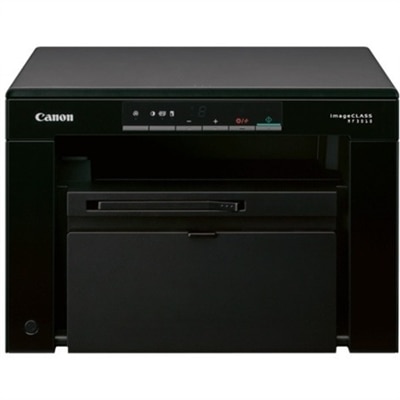
Large office printers are high-capacity printers designed to support frequent document production and shared use across busy workplaces. Depending on the model, they can offer fast output, expanded paper capacity, automatic two-sided printing, and multifunction capabilities such as scanning, copying, and faxing. Their defining feature is their suitability for sustained office workloads, not necessarily their ability to print oversized pages. A department producing hundreds of letter-size documents each day has different requirements from an architecture studio printing wide technical drawings. Standard office models commonly handle letter and legal paper, while certain larger machines support 11-by-17-inch tabloid sheets for spreadsheets, folded booklets, and presentation layouts. Wide-format printers serve a separate purpose, accommodating drawings, maps, posters, and other documents that exceed typical office paper dimensions. Across these categories, the right combination of speed, capacity, and output quality depends on what moves through the paper trays each day. An accounting team may prioritize crisp black text and reliable duplex printing for lengthy reports, while a creative department may need color to distinguish chart segments, review layouts, or prepare client presentations. Laser printers are common in document-intensive environments because they can deliver sharp text and consistent output at high volumes. Business inkjet printers can also support office workloads, with performance and media compatibility varying by model. For text-focused departments, Office Black And White Printers provide a category centered on monochrome document output. Color capability is more relevant when visual distinctions carry meaning, such as highlighted revisions or color-coded project schedules. In either case, readable small type, clean lines, and consistent reproduction matter more than a resolution figure alone. A busy reception area, school administrative office, legal practice, or corporate department may all use a large office printer, but each places different demands on document handling, turnaround time, and everyday convenience. A machine that spends the morning producing short forms and the afternoon assembling lengthy packets needs to accommodate both patterns without making routine tasks unnecessarily complicated.
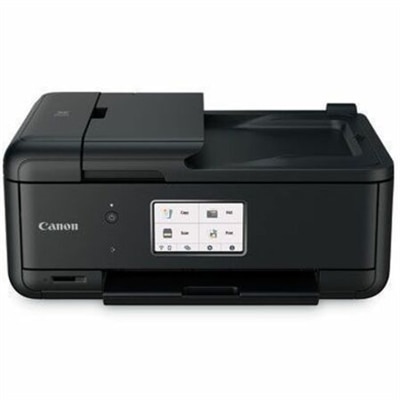
Print speed is usually expressed in pages per minute, but that number represents only one part of workplace performance. First-page-out time affects short jobs, while sustained print speed becomes more important when several people submit long documents in succession. Color output, two-sided printing, heavier paper, and higher quality settings may run at different speeds from the advertised headline figure. Monthly volume specifications also need context: a maximum duty cycle describes an upper workload limit rather than a recommended ongoing target. The recommended monthly print volume is generally the more useful reference for matching a printer to regular use. Paper capacity influences how often someone needs to interrupt other work to refill a tray, and multiple trays can keep letterhead, plain paper, and legal-size sheets separate. A bypass tray may accommodate envelopes or other supported media without disturbing the main paper supply. Paper weight limits and supported finishes remain important, particularly for cardstock, labels, and coated sheets; material compatibility should match the printer’s specifications rather than appearance alone. Multifunction office printers add another layer of document handling. An automatic document feeder can move a stack of originals through scanning or copying, and models with single-pass duplex scanning capture both sides without a second pass. That distinction becomes noticeable when an administrator digitizes a thick set of signed forms before a meeting. Optional finishing features, where supported, may include stapling, hole punching, or booklet preparation, helping completed documents arrive at the output tray closer to their final form. Physical fit matters just as much as these capabilities. A large printer needs space for its full operating footprint, including extended trays, open access panels, and any finishing attachments. Desktop units require a stable surface rated for their weight, while floor-standing configurations need suitable clearance and placement. A convenient location leaves room to retrieve documents and replace supplies without blocking a walkway. Noise, ventilation, power requirements, and the distance from nearby desks also shape how comfortably the printer fits into a working office.
Durability in a high-volume office printer comes from the combined performance of its chassis, feed mechanisms, rollers, trays, and serviceable components. Exterior panels alone reveal little about how well a machine will handle repeated paper loading or long print runs. Tray construction, accessible paper paths, and clearly marked maintenance areas all contribute to practical day-to-day use. Care typically includes using supported paper, keeping it dry and flat, removing dust as directed, and cleaning scanner glass with manufacturer-approved methods. A narrow streak on every scanned page can sometimes come from debris on the document feeder’s scanning strip rather than a problem with the printing mechanism. Rollers, imaging components, maintenance kits, and other replaceable parts have different service intervals, so long-term suitability includes the attention the machine needs as pages accumulate. Ink and toner yields are measured under specified test conditions; actual results vary with page coverage, document complexity, and printing patterns. A page filled with graphics uses supplies differently from a brief appointment reminder. Ease of operation matters alongside mechanical upkeep, especially when a printer serves people with different levels of technical familiarity. A readable control panel, straightforward paper-loading instructions, and clear status messages can make common tasks less disruptive. Compatibility with the office’s computers, operating systems, and supported mobile printing methods helps keep document submission consistent. Where sensitive information is involved, features such as authenticated access and held print jobs can reduce the chance of confidential pages sitting unattended in an output tray. These capabilities vary by model and may require configuration before use. Scanning destinations, address book controls, and document retention settings deserve similar attention in workplaces handling personnel files, financial records, or client paperwork. Energy-saving modes and automatic duplex settings can support everyday resource conservation, although wake-up times and workflow needs influence how those features feel in practice. Ultimately, large office printers serve as shared tools for turning digital work into readable, organized documents. Their value in daily use rests on a balanced combination of appropriate capacity, dependable paper handling, manageable maintenance, and features that suit the people standing at the tray.
FAQs:
When selecting a large office printer for a busy workplace, look for features such as high print speed, large monthly duty cycle, multiple paper trays, advanced finishing options (like stapling or hole punching), and multifunction capabilities such as scanning, copying, and faxing. Secure printing, robust network integration, and cloud connectivity can also enhance productivity and protect sensitive information.
Leasing business printers allows growing companies to access the latest printing technology without the upfront investment. Leasing can provide predictable monthly costs, flexible upgrade options, and maintenance support, making it easier for businesses to scale their printing capabilities as their needs evolve.
Yes, most large office printers are designed to accommodate a variety of media types and paper weights, including standard letter and legal sizes, envelopes, labels, cardstock, and even larger formats for posters or marketing materials. This versatility supports a wide range of business applications.
A dell office printer in a collaborative environment offers advantages such as seamless integration with existing IT infrastructure, secure print release options, user authentication, and compatibility with mobile and cloud printing. These features help streamline document workflows and ensure sensitive information remains protected.
Organizations can reduce printing costs by utilizing big office printers with high-capacity toner cartridges, duplex (double-sided) printing, and energy-saving modes. Monitoring print usage, setting default print settings to black and white, and choosing printers with efficient consumable management also contribute to long-term savings.