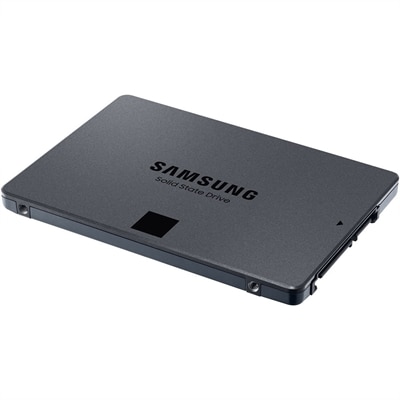
$27.99
A genuine OEM replacement board engineered for M.2 SSD compatibility and backed by a one-year warranty.
Unlock the full potential of your computing experience with M2 SSDs, the cutting-edge storage solution designed for speed and efficiency. These compact yet powerful drives offer a seamless upgrade path for enhancing data transfer rates and optimizing system performance. Whether you're upgrading your laptop or building a high-performance desktop, M2 SSDs are engineered to meet the demands of modern computing environments, ensuring quick boot times and swift access to applications. Explore our diverse range of options to find the perfect fit for your needs and take your device's capabilities to new heights.
A genuine OEM replacement board engineered for M.2 SSD compatibility and backed by a one-year warranty.
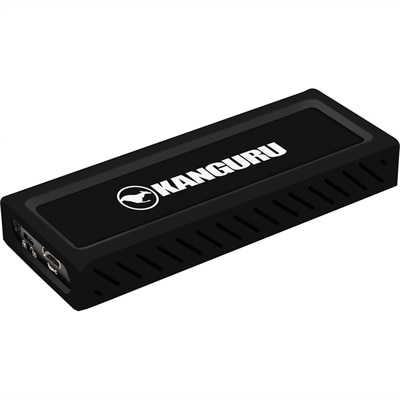
A sleek metal USB-C NVMe SSD delivering 675MB/s reads, 575MB/s writes, and write protection.
M.2 SSDs are compact internal storage drives designed to fit directly into a compatible laptop or desktop motherboard, usually without the power and data cables associated with older drive designs. Their slim, gum-stick shape makes them especially useful in modern computers where every millimeter inside the chassis matters. Despite the similar appearance, M.2 describes the physical form rather than the drive’s performance. The key specifications are the interface, protocol, length, capacity and cooling requirements. An M.2 drive using the SATA interface may deliver performance comparable to a traditional 2.5-inch SATA SSD, with sequential speeds commonly reaching around 500 MB/s. An NVMe drive communicates over PCIe lanes and can move data much more quickly, with newer generations capable of several thousand megabytes per second under the right conditions. That difference is noticeable when starting a computer, opening large creative files, loading games, moving photo libraries or working with video projects. A system equipped with an NVMe M.2 SSD often feels more immediate: the desktop appears promptly, applications respond with less hesitation and large folders transfer in a shorter stretch of time. For shoppers comparing options, the computer’s motherboard or laptop service documentation should come first. Some systems accept both SATA and NVMe M.2 drives, while others support only one type. The slot may also accept only certain physical lengths, such as 2230, 2242 or the widely used 2280 size. The numbers describe the drive’s dimensions in millimeters, so a 2280 drive is approximately 22 millimeters wide and 80 millimeters long. A drive that fits the slot physically may still be incompatible electrically, making interface and protocol checks just as important as measuring the available space.
Capacity is another practical consideration. A 500GB-class M.2 SSD can suit everyday computing, schoolwork, office files, browsing and a modest collection of photos or applications. Moving to 1TB provides more comfortable room for a larger game library, downloaded media, design projects and several demanding programs without constantly clearing space. Capacity above 2TB can be valuable for photographers, video editors, music producers and anyone who prefers to keep active projects readily available rather than relying on external storage. Remember that usable capacity is lower than the number printed on the box because some space supports formatting, system functions and drive management. Speed ratings also deserve context. Sequential read and write figures are useful for comparing large, continuous transfers, but everyday responsiveness depends on additional factors such as random access performance, controller design, firmware, workload and the computer’s PCIe generation. A newer high-speed drive installed in an older system may operate below its maximum rating, while a well-matched drive can still make a substantial difference in general use. For shoppers focused on NVMe performance, the collection of PCIe NVMe SSDs offers a useful place to compare compatible options. Endurance matters as well. It indicates how much data a drive is designed to write over its service life and is particularly relevant for computers used for frequent rendering, compiling, recording or large file transfers. For a family laptop or home desktop, a standard endurance rating may be sufficient; for a workstation-style workload, a higher rating can provide greater reassurance. A built-in or included heatsink may help sustain performance during long transfers, although clearance inside a thin laptop or compact desktop must be checked before choosing a model with additional height.
M.2 SSDs can serve a wide range of people, from someone refreshing an older computer to a student carrying a lightweight laptop between classes, a home user organizing years of photographs or a PC enthusiast assembling a responsive desktop. They can also make a practical gift for a relative who has mentioned slow startup times, limited storage or a computer that struggles when several applications are open. The best choice depends on the device, the intended workload and the amount of space the recipient actually needs. For a laptop upgrade, confirm whether the existing drive can be replaced, whether the system supports the desired M.2 length and whether the operating system will need to be cloned or reinstalled. Some laptops use an M.2 drive as their only internal storage, so a complete backup should be made before opening the chassis. For a desktop, check for an available M.2 slot, the motherboard’s supported PCIe generation and any need for a mounting screw or heatsink. Installation is generally straightforward: power down completely, disconnect the system from its power source, insert the drive at the correct angle, secure it gently and follow the manufacturer’s setup instructions. Once installed, the drive may need to be initialized and formatted before it appears in the operating system. A fresh installation can provide a clean start, while cloning preserves applications and personal settings when replacing an existing drive. Keep a separate backup of important documents, family photos and creative work, since faster storage does not replace a backup plan. When comparing M2 SSDs, focus on confirmed compatibility before chasing the highest advertised speed, then weigh capacity, endurance, warranty coverage, thermal design and price together. A balanced choice can make a computer feel quicker and more spacious for years, whether it is used for morning email, evening gaming, coursework, creative work or the quiet satisfaction of opening a familiar desktop and having everything ready almost instantly.
Add the products you would like to compare, and quickly determine which is best for your needs.