Managed Network Switches
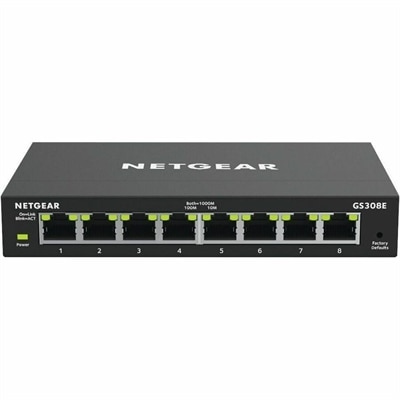
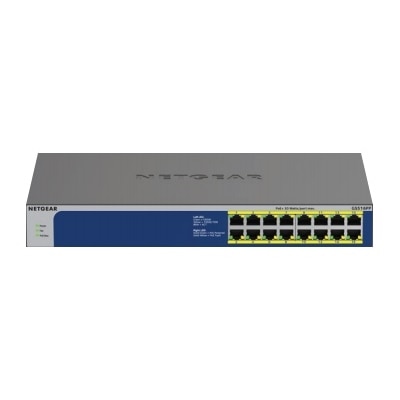
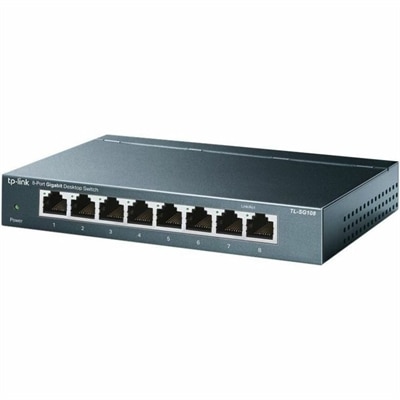
Managed network switches provide enhanced control and flexibility for businesses and organizations seeking to optimize their network performance. Ideal for supporting growing connectivity needs, these switches allow for efficient management of network traffic and resources. Whether upgrading an existing infrastructure or building a new one, managed network switches offer the scalability and reliability required to keep operations running smoothly. Explore a wide selection to find the right solution for your networking environment.
This product is not available
Check out the following recommendations.




Managed Network Switches
A productive workspace starts with computers, displays, and accessories that suit the people using them and the tasks filling their day. In a home office, that might mean a laptop that moves easily between a desk and a kitchen table, paired with a monitor for more comfortable work during longer sessions. In a shared office, a desktop can provide a consistent setup for employees who spend most of their time in one place. The right balance depends on the applications involved, the amount of multitasking, and the physical space available. Writing documents and attending video meetings place different demands on a computer than editing high-resolution photographs, working with complex design files, or running engineering software. Processor capabilities, memory, graphics performance, and application requirements all deserve attention, but everyday comfort matters just as much. A computer that handles demanding work smoothly still needs a screen that is comfortable to read, a keyboard that suits the user, and connections compatible with essential peripherals. For employees who travel between locations, laptop weight and dimensions influence how comfortably the device fits into a bag and how easily it can be carried throughout the day. Battery runtime varies with workload, display brightness, settings, and other conditions, so published estimates are best understood alongside the intended use. At a permanent desk, a desktop’s dimensions, ventilation requirements, and access to frequently used connections affect placement. A compact enclosure may leave more room for paperwork, while a larger design may offer different expansion possibilities, depending on its construction. These practical details help distinguish a workspace built around occasional tasks from one intended for sustained daily use. They also make it easier to match equipment to students, remote employees, creative professionals, and households where one desk serves several purposes.
Monitors and input accessories shape much of the daily experience because they are the parts of a computer setup people look at and touch for hours. Screen size should be considered alongside resolution, viewing distance, and desk depth rather than treated as a measure of usefulness by itself. A larger display can provide room for a document beside a spreadsheet, but text clarity and comfortable scaling remain important. Higher resolution can show finer detail, although interface settings may need adjustment to keep menus and text easy to read. For visual work, color performance and application compatibility warrant close attention; for fast-moving games, refresh rate and response characteristics can matter more. Adjustable height, tilt, swivel, and rotation can help position a screen for the task, provided the monitor supports those adjustments. A stand also occupies desk space, so its footprint deserves the same consideration as the panel’s dimensions. Anyone planning to use a separate monitor arm should check mounting compatibility, supported weight, and the desk’s suitability for the clamp or other attachment. Keyboards and mice introduce their own questions of fit. A full-size keyboard provides a dedicated number pad for frequent numerical entry, while a smaller layout may leave more room to position a mouse close to the body. Key spacing, typing feel, mouse shape, and handedness can affect comfort, particularly during repetitive work. Headsets and webcams can make conversations easier to follow when chosen for the room and the way meetings happen. A headset microphone positioned near the mouth may help speech remain clearer in a busy household, although results depend on its design and the surrounding noise. For a webcam, placement near eye level and balanced lighting often matter as much as headline resolution. Accessories work best as a coordinated setup: enough desk space for natural movement, a clear view of the display, and frequently used controls within easy reach.
Materials, construction, compatibility, and routine care all influence how well a workspace holds up over time. Laptop enclosures may use plastic, metal, or a combination of materials, with durability depending on the overall design rather than the material name alone. Hinge construction, surface finish, weight, and the protection provided during transport all contribute to daily wear. A properly fitted sleeve or padded bag should accommodate the computer’s actual dimensions without pressing tightly against its corners or allowing excessive movement. Separate compartments can keep a power adapter and other accessories from rubbing against the enclosure. At a desk, cables need enough slack for normal adjustments without pulling on connections or becoming trapped beneath furniture. When adding a docking accessory, check the computer’s supported connection features, power requirements, operating-system compatibility, and the accessory’s display capabilities. Matching connector shapes does not guarantee that every charging, video, or peripheral function will work. Similar care applies to external displays: supported resolution and refresh rate depend on the complete combination of computer, cable, adapter, and monitor. For shared workspaces, easily adjusted seating and display positions can make transitions between users more comfortable, while a consistent place for frequently used accessories helps keep the surface orderly. Regular cleaning should follow the manufacturer’s instructions. Before cleaning, power down equipment as directed, use an appropriate soft cloth, and avoid spraying liquid directly onto screens, keyboards, or enclosures. Keep ventilation openings unobstructed and place equipment on surfaces suitable for its cooling design; soft bedding or crowded shelves can interfere with airflow. Food and open drinks are better kept away from keyboards and other electronics, especially at multipurpose household desks. Over time, checking cables for visible damage, installing appropriate software updates, and reassessing screen placement can help maintain a dependable working environment. A thoughtful setup does not require every accessory at once. It requires compatible components selected for real routines, whether that means preparing a presentation at a quiet home desk, reviewing detailed drawings in a studio, or completing coursework in a room that also serves as living space.
FAQs:
Managed network switches provide advanced features such as VLAN support for network segmentation, Quality of Service (QoS) for prioritizing traffic, and comprehensive monitoring through protocols like SNMP. These capabilities allow for greater control, enhanced security, and improved network performance, making them ideal for business environments, educational institutions, and advanced home networks.
Managed ethernet switches are especially beneficial for small to medium-sized businesses, IT professionals, schools, and tech-savvy home users who require reliable connectivity and the ability to manage multiple devices. They are well-suited for environments where network traffic needs to be monitored, managed, and secured, such as offices with remote workers, classrooms with connected devices, and homes with smart technology.
Yes, managed network switches offer extensive diagnostic tools and real-time monitoring capabilities, which help network administrators quickly identify and resolve connectivity issues, bottlenecks, or unusual activity. Features like SNMP, port statistics, and event logs make it easier to maintain network health and minimize downtime.
When choosing a 16 port managed network switch, consider features such as VLAN support, PoE capabilities, robust security settings, QoS for prioritizing traffic, and remote management options. These features ensure your network remains flexible, secure, and easy to manage as your needs evolve.
Managed network switches enhance security by allowing administrators to control port access, create isolated VLANs, monitor for unauthorized devices, and set up alerts for suspicious activity. These controls help protect sensitive data and maintain the integrity of the network, especially in environments with multiple users or connected devices.