Microphones for Content Creators
Microphones for content creators are essential tools for producing clear, professional-quality audio in every project. Whether you’re streaming, podcasting, recording music, or creating videos, the right microphone can help elevate your sound and engage your audience. Explore a wide selection of microphones for content creators designed to suit various recording environments and creative needs, making it easier than ever to capture every detail with confidence.
This product is not available
Check out the following recommendations.




Microphones for Content Creators
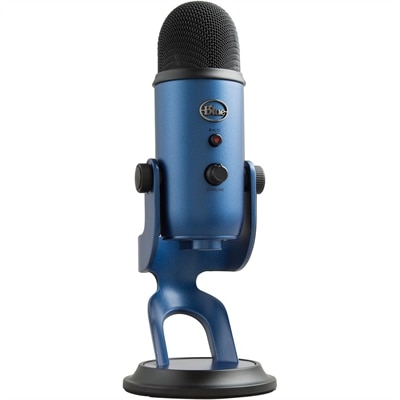
Microphones for content creators help turn an ordinary recording setup into a more polished, easier-to-follow experience. Clear speech matters whether you are filming a tutorial at a desk, narrating a travel video, hosting a podcast, streaming a game, recording interviews or sharing short-form clips from a laptop or smartphone. A built-in computer or phone microphone can work in a quiet room, but it may also capture keyboard clicks, air-conditioning hum, room echo and the soft rustle of clothing. A dedicated microphone gives you more control over how your voice comes across, helping dialogue sound fuller and more natural while reducing distractions that can make viewers turn up the volume or lose interest. Content creators often choose between compact wireless microphones, clip-on lavalier microphones, desktop USB microphones and camera-mounted directional microphones. Wireless transmitters are useful for presenters who move around, demonstrate a product or record outdoors, while a desktop microphone can be a comfortable choice for podcasts, livestreams, voiceovers and online meetings from a fixed position. Camera-mounted microphones are convenient for creators who want to capture sound directly while filming, and a clip-on model can keep the microphone close to the speaker’s mouth without taking up space in the frame. During the cooler months, when more recording takes place indoors, a microphone can also make a home office, bedroom or shared living space feel more like a deliberate studio. Pairing a microphone with a capable laptop, desktop or monitor can create a flexible workstation for recording, editing and publishing, while a Logitech Webcams for Content Creators page can help shoppers consider video quality alongside audio.
Connection type is one of the first practical details to check. USB microphones connect directly to many laptops and desktops, with USB-C increasingly common on newer computers and mobile devices. Some models include adapters or multiple connection options, which can be helpful when one microphone needs to move between a computer, phone and tablet. A 3.5 mm connection may be suitable for direct input to a camera or compatible recording device, while XLR microphones are typically intended for creators using an audio interface, mixer or more advanced studio setup. Confirming connector compatibility before purchase can prevent the need for extra cables or adapters. Pickup pattern is equally important. Cardioid microphones focus primarily on sound in front of the capsule, making them useful for desk-based speaking, streaming and voiceover work when the creator wants to reduce sound from behind the microphone. Omnidirectional lavalier microphones capture sound from multiple directions and can work well when a speaker is moving naturally or when consistent placement is more important than strong background rejection. Directional shotgun-style microphones are designed to emphasize sound from the front and can be helpful for video recording, although positioning, distance and the surrounding room still affect the result. Wireless microphones add freedom of movement, but shoppers should consider operating range, battery life, charging methods and the size of the transmitter. A small transmitter is easier to hide on a shirt or jacket, especially when the creator wants an uncluttered frame. Wind protection can be valuable for outdoor recording, and a secure clip helps prevent the microphone from brushing against fabric. For longer projects, onboard recording or backup recording can provide added reassurance if a wireless signal is interrupted, a cable is bumped or a recording level is accidentally set too high. Features such as gain controls, mute buttons, headphone monitoring and automatic noise reduction may simplify the workflow, but they should complement—not replace—thoughtful microphone placement and a quiet recording space.
The right microphone depends on the creator’s habits, equipment and comfort with audio settings. A student making presentation videos may appreciate a straightforward USB microphone that connects quickly to a laptop. A gaming streamer may prefer a desktop model with easy mute access and headphone monitoring, while a lifestyle creator who records while walking, cooking or working on a craft project may benefit from a compact wireless system. Podcasters and interviewers should consider whether they need one microphone for a single speaker or multiple microphones for conversations, along with enough inputs and recording flexibility for everyone involved. A camera-focused creator may value a lightweight microphone that stays out of the way on a compact setup, while a voice actor or narrator may prioritize a consistent, detailed sound in a controlled room. Microphones can also make thoughtful gifts for aspiring video makers, musicians, teachers, coaches and family members who enjoy sharing ideas online. The most useful choice is usually one that matches the recipient’s existing device and recording style rather than one with the longest feature list. Before adding a microphone to a workspace, check the computer or mobile device’s available ports, the recording software’s compatibility and the space available for a stand, boom arm or charging case. It is also worth considering how the microphone will be stored and transported; a compact case can protect a wireless kit in a backpack, while a stable desktop stand can help keep a stationary microphone at a consistent distance. Even small improvements—placing the microphone closer to the speaker, keeping it away from a noisy fan and testing audio levels before recording—can make a noticeable difference. With the right fit, a microphone becomes a dependable part of a content creation setup, supporting clearer conversations, more confident narration and videos that sound as considered as they look.
FAQs:
For content creators working from home, USB microphones are often the preferred choice due to their easy plug-and-play setup and compatibility with most computers. Condenser microphones are also popular for their ability to capture detailed, natural-sounding audio, making them ideal for podcasts, voiceovers, and streaming.
A bluetooth microphone offers wireless flexibility, allowing creators to move freely while recording. This is especially useful for vloggers, fitness instructors, and interviewers who need to capture clear audio without being tethered to a device, making outdoor and dynamic shooting much more convenient.
Yes, many microphones designed for content creators feature multiple pickup patterns, such as cardioid for solo use and omnidirectional for group settings. This versatility allows users to switch modes depending on the recording scenario, making them suitable for interviews, roundtable discussions, or solo content.
Beginners should look for microphones with intuitive controls, such as mute buttons and gain dials, as well as built-in headphone jacks for real-time monitoring. Plug-and-play compatibility with popular recording platforms and adjustable stands or mounts can also make setup and use much easier.
Many modern microphones are versatile enough to handle both video calls and music recording. Look for models with high sensitivity and a wide frequency response to ensure clear voice transmission for calls and rich, detailed sound for musical performances or instrument recording.