$42.99
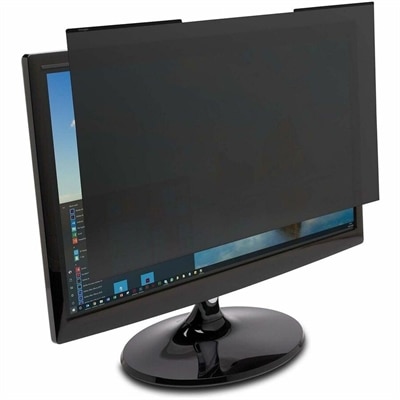
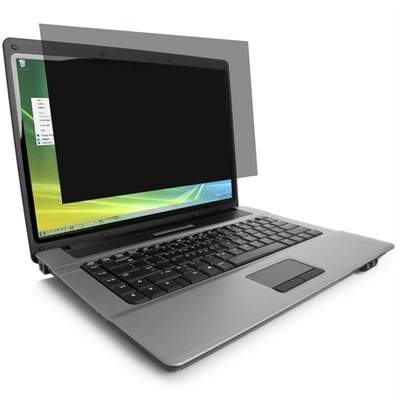
A reversible privacy screen limiting side viewing, reducing glare, and filtering 30% of blue light.
Monitor eye protection is an essential consideration for anyone who spends extended hours in front of a screen, whether for work, gaming, or entertainment. Finding the right display can help create a more comfortable viewing experience and support your overall well-being during long sessions. Explore a range of monitors designed with eye protection in mind to discover options that suit your needs and help you stay focused throughout your day.
A reversible privacy screen limiting side viewing, reducing glare, and filtering 30% of blue light.
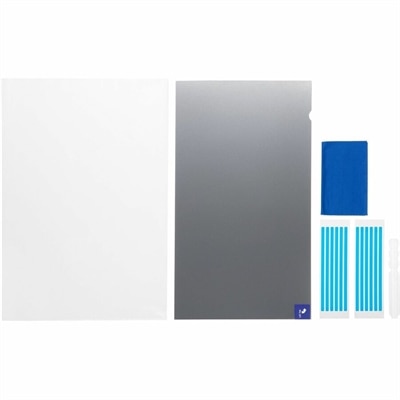
A reversible magnetic privacy filter limits viewing to ±30°, reduces blue light and glare, and resists scratches.
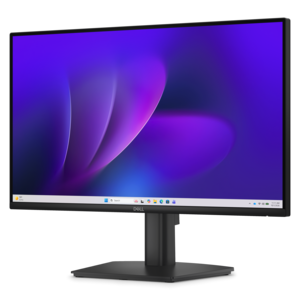
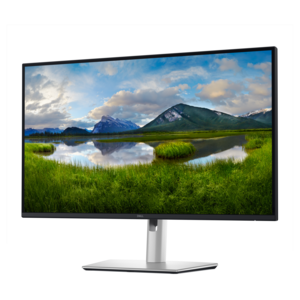
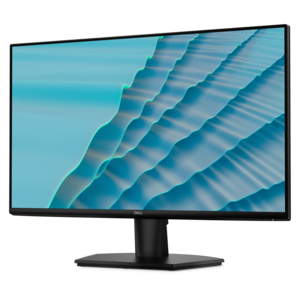
A fixed-stand monitor certified by TÜV Rheinland for three-star eye comfort and enhanced productivity.
A crisp FHD monitor with smooth 144Hz visuals, built-in speakers, and TÜV 4-star eye comfort certification.
A reversible privacy filter limiting viewing angles to ±30°, reducing blue light, glare, fingerprints, and scratches.
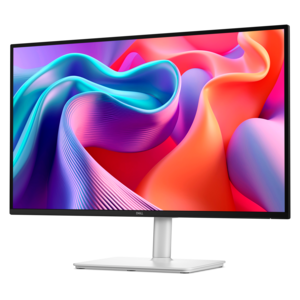
A QHD monitor certified by TÜV Rheinland for four-star eye comfort and productive work.
Monitor eye protection products are designed to make extended screen time more comfortable by addressing common sources of visual fatigue, including glare, reflections, harsh brightness, and rapid changes in on-screen motion. This collection brings together monitor options and compatible accessories for people who spend long stretches reading documents, reviewing spreadsheets, editing images, attending virtual meetings, studying, gaming, or moving between several applications throughout the day. Features to look for include flicker-free operation, low blue light settings, matte or anti-glare surfaces, adjustable brightness, and clear image quality at the size and resolution that suit your workspace. Flicker-free technology helps reduce the visible and invisible pulsing that can accompany some display brightness systems, while low blue light modes adjust the display’s color profile to produce a warmer, gentler image. These features are not a substitute for regular breaks or professional eye care, but they can be useful parts of a more comfortable setup. A display with multiple comfort settings is especially practical in a shared home office, where one person may prefer a brighter image during the day and another may want a warmer tone during evening work. For shoppers comparing screen sizes, consider how far you sit from the display and how much content you need to view at once. A larger screen can make side-by-side work easier, while a compact monitor may fit better on a shallow desk or in a bedroom study area. Resolution, text sharpness, height adjustment, and the ability to tilt or swivel the display also matter because a comfortable picture begins with a comfortable physical position. Those who are sensitive to reflections may prefer a matte panel or an add-on filter that helps diffuse light from windows and overhead fixtures. If low blue light is a priority, explore Eye Care Monitors With Low Blue Light to compare display choices that place this feature at the center of the viewing experience.
The most effective monitor eye protection setup combines display features with simple habits. Position the screen about an arm’s length away, adjusting the distance until text is easy to read without leaning forward. The top edge of the display should generally sit at or slightly below eye level, allowing the eyes to look gently downward rather than lifting the chin for hours at a time. Keep the screen directly in front of you when possible, especially if you spend much of the day working with text or communication tools. If you use two monitors, place the primary display straight ahead and position the secondary screen beside it to limit repeated neck movement. Bright windows, lamps, and ceiling lights can create sharp reflections that are more tiring than the display itself, so arrange lighting to come from the side or behind the screen rather than directly in front of it. Match screen brightness to the surrounding room: a display that looks like a glowing panel in a dim room may feel uncomfortable, while one that is too dark in a bright room can encourage squinting. The 20-20-20 rule is another useful routine: every 20 minutes, look at something at least 20 feet away for 20 seconds. A glance across the room, out a window, or down a hallway gives the eyes a brief change in focus. Blinking regularly can also help when concentration causes you to stare without noticing. During cooler months, indoor heating and dry air may make the eyes feel less comfortable, so keeping the workspace reasonably humid and taking periodic breaks can be helpful. Anyone experiencing persistent discomfort, headaches, blurred vision, or other ongoing symptoms should consult an eye-care professional for personalized guidance.
These products may suit remote workers, students, creative professionals, office teams, and anyone whose routine includes several hours of daily screen use. They can also be thoughtful gifts for a person setting up a first home office, refreshing a study space, or preparing a more comfortable workstation for evening projects. A monitor with eye-comfort settings may be useful for a family member who reads digital documents, manages household tasks, or attends online classes, while an adjustable stand or screen filter can help improve an existing setup without requiring a complete desk redesign. When choosing, consider the recipient’s computer connections, available desk space, preferred screen size, and the type of content they view most often. Someone working with long documents may value sharp text and a taller portrait orientation; a person handling visual projects may prioritize accurate color and consistent brightness; and a multitasker may benefit from a wide display with flexible positioning. Look for controls that are easy to access, clear menu options, and settings that can be adjusted as room lighting changes from bright daytime conditions to softer evening illumination. It is also worth checking whether the monitor includes height, tilt, swivel, or rotation adjustments, since ergonomic flexibility can be as important as the panel itself. Add-on filters and computer eyewear may offer another layer of comfort for some users, but fit, tint, optical quality, and compatibility should be considered carefully. A well-planned setup should feel natural: text remains readable, reflections stay under control, the display sits at a relaxed angle, and short distance-viewing breaks become part of the work rhythm. With the right combination of monitor features, workspace placement, and mindful viewing habits, these monitor eye protection options can support a more comfortable digital routine from early fall through the cooler months.
Add the products you would like to compare, and quickly determine which is best for your needs.