$849.99
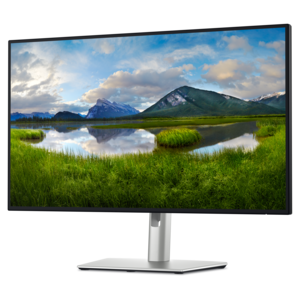
A 4K monitor with IPS Black, 3000:1 contrast, 120Hz refresh, ambient light sensing, and eye comfort.
Enhance your workspace with monitors for MacBook Pro, designed to help you get the most out of your device. Whether you're working on creative projects, managing multiple tasks, or enjoying entertainment, finding the right display can make a significant difference in your daily experience. Explore a wide selection of monitors for MacBook Pro that offer seamless compatibility and stylish designs to complement your setup.
A 4K monitor with IPS Black, 3000:1 contrast, 120Hz refresh, ambient light sensing, and eye comfort.
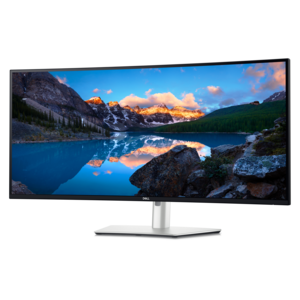
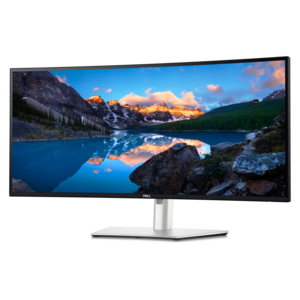
A curved 5K Thunderbolt hub monitor with a smooth 120Hz refresh rate for immersive productivity.
A curved Thunderbolt™ hub monitor with 120Hz refresh rate and 5-Star Eye Comfort certification.
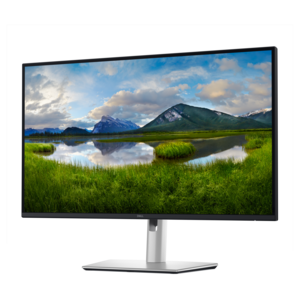
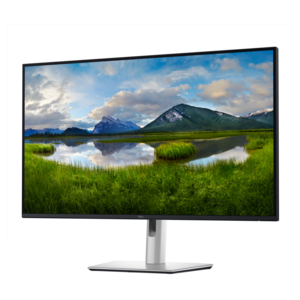
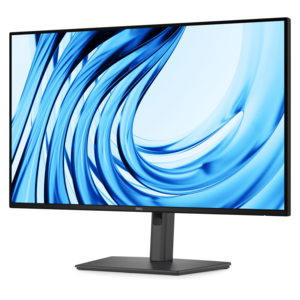
A 27-inch 4K monitor with USB-C hub connectivity and TÜV-certified four-star eye comfort.
A 4K USB-C hub monitor with extensive connectivity and TÜV-certified four-star eye comfort.
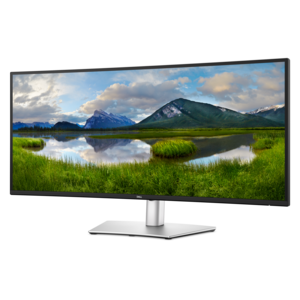
A curved ultrawide WQHD monitor with USB-C power delivery up to 90W and RJ45 Ethernet connectivity.
When choosing a monitor for your MacBook Pro, it’s important to consider how seamlessly the display will integrate with your daily workflow, whether you’re working from a home office, creative studio, or shared family space. Many users gravitate toward monitors that offer high pixel density and superior color accuracy, as these features help to maintain the crisp text and vivid visuals that MacBook Pro users expect. A monitor with 4K or 5K resolution can make a noticeable difference, especially when editing photos, designing graphics, or managing large spreadsheets. Creative professionals, such as photographers, videographers, and designers, often look for displays that support wide color gamuts like P3 and provide factory calibration for color-critical work. On the other hand, multitaskers and productivity enthusiasts might prioritize larger screen sizes or ultrawide formats, which allow for multiple windows to be open side by side—ideal for research, coding, or collaborating on projects. As the weather warms and routines shift between indoor productivity and outdoor breaks, having a comfortable, reliable workspace with a high-quality monitor can make transitions smoother and help maintain focus throughout the day.
Monitors for MacBook Pro are also a thoughtful gift for anyone who relies on their laptop for school, work, or creative pursuits. Graduates heading into new academic or professional chapters, remote workers upgrading their home setups, or family members embarking on creative hobbies will all appreciate the boost in comfort and efficiency a well-matched monitor provides. Many modern monitors offer USB-C connectivity, which allows for single-cable setups that charge your MacBook Pro while transmitting video and data—streamlining your desk and reducing cable clutter. For those who prefer flexible setups, features like adjustable stands, built-in speakers, and integrated USB hubs can make a significant difference in day-to-day use. And if you’re setting up in a shared space or anticipate moving your workstation, consider the ergonomics and portability of your chosen display. No matter your use case, pairing your monitor with the right accessories can further enhance your experience; for instance, the right cable ensures optimal performance and compatibility. If you’re looking to connect your MacBook Pro to a new display, explore our selection of HDMI Cables for MacBook Pro to find solutions designed for seamless, high-quality connections.
As the seasons shift from early summer through fall, your workspace needs may evolve—perhaps you’re transitioning from a study nook to a more permanent home office, or preparing for a busy season of creative projects and collaboration. Investing in a monitor that complements your MacBook Pro means you’re equipped for clear visuals and comfortable productivity, whether you’re tackling daily tasks, video conferencing with colleagues, or enjoying downtime with streaming and gaming. With careful consideration of resolution, connectivity, and ergonomics, you can create a setup that not only looks great alongside your MacBook Pro but also supports your ambitions and creativity throughout the year.
Add the products you would like to compare, and quickly determine which is best for your needs.