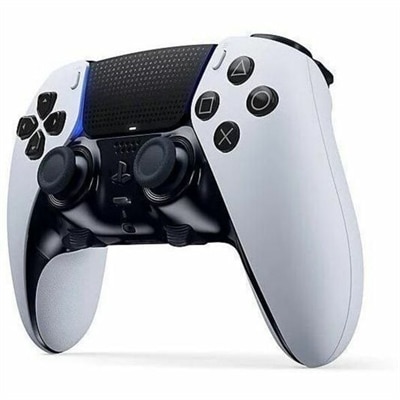
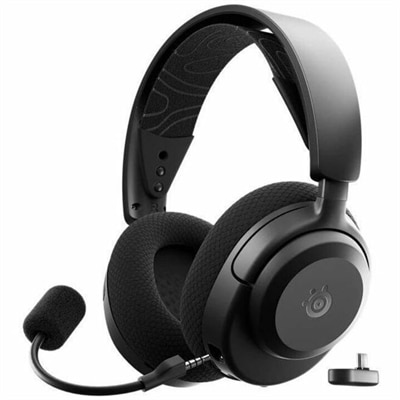
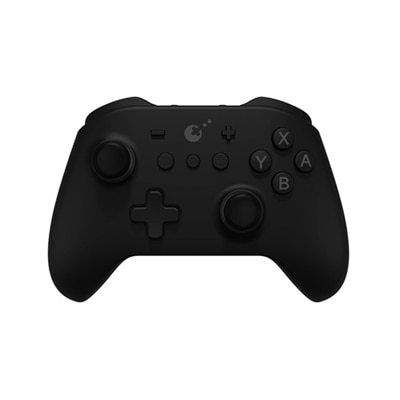
Multi-Platform Gaming Controllers
Multi-platform gaming controllers offer the flexibility to enjoy your favorite games across a variety of devices. Designed for seamless compatibility, these controllers make it easy to switch between consoles, PCs, and other platforms without missing a beat. Whether you’re a casual player or a dedicated gamer, multi-platform gaming controllers provide the versatility and performance needed to enhance your gaming experience. Explore options that suit your play style and discover how effortless connectivity can elevate every session.
This product is not available
Check out the following recommendations.




Multi-Platform Gaming Controllers
Multi-platform gaming controllers give players a more consistent way to enjoy games across a home computer, compatible console, tablet, or phone without adapting to a completely different gamepad every time they change screens. They are especially useful for households where one person plays at a desk while another prefers the living-room display, or for anyone who moves between a gaming laptop, handheld system, and mobile device during the week. A single familiar controller can make the transition feel natural: the same thumbstick placement, the same trigger pull, and the same muscle memory carry from a fast competitive match at a desk to a relaxed adventure game on the sofa. When browsing recommended options, begin by checking platform compatibility rather than assuming that every wireless controller works everywhere. Some models connect directly through Bluetooth, while others use a 2.4GHz wireless receiver for a responsive connection with a computer or compatible console. Wired USB-C models can be a practical choice for desktop play, tournaments, or long sessions when charging interruptions are unwelcome. A controller that supports more than one connection method can be particularly convenient, allowing wireless play in the living room and a direct wired connection at a desk. Keep the intended devices in mind, including operating system support, available ports, and whether an adapter is required. Players who switch between platforms often appreciate quick pairing, clearly marked controls, and a simple way to change between stored devices. For a broader look at distinctive options, explore Cool Gaming Controllers.
Comfort and control matter just as much as compatibility. The best fit depends on hand size, playing style, and how long a typical session lasts. A lighter controller may feel nimble during an evening of platform games, while a slightly fuller shape can provide welcome support during a long racing session or a weekend role-playing game. Look for textured grips, smoothly contoured handles, and triggers that are easy to reach without stretching the index fingers. Thumbsticks should move evenly and return cleanly to center, while the face buttons should have a tactile response that helps confirm each input without requiring excessive pressure. Some newer controllers use Hall effect or TMR sensing in their thumbsticks, technologies designed to reduce the physical contact that can contribute to stick drift over time. These features may appeal to players who spend many hours gaming or want equipment built for frequent use. Adjustable trigger stops, rear buttons, interchangeable thumbstick caps, and vibration settings can also help tailor the experience, though extra controls are most useful when they are easy to reach and do not crowd the main layout. Button arrangement deserves close attention when moving between systems with different control conventions. A familiar layout can reduce hesitation, while swappable face buttons or clearly labeled profiles can make it easier to move from one platform to another. For mobile gaming, consider whether a controller pairs securely with a phone or tablet and whether its shape leaves room for a case. A compact carrying profile can be valuable for travel, especially when the controller can slip into a backpack beside a laptop and charge from the same USB-C cable used by other devices.
These controllers can suit a wide range of players, from someone setting up a first gaming computer to an experienced enthusiast who wants one dependable input device for several screens. They can also make thoughtful gifts because they support different play styles without requiring the recipient to own a particular game or platform. A college student might use one with a laptop in a residence hall, then pair it with a phone during a commute. A family member may keep one near the television for shared racing, sports, or cooperative games, while a remote worker could use it with a computer after closing the workday. Before choosing, consider battery capacity, charging time, and whether the controller can be used while connected to power. A charging dock can keep a wireless model ready on a side table, whereas a replaceable or long-lasting battery may be preferable for travel. Check the included cable length, wireless range, receiver storage, and compatibility with headsets if in-game voice chat is important. Software support may provide firmware updates, button remapping, sensitivity adjustments, or saved profiles, but straightforward controls are often more valuable than a crowded list of features. Think about the space where the controller will be used: a wireless connection helps keep the area around a television clear, while a wired model avoids another device to recharge at a compact desk. Choosing a multi-platform controller with reliable connectivity, comfortable ergonomics, durable stick technology, and a layout suited to the player’s favorite games can make every session feel more familiar, whether the action takes place at a desk, on a couch, or in the palm of a hand.
FAQs:
Multi-platform gaming controllers offer the convenience of seamless compatibility across various devices, such as laptops, desktops, consoles, and even mobile phones. This flexibility allows gamers to enjoy a consistent experience without needing separate controllers for each device, making it easier to switch between different gaming environments and platforms.
Multi-platform gaming controllers make excellent gifts for gamers who play on more than one device, such as those who use both a gaming PC and a console. They are also ideal for students, frequent travelers, or anyone who enjoys gaming in different locations, ensuring they always have a familiar and reliable controller on hand.
Wireless controllers offer greater freedom of movement and less cable clutter, making them ideal for gaming in larger spaces or on the go. Wired controllers, on the other hand, provide a direct connection for reduced input lag, which can be beneficial for competitive gaming or situations where battery life is a concern. Many multi-platform controllers support both options for added versatility.
When selecting a cross platform controller, consider features such as ergonomic design for comfort during long sessions, customizable buttons or triggers for personalized control, robust build quality, and reliable connectivity options. Additional features like vibration feedback and adjustable sensitivity can further enhance your gaming experience.
A multi-platform controller allows users to maintain a consistent feel and control scheme across various devices, reducing the learning curve when switching between platforms. This consistency helps improve performance and enjoyment, whether you’re playing on a high-performance desktop, a portable laptop, or a console connected to your living room TV.