Network Protection Software
In today's digital age, safeguarding your valuable data and maintaining the integrity of your online activities is more crucial than ever. Network protection software serves as a vital tool in defending against cyber threats, ensuring that your personal and professional information remains secure. Whether you're managing a small business network or protecting your family's devices at home, investing in robust network protection software can provide peace of mind by fortifying your digital environment against unauthorized access and potential breaches. Explore our range of solutions designed to meet diverse security needs and keep your networks running smoothly and securely.
This product is not available
Check out the following recommendations.




Network Protection Software
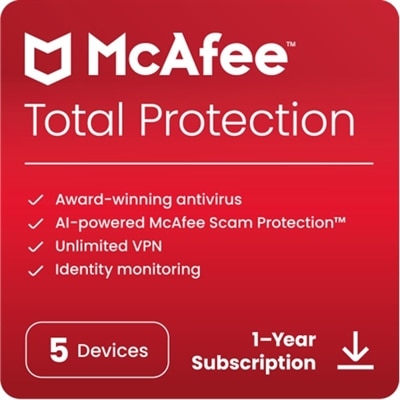
Network protection software helps create a safer digital environment by watching how devices connect, identifying suspicious activity, and limiting access that does not belong. It can be useful for a household with several laptops, desktops, phones, tablets, smart televisions, and connected accessories, as well as for individuals who work or study from home. Instead of relying on a single layer of defense, this type of software may combine several protective features. A firewall controls incoming and outgoing traffic according to established safety rules, helping prevent unauthorized connections from reaching a computer. Traffic monitoring can flag unusual behavior, while intrusion prevention features are designed to detect and block exploit attempts, repeated login attempts, brute-force activity, and other signs that someone is trying to gain access. Web filtering can prevent visits to known malicious domains, deceptive pages, and phishing sites that imitate familiar services in an effort to capture passwords or payment information. Some options also include malware scanning, real-time alerts, privacy tools, and controls that help parents manage browsing access. When comparing network protection software, consider how many devices the subscription supports, which operating systems it covers, how frequently threat definitions are updated, and whether the controls are simple enough for everyone in the household to use confidently. A clear dashboard and understandable notifications can make a meaningful difference; an alert that explains what happened and what to do next is far more helpful than an unfamiliar technical message.
A virtual private network, or VPN, may be another important feature to look for, particularly for people who connect through public or unsecured Wi-Fi in cafés, airports, libraries, hotels, or shared workspaces. A VPN encrypts information sent between a device and the VPN service, helping make private activity more difficult for others on the same connection to observe. It does not replace careful browsing, strong passwords, or software updates, but it can add privacy when a trusted private connection is not available. Firewall tools and VPN features serve different purposes: a firewall manages which connections are allowed to reach a device, while a VPN helps protect data as it travels across a connection. Some households may also benefit from web filtering and parental controls that help reduce exposure to unsuitable content, fraudulent pages, and downloads that carry malicious code. A remote worker might value secure access and privacy while checking email from a hotel, whereas a college student could use protection against phishing attempts while moving between campus Wi-Fi and a shared apartment. Someone who regularly shops, pays bills, or manages personal accounts online may appreciate automatic warnings before opening a suspicious page. For an additional layer of control, explore Firewall Protection to learn more about software designed to regulate unwanted traffic. Look for settings that can be adjusted without extensive technical knowledge, along with options for scheduled scans, automatic updates, device notifications, and support when an issue appears.
Choosing network protection software is also about matching coverage to everyday habits. A person who uses one computer at home may need a straightforward package with firewall protection, malware detection, and secure browsing, while a family with multiple users may prefer broader coverage, centralized controls, and support for a range of devices. Check whether the software can protect laptops and desktops across major operating systems and whether it works alongside existing security features without creating conflicts or noticeably slowing performance. It is worth reviewing renewal terms, privacy practices, customer support, and the type of information the software collects to provide alerts or threat analysis. Installation should be followed by a few practical steps: enable automatic updates, use unique passwords for important accounts, turn on multifactor authentication where available, and keep the operating system and applications up to date. Security software is most effective when it is allowed to run continuously rather than only after something seems wrong. During the warmer months, travel and outdoor work can lead to more connections from unfamiliar Wi-Fi networks; as the cooler months bring more time indoors, a larger number of household devices may be active at once. In both situations, network protection software can help reduce everyday exposure by blocking dangerous connections, warning about suspicious websites, filtering unwanted traffic, and encrypting selected online activity. It can be a practical addition to a home office setup, a useful safeguard for a student living away from home, or a thoughtful technology gift for someone who is beginning to manage personal accounts and devices independently. The right choice should provide dependable protection while fitting naturally into the way each person works, learns, shops, streams, and stays connected.
FAQs:
When selecting network protection software for home use, prioritize features such as easy installation, real-time threat detection, parental controls, and wifi protection software to safeguard all connected devices. User-friendly dashboards and automatic updates are also helpful to ensure ongoing protection without requiring technical expertise.
Yes, many network protection software solutions are designed to cover multiple devices, including laptops, desktops, tablets, and smartphones. Look for options that offer centralized management and flexible licensing to easily extend coverage across all your household or office devices.
Most leading network protection software is compatible with both Windows and Mac operating systems, and some also support Linux, iOS, and Android platforms. Always review the system requirements to ensure compatibility with your devices before installation.
Network protection software enhances remote work security by encrypting data, monitoring network traffic, blocking unauthorized access, and providing secure VPN connections. Features like dell analyzer network security software and WAN acceleration can help protect sensitive business data as employees connect from various locations.
Endpoint protection focuses on securing individual devices such as computers and smartphones from threats, while network protection software safeguards the entire network infrastructure by monitoring traffic, managing firewalls, and detecting vulnerabilities across all connected devices.