$489.00
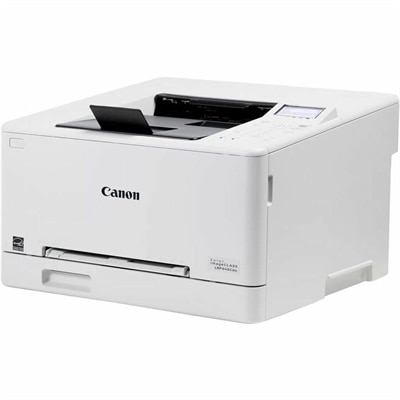
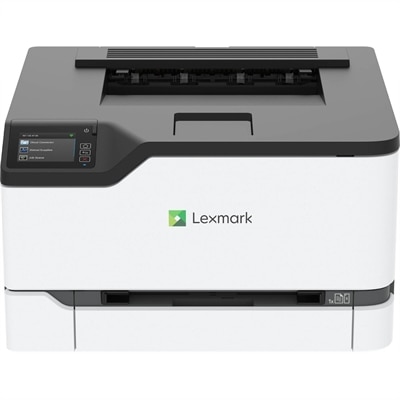
A compact color wireless laser printer with steel construction, duplex printing, mobile connectivity, and Unison toner.
Network ready laser printers offer a streamlined solution for busy homes and offices seeking efficient, high-quality printing across multiple devices. Designed for seamless connectivity, these printers make it easy to share resources and manage print tasks from anywhere on your network. Whether you’re handling everyday documents or large-volume projects, network ready laser printers provide the flexibility and reliability needed to keep productivity on track. Explore options that fit your workspace and discover how upgrading to a network ready laser printer can enhance your workflow.
A compact color wireless laser printer with steel construction, duplex printing, mobile connectivity, and Unison toner.
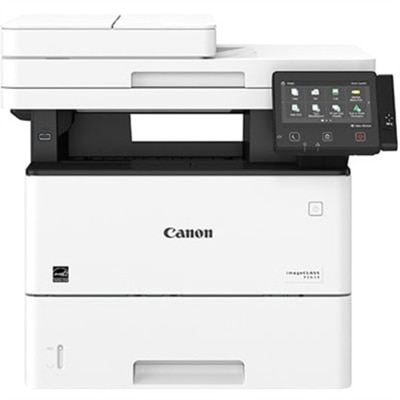
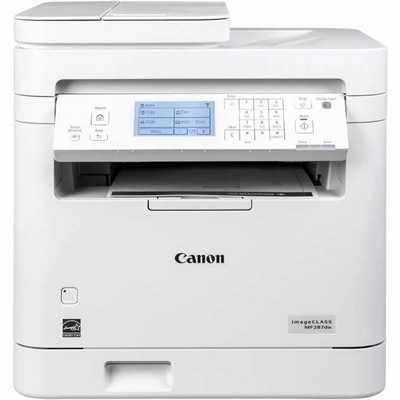
A monochrome multifunction laser printer with copier, fax, scanner, 45-ppm output and customizable color touchscreen.
Network-ready laser printers give households, home offices, and shared workplaces a central place to print from compatible computers and mobile devices without connecting each device directly to the printer. A network-ready laser printer connects to a local network through built-in Ethernet, Wi-Fi, or both, depending on the model, allowing authorized users to send documents to the same machine. Ethernet supports a wired connection for a printer that stays in one location, while Wi-Fi offers placement flexibility within the wireless network’s coverage. Wireless capability is not universal, and mobile printing depends on the printer’s supported applications, protocols, and operating systems. These distinctions matter in everyday settings: a household might share one printer for school assignments and shipping labels, while a small office might use it for appointment schedules, client correspondence, and meeting packets. Laser printing uses toner powder bonded to paper with heat, producing crisp lettering and clearly defined lines well suited to text-heavy documents. Monochrome laser printers print in black and white, making them a natural fit for forms, manuscripts, invoices, and reference materials. Color laser printers add the ability to distinguish chart segments, highlight important information, and reproduce graphics in presentations or classroom handouts. Although color output can support documents containing images, results depend on the printer, paper, and source file; photographic reproduction is not the primary strength of many office laser printers. Single-function printers focus on printing, while multifunction laser printers may combine printing, scanning, copying, and sometimes faxing in one device. For a remote worker handling signed paperwork or an administrator digitizing printed records, those additional functions can reduce the need for separate equipment. The right combination depends less on having every feature than on matching the printer to the documents that regularly cross a desk. A compact monochrome machine may suit a quiet study, while a shared office handling mixed paperwork may benefit from color output, expanded paper handling, and scanning capabilities. Across these uses, shared access helps keep printing in a practical, dedicated location rather than tying it to one person’s computer.
Print speed, paper handling, and workload capacity shape how comfortably a network-ready laser printer fits into a busy day. Pages per minute describes output speed under specified test conditions, but actual performance varies with document complexity, print settings, connection conditions, and whether the job is single-sided or double-sided. First-page-out time is another useful distinction: someone printing one-page forms throughout the day may notice the delay before each first sheet more than the speed of a long print run. A team producing lengthy training packets has a different rhythm, with sustained output and fewer interruptions taking greater importance. For workflows centered on longer documents and frequent shared use, Fast Printing Laser Printers offers a related category to explore alongside connection options and paper capacity. Automatic duplex printing produces two-sided pages without manually turning over the stack, helping keep reports and reference packets more compact. Duplex speed can differ from single-sided speed, and supported paper sizes or weights may vary in this mode. Input tray capacity influences how often paper needs replenishing, while an output tray needs enough room for completed jobs between pickups. Separate trays can keep letter-size paper and another supported size ready for different tasks; a multipurpose feed may accommodate envelopes, labels, or heavier sheets within the printer’s specifications. Recommended monthly print volume helps describe the workload a printer is intended to handle routinely. It is different from a maximum monthly duty cycle, which represents an upper limit rather than an everyday target. For multifunction models, an automatic document feeder makes multipage copying or scanning more convenient, while a flatbed accommodates individual pages and suitable bound materials. Two-sided scanning is a separate capability from two-sided printing, so a printer that automatically prints on both sides does not necessarily scan both sides automatically. Scan destinations also vary, with some devices supporting delivery to compatible computers, email, or shared folders after configuration. These details become tangible when a stack of signed forms needs digitizing before lunch or several colleagues send separate documents just before a meeting.
Physical fit and routine care are just as important as connection features when a printer becomes part of a room’s daily activity. Dimensions should account for more than the closed cabinet: paper trays may extend outward, scanner lids need clearance, and access panels require space for toner replacement or paper removal. A stable surface, accessible controls, and room around ventilation openings support practical placement. In a home office, the sound of startup, fans, and pages moving through the machine can be noticeable during calls, especially when the printer sits beside a desk. Shared workplaces benefit from a location that users can reach without crowding someone’s workspace or leaving finished documents unattended in a public area. Network access also brings considerations around document privacy and device management. Depending on the model, features may include administrator controls, encrypted connections, user authentication, or secure-release printing that holds a job until an authorized person retrieves it. These features require appropriate setup and do not replace sensible handling of sensitive paperwork. Compatibility with the intended operating systems and printing methods remains important, particularly when a household or office mixes laptops, desktops, tablets, and phones. Durability depends on using the printer within its supported workload, choosing suitable supplies, and following its maintenance instructions. Paper is part of that equation: laser-compatible sheets, envelopes, and labels must tolerate the heat of the printing process, and specialty media should stay within the stated size and weight limits. Paper stored flat in a dry place is less likely to curl or feed inconsistently than sheets exposed to moisture. Toner yield varies with page coverage and printing patterns, and imaging drums or other maintenance components may be separate from the toner cartridge. Keeping vents unobstructed, removing paper jams as directed, and cleaning only with recommended materials helps protect the printer’s moving parts and imaging surfaces. For students producing research papers, educators preparing class materials, or professionals managing a steady stream of documents, a well-matched network-ready laser printer supports an organized workspace with clear output, convenient shared access, and paper handling suited to the work at hand.
Add the products you would like to compare, and quickly determine which is best for your needs.