Onboard Memory
Onboard memory plays a crucial role in enhancing the performance and efficiency of modern computing devices. Whether you're using a laptop, desktop, or an accessory, onboard memory helps streamline multitasking and supports smooth operation across a variety of applications. Explore options designed to offer optimal support for your everyday computing needs and discover how onboard memory can contribute to a more responsive and reliable experience.
This product is not available
Check out the following recommendations.




Onboard Memory
Onboard memory is memory built into a hardware device, but its purpose depends on the type of device. In a mouse or keyboard, onboard memory typically saves supported settings directly on the accessory, allowing those settings to stay with it when it moves between compatible computers. Depending on the device, saved preferences may include mouse sensitivity, button assignments, keyboard remapping, lighting effects, or multiple profiles for different activities. This type of profile memory is nonvolatile, meaning it can retain saved settings after the device is unplugged or turned off. For someone who uses a laptop during the day and a desktop at home, that can mean a familiar pointer speed and preferred button layout at both desks. A gaming mouse with onboard memory may retain sensitivity levels for precise aiming or broad, fast movements, while a keyboard with onboard memory may preserve supported key assignments for a comfortable, consistent layout. The practical benefit is continuity: the accessory carries certain preferences rather than relying entirely on each computer to supply them. However, onboard memory does not automatically mean every feature works without software. Initial configuration may require a compatible application, and some advanced actions, synchronized lighting effects, or application-specific profiles may still depend on software running in the background. A setting that works in a configuration application is not necessarily one the device can save internally. Profile capacity also varies, with some accessories holding a single configuration and others supporting several. Hardware profile switching can make those saved configurations easier to access, although the controls and supported settings differ. For shoppers comparing accessories, the most useful distinction is between preferences stored on the device and preferences stored only on the computer. That difference matters whenever an accessory travels, a computer is replaced, or a workspace limits which applications can be installed. Onboard memory can reduce the need to keep a configuration utility open for supported functions, but it does not replace compatibility requirements, essential drivers, or workplace security policies.
Mice and keyboards with onboard memory are particularly useful when consistent controls matter across changing environments. A student moving between a dorm desk and a shared study space may appreciate a mouse that retains a comfortable sensitivity setting. Someone who edits photos at home and works from a laptop elsewhere may prefer supported button assignments that remain familiar without rebuilding a profile. Players who bring their own peripherals to an organized competition may value saved settings, though event rules can restrict macros, software, or particular device features. A console connection needs separate consideration because onboard memory does not guarantee that a console or individual game will recognize an accessory or honor every saved assignment. Even on compatible computers, a shortcut can behave differently when operating systems or applications use different commands. These practical limits make physical comfort and basic performance just as important as profile storage. Mouse dimensions, weight, contour, and button placement affect how naturally the hand rests during a long session. A compact shape may fit a smaller hand or a crowded travel pouch, while a fuller shape may offer more palm support. Textured grips can help maintain control, but their feel and resistance to wear depend on the materials and construction. Keyboard width, key spacing, switch feel, and wrist position all influence comfort; a smaller layout leaves more room for mouse movement but may omit keys needed for frequent spreadsheet work. Molded plastic housings, metal reinforcement, and keycap materials contribute to weight, rigidity, and everyday feel, without any single material guaranteeing durability. Cables, connectors, switches, and feet also face repeated handling, especially when an accessory moves between desks. Routine care generally includes disconnecting the device before cleaning, following its care instructions, and keeping excess moisture away from openings. A protective pouch can help prevent scratches and reduce pressure on buttons or keycaps during travel. For a gift recipient who regularly switches computers, profile memory can be a thoughtful feature, but it works best alongside a suitable shape, connection type, and layout.
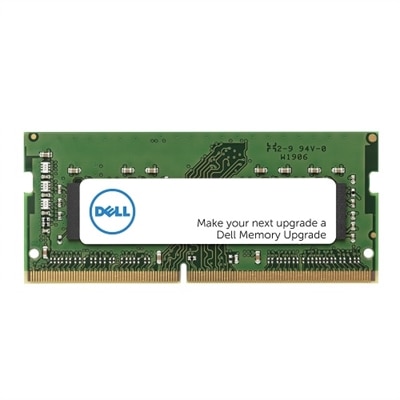
The phrase onboard memory also appears in laptop and desktop specifications, where it usually refers to system memory integrated into the motherboard rather than accessory profile memory. These are different functions. System memory, commonly called RAM, temporarily holds information that active applications and the operating system need to access quickly. It does not preserve mouse profiles in the same way as the nonvolatile memory inside a peripheral, and it is not a substitute for the drive that keeps documents, photos, and installed applications. Soldered onboard RAM can support compact computer designs, but it generally cannot be removed and replaced like a socketed module. Some computers combine onboard RAM with an expansion slot, while others have no user-upgradeable memory, making the exact configuration important for long-term use. Shoppers comparing memory formats can explore SODIMM Memory, a compact module format used in compatible laptops and some small desktops. A SODIMM module is not a universal replacement for onboard RAM; compatibility depends on the computer’s design, supported memory generation, capacity limits, and other specifications. For a computer intended for everyday browsing, documents, and video calls, memory needs differ from those of a machine used for large photo projects, complex creative applications, or demanding multitasking. Having enough RAM helps keep active workloads from competing for limited working space, although the processor, graphics capabilities, and other components also affect responsiveness. Integrated graphics may share system memory, while a dedicated graphics processor typically has separate graphics memory for its own workload. These distinctions explain why the same phrase can describe very different capabilities across computers and accessories. A mouse’s profile memory is about retaining supported preferences; a laptop’s onboard RAM is about supporting active computing tasks. Neither description alone establishes speed, comfort, compatibility, or overall quality. For everyday use, the strongest fit comes from matching the memory function to a real routine: familiar controls across two desks, dependable settings in a travel setup, or sufficient working memory for applications that stay open throughout the day. Understanding that function gives onboard memory a clear place among the features that shape a comfortable, capable computer setup.
FAQs:
Onboard memory refers to the built-in storage or RAM that is integrated directly onto a device's main circuit board. It is used for storing data, applications, and system files necessary for the device's operation.
Onboard memory is permanently attached to the device and cannot be removed or upgraded by the user, whereas removable memory, such as SD cards or external drives, can be added or replaced to expand storage capacity.
Onboard memory plays a crucial role in determining how quickly and efficiently a device can process data and run applications. More onboard memory generally allows for smoother multitasking and faster performance.
In most cases, onboard memory is soldered onto the motherboard and cannot be upgraded after purchase. Some devices may offer additional slots for expansion, but the original onboard memory itself typically remains fixed.
Onboard memory is commonly found in smartphones, tablets, laptops, desktops, gaming consoles, and other smart electronics where compact design and fast data access are essential.