$59.99
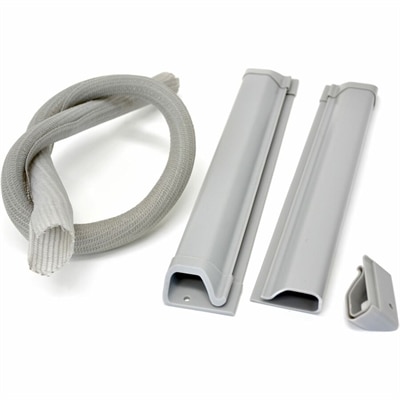
A grey cable management kit organizing equipment wiring for safer, tidier workspaces and easy access.
PC cable management is essential for maintaining a tidy and efficient workspace. Organizing cables helps reduce clutter, making it easier to access your devices and keep your setup looking clean. Whether you’re streamlining your home office or upgrading your gaming station, effective PC cable management can enhance both the appearance and functionality of your environment. Explore solutions designed to simplify your setup and create a more organized computing experience.
A grey cable management kit organizing equipment wiring for safer, tidier workspaces and easy access.
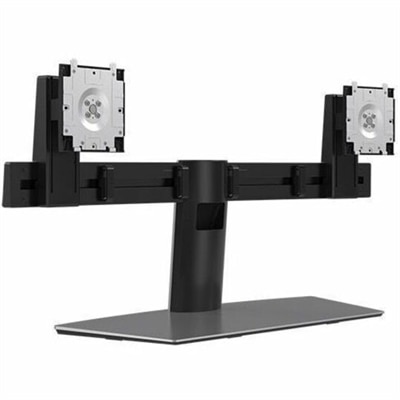
A space-saving dual-monitor stand with a small footprint and efficient cable management for organized desks.
PC cable management brings order to the wires inside a desktop computer and the connections around a workspace. Cable ties, reusable straps, sleeves, clips, and routing channels serve different purposes, but the goal is consistent: keeping cables supported, identifiable, and away from places where they interfere with everyday use. Inside a desktop case, well-routed power leads, fan wires, and front-panel connectors can help keep ventilation paths clear, prevent contact with moving fan blades, and make future component changes less awkward. The effect on cooling depends on the case layout and how much cables obstruct airflow; a tidy appearance alone does not guarantee lower temperatures. For a computer with a transparent side panel, neat routing also gives the build a more deliberate look, with fewer loose loops crossing the visible components. Fit matters as much as appearance. Clearance behind the motherboard tray, the position of cable cutouts, and the space around the power supply influence which organizing accessories will work comfortably. A thick sleeve may suit an open cable run but create too much bulk behind a narrow side panel. Small clips can help separate lightweight leads, while adjustable straps accommodate larger bundles without requiring a permanent arrangement. Reusable hook-and-loop straps are especially practical for setups that change frequently because they open without cutting, whereas single-use cable ties usually need replacement after removal. Neither should be tightened enough to pinch insulation or pull on a connector. A useful layout accounts for connector locations before cables are secured, with smaller front-panel and fan wires following nearby routing openings and excess length kept in designated spaces where the case provides them. Enough slack for a connection to rest naturally is preferable to a taut wire stretched across an edge. Cable combs offer another way to align compatible individually sleeved wires, although their spacing and dimensions need to match the cable construction. These accessories organize existing connections; they do not make electrically incompatible cables interchangeable.
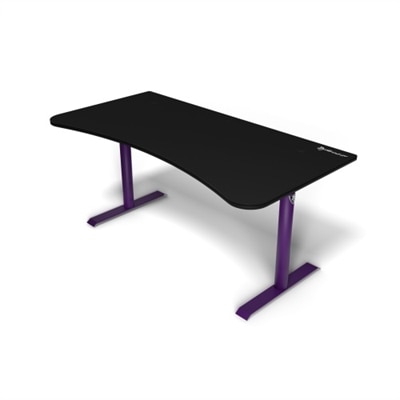
Around a desk, PC cable management addresses a different kind of clutter: the charging lead slipping behind a tabletop, the monitor cable hanging near a knee, or the bundle that catches whenever a chair rolls back. Desktop clips keep frequently used connectors within reach, sleeves gather cables traveling in the same direction, and under-desk trays or channels give longer runs a defined place beneath the work surface. The most suitable combination depends on how the workspace is used. A laptop that leaves the desk every afternoon benefits from an accessible charging connection and an easy-to-release bundle, while a stationary desktop setup may suit more enclosed routing. Multiple monitors introduce additional power and display cables, making capacity and exit positions important considerations. A channel needs room for the actual cable bundle, not just the thin sections between larger connector housings. Split sleeves can wrap around cables that are already connected, while closed sleeves require enough clearance for plugs to pass through. Materials also change the feel and function of an organizer. Flexible fabric wraps conform to irregular bundles, braided sleeving groups cables while allowing some flexibility, and rigid plastic channels create a more defined route along a desk or wall. Metal trays can support cable runs and, where their stated specifications permit, a power strip, but load ratings and mounting requirements still matter. Adhesive clips depend on a clean, compatible surface, and their suitability can vary with textured finishes, heat, and repeated pulling. Clamp-mounted accessories avoid adhesive contact but need a tabletop edge of the right thickness and shape. Screw-mounted designs require a surface that can accept the specified fasteners without damage. For a workspace built around integrated routing, Gaming Desks With Cable Management provide another way to consider cable access alongside the desk itself. On an adjustable-height desk, the cable path also needs sufficient movement throughout the desk’s full travel, so raising the surface does not tug at the computer, monitor, or wall connection.
Durability in cable management comes from a combination of material quality, appropriate sizing, and how often the setup changes. An organizer that stays untouched beneath a desk has different demands from a strap opened every day for a portable laptop charger. Reusable closures should hold securely through regular handling, flexible sleeves should bend without forcing cables into sharp turns, and clips should grip the intended cable diameter without crushing the jacket. Smooth edges are particularly important wherever a cable enters a tray, passes through a cutout, or rests against a bracket. Repeated rubbing against a rough edge can wear insulation over time, even when the arrangement looks neat from the front. Care is generally straightforward: accessible surfaces can be dusted, and removable organizers can be cleaned according to their material and manufacturer’s directions. Adhesive-backed pieces may need a new mounting pad after repositioning rather than repeated attempts to reuse a weakened bond. Frayed wraps, cracked clips, and loose brackets are reasons to reassess an arrangement before a supported cable drops into a chair’s path or pulls against a port. Electrical cords also need room to release heat, and cable organizers should never cover computer vents, conceal damaged insulation, or substitute for properly rated electrical accessories. Tightly coiled excess power cord and overloaded bundles are not the same as thoughtful organization. For everyday convenience, separate routes for frequently disconnected peripherals can make more sense than gathering every wire into one large sleeve. Small labels near cable ends can help distinguish similar-looking connections when a monitor moves or a keyboard is replaced. These details matter to remote workers sharing a room with other activities, students fitting a computer onto a compact desk, and gamers making space for a keyboard, mouse, and headset without loose wires brushing their hands. Adjustable organizers can also be a useful gift for someone setting up a home office or refreshing a desktop workspace, particularly when they accommodate different cable sizes. The strongest result is not necessarily a completely hidden bundle. It is a setup in which cables reach comfortably, connections remain accessible, and routine changes do not require undoing the entire arrangement.
Add the products you would like to compare, and quickly determine which is best for your needs.