$19.99
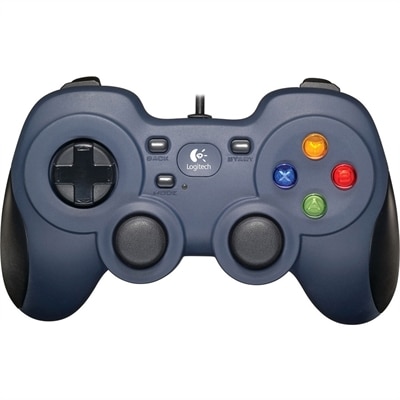
A wired gaming controller with XInput/DirectInput support, programmable controls, responsive four-switch D-pad, and contoured rubber grips.
Elevate your gameplay with PC gaming controllers designed to deliver precision and comfort for every session. Whether you're diving into fast-paced action or exploring immersive worlds, the right controller can make all the difference in your gaming experience. Discover a wide selection of PC gaming controllers that cater to various play styles, ensuring you find the perfect fit for your setup. Upgrade your gear and enjoy responsive controls that keep you in command, match after match.
A wired gaming controller with XInput/DirectInput support, programmable controls, responsive four-switch D-pad, and contoured rubber grips.
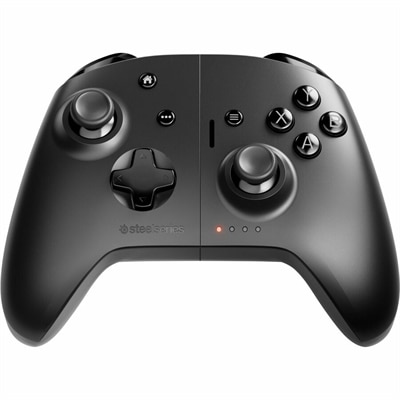
A dual-mode cloud gaming controller compatible with Android, Apple devices, PCs, Chromebooks, and Smart TVs.
PC gaming controllers give players a comfortable, familiar way to enjoy games on a Windows PC, especially titles designed around analog movement, trigger control, and vibration feedback. While a keyboard and mouse remain excellent for genres that depend on precise cursor movement, a controller can feel more natural for racing games, sports games, platformers, action adventures, fighting games, and many role-playing titles. It can also be a welcome choice for long sessions when resting your hands on a compact gamepad feels easier than keeping them spread across a keyboard. When comparing PC gaming controllers, begin with the types of games you play and the way you prefer to hold your controls. Full-size models generally provide roomier grips and familiar button spacing, while compact designs may suit smaller hands or a portable setup. Look for responsive analog sticks with smooth movement, comfortable triggers, and a directional pad that feels distinct without requiring excessive pressure. Textured grips can help keep the controller steady during an intense racing lap or a fast-paced action sequence, while a balanced weight can make a difference during extended play. A wired controller connects directly to the computer and avoids battery charging, wireless interference, and pairing steps, making it a practical choice for a desk-based setup. Wireless models provide more freedom to lean back in a chair or play from across the room. Bluetooth is convenient for compatible PCs and laptops, while a dedicated 2.4GHz wireless connection can offer a stable, low-latency link through a USB receiver. Before choosing, confirm that the controller supports your operating system, connection preference, and favorite game platforms. Many PC games recognize common controller layouts automatically, but some titles may require button remapping, a compatibility layer, or configuration through the game’s settings. A detachable cable can add flexibility by allowing the same controller to be used in wired or wireless modes, while a rechargeable battery may reduce the need to keep disposable batteries nearby.
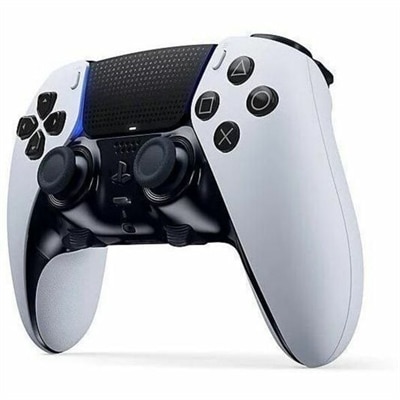
Performance details matter most when quick, consistent input can change the feel of a game. Polling rate describes how frequently a controller reports input to the PC; higher rates can reduce the time between a movement and its registration, although the practical benefit depends on the game, system, connection method, and overall setup. Rates around 1,000Hz are commonly sought by players who want responsive control, while higher-rate options may appeal to competitive users who carefully tune every part of their setup. A low-latency wired connection can be especially dependable for competitive play, and a properly positioned wireless receiver can provide a similarly responsive experience without placing the player directly beside the computer. Analog stick technology is another important consideration. Traditional sticks use physical components that can wear over time, potentially leading to unwanted movement known as stick drift. Hall Effect and TMR, or Tunnel Magnetoresistance, sticks use magnetic sensing rather than the same type of contact-based mechanism, which can help reduce wear-related drift and support more consistent control over the life of the controller. They are not a substitute for careful handling, and real-world durability still depends on construction quality, but they are useful features to consider for frequent players. Extra buttons can also change how a controller feels in practice. Rear buttons or paddles let users assign commands that would otherwise require moving a thumb away from an analog stick, which can be helpful in shooters, racing games, action titles, and games with several simultaneous controls. Players who want this kind of setup can explore Gaming Controllers With Paddles. Adjustable trigger stops, interchangeable stick caps, profile memory, and software-based remapping may appeal to experienced players, though simpler layouts are often easier for guests and family members to pick up. Features such as a 3.5mm headset jack, dedicated mute controls, vibration adjustment, and independent volume controls can make a controller more useful for multiplayer sessions.
PC gaming controllers can be a thoughtful gift for someone who enjoys gaming at a desk, on a laptop, or from a comfortable seat in the living room. They are also practical for households where several people play different types of games, since one controller can make a wide range of titles accessible without requiring a complete change in habits. A newer player may appreciate a straightforward, plug-in design with clearly labeled controls, while an experienced player may value customizable buttons, magnetic sticks, faster polling, or a choice between wired and wireless play. For a gift, consider the recipient’s computer and gaming library before prioritizing advanced specifications. A controller that works smoothly with Windows, includes the right cable or receiver, and has an intuitive layout may be more useful than a feature-heavy model that requires extensive setup. Comfort should remain central: grip shape, button resistance, trigger travel, stick height, and overall weight are personal preferences, and a design that feels excellent to one player may feel awkward to another. Families may want durable construction and easy cleaning, while frequent travelers may prefer a compact controller that fits neatly beside a laptop. During the cooler months, when indoor gaming sessions often stretch longer, details such as soft-touch grips, reliable wireless battery life, and a comfortable resting position become especially noticeable. Keep the controller close to the PC for wired play, charge wireless models before a long session, and update compatible firmware when the manufacturer provides performance or compatibility improvements. Whether it is used for a relaxed role-playing adventure, a competitive online match, a realistic racing game, or a cooperative evening with friends, the right PC gaming controller should feel dependable, comfortable, and easy to use from the first connection through many hours of play.
Add the products you would like to compare, and quickly determine which is best for your needs.