$2929.99
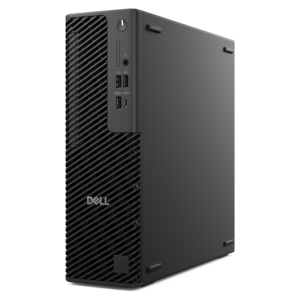
A powerful desktop with advanced graphics and extensive expandability for creative workloads, gaming, and demanding tasks.
PCs for designers are crafted to support creative professionals who demand reliability and performance in their everyday work. Whether you’re editing high-resolution images, working on intricate illustrations, or managing complex design projects, these systems provide the foundation needed to bring your ideas to life. Explore a range of options tailored for graphic design, 3D modeling, animation, and more, and find the perfect fit for your creative workflow. With PCs for designers, elevate your productivity and let your creativity shine.
A powerful desktop with advanced graphics and extensive expandability for creative workloads, gaming, and demanding tasks.
A slim desktop delivering exceptionally fast CPU and GPU performance for demanding professional workloads.
A scalable tower workstation delivering reliable, outstanding performance for demanding multi-threaded applications.
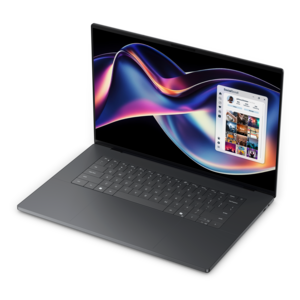
A thin, high-performance 16-inch laptop with exceptional battery life, designed for creators.
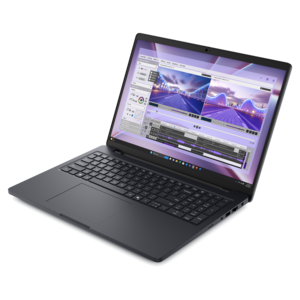
A powerful laptop with a large display, built for productivity and design applications on the go.
PCs for designers support the everyday work of turning a rough concept into a finished visual, from arranging type on a packaging mockup to refining the lighting in a three-dimensional scene. The right balance of processing power, memory, graphics, and display quality depends on the kind of design taking place. A graphic designer building logos and page layouts has different demands from a motion designer previewing layered animation or a product designer rotating detailed models. For many two-dimensional workflows, a recent multicore processor, 16GB of RAM, and a fast solid-state drive provide a practical starting point, while 32GB of RAM or more gives larger documents and several open applications additional breathing room. Complex 3D scenes, high-resolution video, and demanding simulations may benefit from substantially more memory and a dedicated graphics processor, depending on the software. Processor responsiveness matters when adjusting curves, moving objects, and navigating an artboard; additional cores can help with tasks such as exporting and rendering when applications support parallel processing. Dedicated graphics can accelerate supported effects, improve viewport responsiveness, and handle workloads that exceed the capabilities of integrated graphics. Graphics memory requirements vary by application, scene complexity, texture size, and resolution, so the software’s published recommendations offer a more useful benchmark than a single specification applied to every designer. An SSD helps applications launch and large project files open promptly, with 512GB serving lighter workloads and 1TB or more giving growing project libraries greater room. These capabilities become especially noticeable during familiar deadline moments: a layout application, image editor, reference board, and video meeting all open while a client requests one more revision. PCs for graphic design are most useful when their resources match those overlapping tasks, not simply when one specification looks impressive. Software compatibility, operating system requirements, and support for essential plug-ins also shape how comfortably a computer fits into an established creative routine. A smooth transition matters when existing templates, font libraries, drawing devices, and shared project files are part of daily work.
Display quality brings another dimension to a designer’s computer, because decisions about color, spacing, and detail happen on the screen long before a project reaches its final destination. A higher-resolution display can make fine lines and small text easier to inspect, while a larger screen creates space for a full-page composition alongside layers, tool panels, and reference images. Resolution and screen size work together: a dense display may show crisp detail, but comfortable interface scaling remains important during long editing sessions. For web and digital content, strong coverage of the sRGB color space is often relevant; print-focused and video workflows may call for other color capabilities, depending on the intended output and production requirements. Color gamut describes the range a display can reproduce, while color accuracy describes how faithfully it reproduces the intended colors. Neither replaces an appropriately managed workflow. Calibration, suitable color profiles, and consistent room lighting help a designer judge a muted green fabric swatch or a neutral gray background with greater confidence. A matte surface can reduce distracting reflections in a bright workspace, although screen finish alone does not determine image quality. Laptop screens offer the convenience of an integrated workspace, while an external monitor can provide a broader view at a permanent desk. Connections matter here as much as screen dimensions: the computer and its ports need to support the desired display resolution, refresh rate, and number of monitors. A compatible drawing tablet, comfortable mouse, and responsive keyboard can make precise adjustments feel more natural, particularly when repeated gestures fill much of the day. Desk fit deserves attention, too. An adjustable monitor stand, enough room for a tablet, and a screen positioned to limit glare can make a compact home office more workable. For designers who move between a studio and client meetings, a laptop paired with a compatible docking setup can preserve the convenience of a larger workspace without requiring the main computer to stay in one place.
Designer laptops and desktops serve different rhythms of creative work. A laptop suits someone presenting concepts across a meeting table, reviewing photographs on location, or carrying coursework between a classroom and an apartment. Weight, chassis materials, hinge construction, keyboard comfort, and charger size all influence that experience, especially when the computer travels daily. Metal and reinforced composite housings can offer different balances of rigidity and weight, but durability depends on the overall construction rather than the material name alone. Battery runtime varies with display brightness, application demands, and power settings; rendering or running graphics-intensive previews can shorten unplugged use considerably. A desktop is often a natural fit for a dedicated workspace where sustained performance, flexible monitor placement, and room for peripherals matter more than portability. Larger enclosures may allow more substantial cooling and easier access to replaceable components, although expansion and repair options vary by design. Cooling deserves consideration in either format because extended exports and rendering sessions generate heat, and fan noise can become noticeable in a quiet studio. Clear vents, a firm working surface, and regular exterior cleaning according to the manufacturer’s directions help maintain suitable operating conditions. A padded carrying sleeve offers useful protection in transit, while keeping drinks away from a keyboard remains a simple precaution around valuable project work. Configuration flexibility also matters as creative responsibilities change. Customizable PCs can offer a way to align processor, memory, and graphics choices with supported configuration options and the applications a designer expects to use. Independent illustrators, architecture students, in-house creative teams, and experienced animators may all need capable computers, but their most useful configurations will not necessarily look alike. A computer given to a design student or a creative professional is a more thoughtful gift when it accommodates required software, preferred input devices, and the space where it will be used. Across these settings, a well-matched design PC supports both the concentrated detail work of creation and the practical demands of revising, presenting, and delivering finished projects.
Add the products you would like to compare, and quickly determine which is best for your needs.