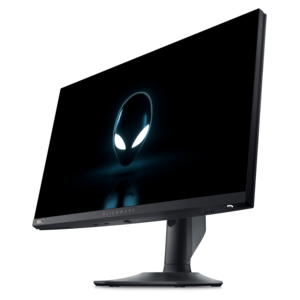
$119.99
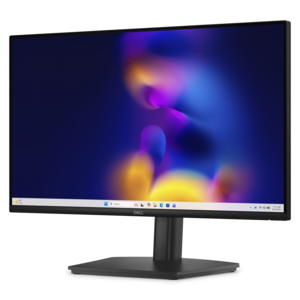
A crisp FHD monitor with smooth 144Hz visuals, built-in speakers, and TÜV 4-star eye comfort certification.
Enhance your digital experience with our comprehensive range of peripheral accessories designed to complement and elevate your tech setup. Whether you're optimizing your home office, upgrading your gaming station, or simply looking to streamline your workflow, these essential add-ons provide the perfect blend of functionality and style. Explore a diverse selection that caters to every need, ensuring seamless connectivity and improved efficiency. Discover how the right peripheral accessories can transform your interaction with technology, making every task more intuitive and enjoyable.
A crisp FHD monitor with smooth 144Hz visuals, built-in speakers, and TÜV 4-star eye comfort certification.
A height-adjustable monitor with integrated speakers, TÜV Rheinland-certified for three-star eye comfort and productive viewing.
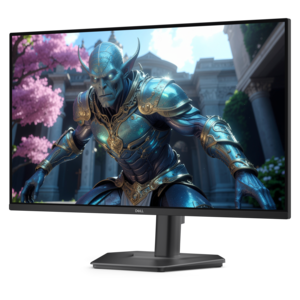
A fast IPS monitor with FHD resolution, 240Hz refresh rate, adjustable stand, and certified eye comfort.
A professional docking station delivering 130W power and versatile connectivity for streamlined productivity.
A smart docking station offering up to 130W USB-C power delivery and remote management capabilities.
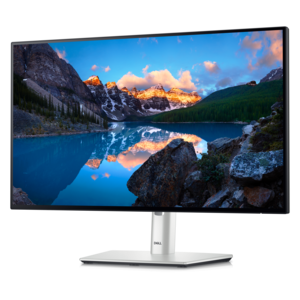
A TÜV-certified USB-C hub monitor offering 4-star eye comfort, enhanced productivity and extensive connectivity.
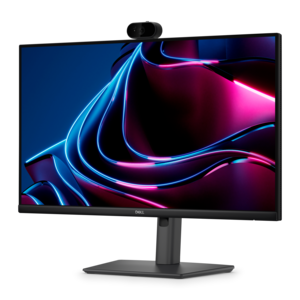
A Full HD IPS monitor with built-in webcam and USB-C hub, designed for streamlined open-workspace collaboration.
A high-performance IPS gaming monitor delivering ultra-smooth 500Hz refresh rates with AMD FreeSync Premium.
Peripheral accessories are the practical additions that make a computer feel better suited to the way you work, create, communicate and relax. These extra devices connect to a laptop or desktop through a cable or wireless connection, expanding what the computer can do without replacing the computer itself. Input devices such as keyboards, mice, webcams and microphones help you send commands, write, point, speak and appear clearly on screen. Output devices such as monitors, speakers and headsets make it easier to see detailed work, hear conversations or enjoy entertainment. Adapters and hubs help connect several accessories to a computer when available ports are limited, while charging and connection accessories can help keep a workspace organized and ready for the day. When browsing peripheral accessories, begin with compatibility. Check the computer’s available ports, operating system support, wireless requirements and preferred connection type before choosing an accessory. A compact laptop may rely on USB-C connections, while a desktop may offer a wider selection of USB ports, audio connections or display outputs. Wireless accessories can reduce cable clutter and create a clean, flexible setup, but wired options may appeal to people who prefer a direct connection with no batteries to recharge. Size, shape and placement also matter: a full-size keyboard may be comfortable for long typing sessions, while a compact design can leave more room on a small desk. A mouse should fit naturally in the hand, and a webcam or microphone should suit the distance between the user and the screen. Small details, including adjustable stands, backlighting, volume controls, cable length and easy-to-reach buttons, often make the difference between an accessory that is merely functional and one that becomes part of a comfortable daily routine.
Peripheral accessories can support many kinds of users. A student may use a keyboard and mouse at a desk for research, writing and online classes, then connect a headset for a quieter study environment when other people are nearby. Someone working from home may add a monitor for a broader view of documents, a webcam for clearer video calls and a microphone for more natural conversations. A creator may appreciate accurate display performance, dependable audio and accessories that keep a desk uncluttered during editing, recording or design work. Gamers often look for responsive controls, immersive sound, comfortable headsets and accessories that complement the space around a desktop or laptop. Families can benefit from simple, shared accessories that make it easier to move between schoolwork, communication and entertainment, while frequent travelers may prefer lightweight designs that fit neatly into a computer bag. Peripheral accessories can also be thoughtful gifts for a student heading to a new school, a remote worker improving a home office or a friend who spends long evenings playing games, watching content or talking with loved ones online. The best choice reflects the recipient’s habits rather than adding features they may never use. For a gift, consider how much room the person has, whether they use a laptop or desktop, and whether a quiet, portable or ergonomic design would fit naturally into their routine. During the cooler months, when more time may be spent indoors, a comfortable workstation can make everyday activities feel more inviting: a softly lit desk, a responsive keyboard, clear audio and a screen positioned at a pleasant height can turn a corner of a room into a dependable place for work and downtime. Users who are upgrading a desktop may also find helpful compatibility ideas among PC Tower Accessories, particularly when adding connections or refining an existing setup.
Choosing the right peripheral accessories is also about the experience that develops over time. Look for comfortable materials, sensible controls and construction that can handle regular use, especially for accessories that remain on a desk every day. Ergonomics deserve attention: a keyboard with a familiar layout can reduce adjustment time, an appropriately sized mouse can help prevent hand fatigue, and a monitor stand or adjustable display position can encourage a more natural viewing angle. Headsets should feel comfortable around the ears and provide controls that are easy to find without interrupting a call or game. For video communication, camera placement and lighting are just as important as resolution; positioning the camera near eye level and keeping the background simple can help conversations feel more direct. Audio accessories should match the environment, whether the user needs focused listening in a shared home or clear sound in a quiet office. When selecting hubs and adapters, consider the number and type of connections needed, the space available and whether accessories will be connected simultaneously. It is useful to think ahead about future devices, but avoiding unnecessary complexity can make a setup easier to maintain. Cable management accessories, compact stands and protective carrying solutions can further improve the experience by keeping surfaces clear and reducing the chance of misplaced or tangled connections. Peripheral accessories do not have to transform an entire room to be useful; sometimes the most meaningful improvement is a more comfortable typing position, a clearer voice during a call or an easier way to connect the devices already in use. A thoughtful combination can help a computer adapt to changing routines, from a quiet morning of focused work to an evening of creative projects, gaming or catching up with friends.
Add the products you would like to compare, and quickly determine which is best for your needs.