$899.99
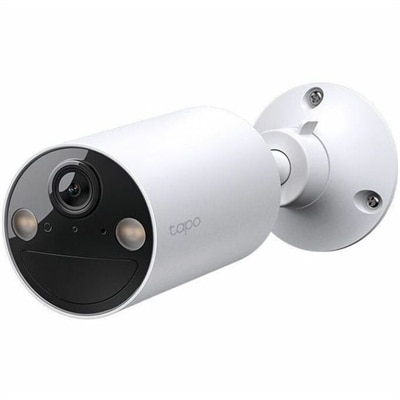
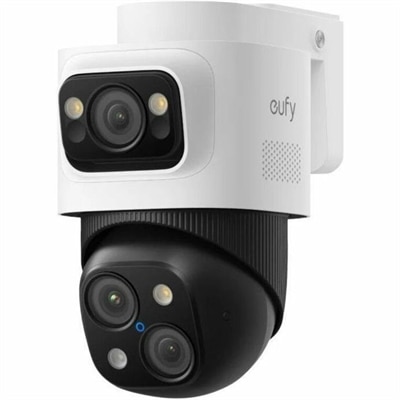
A weatherproof PoE security system with 2TB local recording, AI noise reduction, and expandable 8-to-16-channel monitoring.
Power over Ethernet (PoE) devices are revolutionizing the way we connect and power our technology, offering a seamless blend of efficiency and convenience. By delivering both data and electrical power through a single Ethernet cable, PoE devices eliminate the need for separate power supplies, simplifying installation and reducing clutter. Ideal for a wide range of applications—from network cameras and wireless access points to VoIP phones—these innovative solutions are perfect for optimizing your network infrastructure. Explore our selection of PoE devices to enhance connectivity while streamlining your setup with cutting-edge technology designed for modern demands.
A weatherproof PoE security system with 2TB local recording, AI noise reduction, and expandable 8-to-16-channel monitoring.
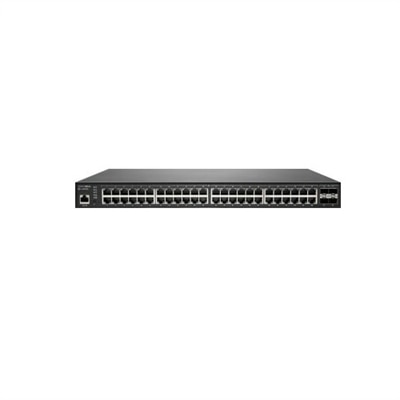
Power over Ethernet, commonly called PoE, is a practical way to deliver electrical power and data through one standard Ethernet cable. Instead of running a separate power cord to every compatible device, a PoE setup can carry both connections along the same cable, helping create a cleaner installation with fewer cables crossing desks, ceilings, walls or shelves. PoE devices are often used with security cameras, wireless access points, voice communication systems, smart lighting, sensors, doorbells, intercoms and other connected equipment that may be installed away from a convenient wall outlet. A PoE switch can provide power to several compatible devices from one central location, while a PoE injector adds power to an Ethernet connection when the existing switch does not provide it. A PoE splitter separates the power and data signal at the device end, making it possible to support certain hardware that accepts data through Ethernet but does not have built-in PoE capability. This flexibility can be especially useful in a home office, small business, classroom, retail space or workshop where a tidy, dependable setup matters. Picture a camera mounted above a front entrance with one cable routed neatly along the wall, or a wireless access point positioned near the center of a home rather than beside an outlet; PoE can make those placements easier to achieve. When browsing PoE Devices, start by identifying the equipment you want to power and checking whether it supports PoE. Compatibility involves more than the cable connection alone: the power standard, available wattage, data speed and port count should all match the requirements of the connected device. Common PoE standards include IEEE 802.3af, IEEE 802.3at and IEEE 802.3bt, with newer standards generally supporting higher power levels for more demanding equipment. A basic access point or phone may need relatively little power, while a camera with pan, tilt, zoom or built-in lighting can require more. Reviewing the device specifications before choosing a power source helps prevent interruptions and ensures that each connected component receives the power it was designed to use.
The right PoE device depends on the size and layout of the installation. For one compatible device located some distance from an outlet, an injector can be a straightforward option that adds power to the Ethernet cable without replacing the rest of the setup. For several devices, a PoE switch can simplify cable management by bringing multiple connections together and distributing power across designated ports. Look for the total power budget as well as the maximum output per port. A switch may have enough combined capacity for several low-power devices but not enough to run every port at its highest rating simultaneously. Port speed also deserves attention. Gigabit Ethernet can help maintain smooth data movement for high-resolution video, voice calls and busy wireless connections, while a faster connection may be useful for more demanding environments. Cable length and quality can affect performance as well; using properly rated Ethernet cable and following the recommended distance limits helps maintain a stable connection. If a non-PoE device needs to be placed in a location without a nearby outlet, a splitter may provide a useful bridge by separating power from the data line and delivering the appropriate connection to the device. Buyers should also consider installation conditions, ventilation, mounting options, indicator lights and ease of access for future adjustments. A compact unit may fit neatly beside a desktop computer, monitor or printer, while a model with a larger port count may be better suited to a utility shelf or communications cabinet. For households expanding connected devices one room at a time, planning a little extra capacity can reduce the need to replace equipment later. Those comparing related connectivity equipment may also find helpful options through Gateway Devices, particularly when several types of wired and wireless equipment need to work together.
PoE Devices can support many everyday routines without demanding a complicated installation. A small business might use them to power an entrance camera, a reception phone and an access point that keeps customers and staff connected, all while reducing the clutter of multiple adapters. In a home, PoE can help place a camera under an eave, position an access point at the end of a hallway or connect a smart doorbell where a traditional outlet is not available. During the cooler months, when people often spend more time indoors and may rely more heavily on home offices, streaming, video calls and connected household controls, a well-planned cable layout can make a room feel calmer and more usable. PoE equipment can also be a thoughtful gift for someone setting up a workshop, improving a small office or building a more organized smart home, especially when the recipient enjoys practical technology that solves a visible everyday problem. Before completing a purchase, confirm the number of devices to be powered, the power requirement of each device, the supported PoE standard, the desired data speed and the length and type of Ethernet cable required. It is also wise to leave some room in the power budget for future additions and to choose equipment with clear documentation. PoE is not a substitute for every power arrangement, and compatibility should always be verified rather than assumed from a matching cable. With the right combination of switch, injector or splitter, a single cable can help carry both power and data to the places where connected devices work best, from a neatly arranged desk to a ceiling-mounted access point or an exterior camera watching over a doorway.
Add the products you would like to compare, and quickly determine which is best for your needs.