$7.99
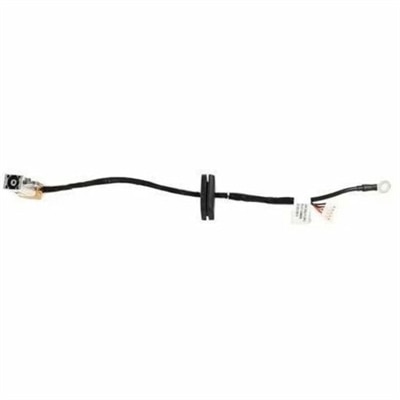
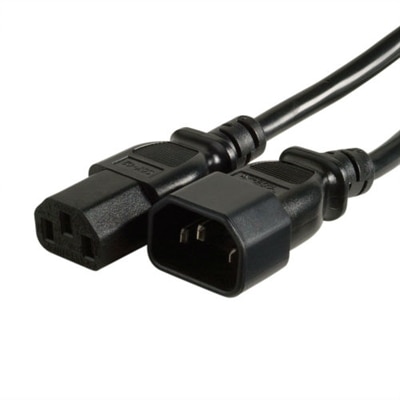
A genuine OEM replacement cable engineered for reliable compatibility, rigorous testing, and limited one-year warranty coverage.
Power cables are essential components for keeping your devices powered and connected throughout your workspace or home. Whether you’re setting up a new computer, expanding your workstation, or replacing worn-out cords, finding the right power cables ensures reliable performance for all your electronics. Browse a wide selection of options designed to suit desktops, monitors, laptops, and more, making it easy to maintain an organized and efficient setup.
A genuine OEM replacement cable engineered for reliable compatibility, rigorous testing, and limited one-year warranty coverage.
A genuine OEM replacement cable engineered for reliable compatibility and performance in your system.
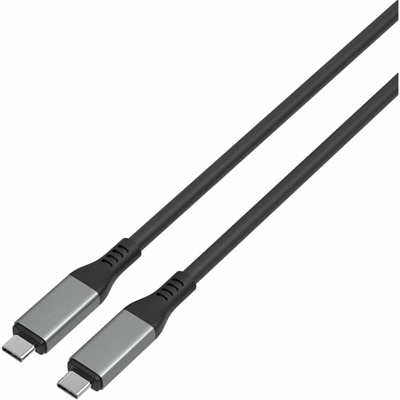
A high-performance USB-C cable supporting 80Gbps transfers, 240W charging, and DP Alt Mode 2.1.
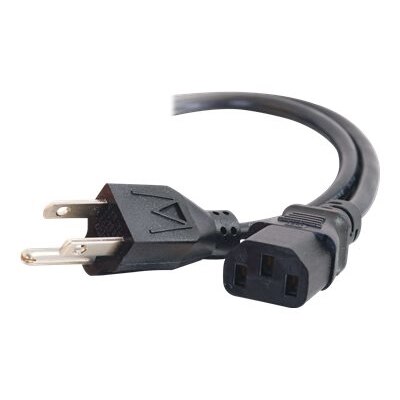
Power cables carry electrical energy from a compatible power source to a device or its power adapter, keeping everyday electronics ready for work, study, and entertainment. For laptops, desktops, monitors, and powered accessories, the right cable provides a dependable connection without making a workspace harder to use. Although many cords look similar at a glance, their connectors, electrical ratings, and intended applications can differ considerably. A cord that connects a wall outlet to a laptop’s external adapter serves a different purpose from the low-voltage charging cable that runs between an adapter and a device. Likewise, a detachable monitor cord may resemble a desktop power cord without necessarily meeting the same requirements. Compatibility depends on the equipment manufacturer’s specifications, including the inlet shape, grounding arrangement, and required electrical rating—not simply whether a connector appears to fit. Common equipment connections include three-pin rectangular, three-lobed, and two-pin figure-eight styles, with variations that are not always interchangeable. At the wall, many household electronics use plugs designed for standard U.S. outlets, but the device-side connection still needs to match the equipment. Grounded equipment requires the appropriate grounding connection; removing a grounding pin or forcing a mismatched plug compromises the intended protection. Cable length is another practical consideration, especially when an outlet sits behind a bookcase or a monitor rests on an adjustable desk. A short cord can keep a compact workstation tidy, while a longer compatible cord can accommodate a more distant outlet without pulling tightly against the device. Enough slack for ordinary movement helps protect the connection, but excessive length can leave loops under a chair or across a walking path. For a home office, shared study space, or creative workstation, a well-matched power cable is a small component that makes daily use more convenient. Its value comes from supplying power within the equipment’s requirements while fitting comfortably into the physical space around it.
Materials and construction influence how a power cable feels, routes, and holds up over time. Inside a typical cord, conductive wires carry current, individual insulation separates those conductors, and an outer jacket helps protect the assembly from everyday contact. Copper is commonly used for conductors, while jacket materials vary according to flexibility, temperature requirements, and intended environment. A flexible jacket can make routing behind a monitor stand easier, but softness alone does not establish quality or electrical suitability. The cable’s marked ratings and manufacturer specifications matter more than appearance or thickness by itself. Wire gauge is part of that picture: within the American Wire Gauge system, a lower number indicates a larger conductor, although a cord’s suitability also depends on its length, construction, and overall rating. Voltage and current ratings must be appropriate for the application, and a higher-rated cable does not make a device consume more power or operate faster. Molded plugs and strain reliefs help support the points where a cable enters its connectors, which often experience repeated bending during setup and everyday handling. Those details are especially useful around a laptop adapter that moves between rooms or a monitor that is regularly repositioned. Straight connectors often suit open spaces, while compatible angled connectors can reduce how far a cord projects behind equipment. The direction of an angled connector matters, however, because nearby ports, stands, or recessed inlets can limit clearance. Color also has a practical role in the finished setup. Dark cords can blend into the shadow beneath a desk, follow a black monitor arm discreetly, or look consistent beside other peripheral connections. For workspaces with that finish, Black Power Cords offer a visually coordinated category to consider alongside connector fit and electrical requirements. Any safety certification should apply to the complete cord assembly and its intended use; an attractive jacket or substantial-looking plug is not a substitute for appropriate testing and ratings.
Intended use brings these details together, whether a power cable stays behind a desktop for years or travels in a laptop bag several days a week. A stationary workspace benefits from routing that keeps cords clear of chair casters, sharp furniture edges, and areas where feet regularly move. At a height-adjustable desk, sufficient slack throughout the desk’s full range of motion helps prevent tension on plugs and equipment inlets. Cords should not be pinched beneath furniture, covered by rugs, or routed where heat and abrasion can damage their insulation. Removable cable ties can organize excess length without squeezing the jacket tightly, and gentle bends are preferable to sharp folds. For someone carrying a compatible laptop adapter between home and a classroom, a loosely coiled cord is easier to unpack and places less stress on the connector ends than a cable wrapped tightly around the adapter. A separate compatible cord at a frequently used workspace can also reduce repeated packing, provided it matches the adapter’s requirements. Ordinary indoor power cables belong in dry indoor settings unless their ratings explicitly support other conditions. Care generally involves disconnecting power before inspection or cleaning, keeping connectors dry, and following the manufacturer’s cleaning recommendations. Pulling from the plug rather than the cord helps protect the termination, while periodic checks can reveal fraying, cracking, exposed conductors, discoloration, or loose connections. A damaged cord should be taken out of use rather than patched with tape, and unusual heat or a burning smell warrants stopping use and having the cause assessed. For cables that carry low-voltage power through a multipurpose connector, physical fit alone does not guarantee the charging capacity a device needs; the cable, adapter, and device must support compatible power requirements. Power capability also does not automatically establish support for video or high-speed data. These distinctions matter to students, remote workers, gamers, and anyone maintaining a dependable everyday computer setup. The most useful power cables are those whose connections, construction, length, and ratings suit the equipment and the way it is actually used.
Add the products you would like to compare, and quickly determine which is best for your needs.