Power Units
Power units are essential for keeping your devices running smoothly and efficiently, whether you're working from home or on the go. Explore a wide selection of power units designed to support laptops, desktops, monitors, and accessories. Reliable power solutions help maintain productivity and ensure your electronics stay charged when you need them most. Find the right power units to complement your setup and keep your workspace powered throughout the day.
This product is not available
Check out the following recommendations.




Power Units
Power units supply, convert, or store the electrical energy that keeps laptops, desktops, monitors, and everyday accessories running. The category can encompass external power adapters, internal computer power supplies, battery backups, and portable battery-based power sources, each suited to a different role. An adapter converts electricity from a wall outlet into the form a compatible device needs, while a desktop power supply distributes power to components inside the computer. A battery backup can provide temporary power during an interruption, and a portable power source can support compatible electronics away from an outlet. Across these designs, the watt is a useful starting point for understanding performance. The watt (W) is the standard unit of power in the International System of Units, or SI, and equals one joule of energy transferred per second. Power describes how quickly energy is used or delivered, rather than the total amount stored in a battery. A kilowatt (kW) equals 1,000 watts, a megawatt (MW) equals 1,000,000 watts, and a gigawatt (GW) equals one billion watts, though consumer computer accessories are typically described in watts. Horsepower is another measure of power; one mechanical horsepower equals approximately 745.7 watts. For electrical accessories, voltage, current, and wattage are more immediately relevant. In a direct-current circuit, power in watts equals voltage in volts multiplied by current in amperes. A compatible output operating at 20 volts and 3 amperes, for example, delivers 60 watts. Battery energy is commonly expressed in watt-hours (Wh), with one kilowatt-hour (kWh) equal to 1,000 watt-hours. This distinction helps explain why two battery-based power units can support different workloads even when their stored energy is similar: the watt rating describes output capability, while watt-hours describe energy capacity. Both matter when the intended use involves a laptop during a long afternoon of writing, a monitor at a temporary workspace, or essential desktop equipment during a brief outage.
For computer power units, compatibility involves more than a plug that appears to fit. External adapters need the correct output voltage, connector, and charging standard, along with sufficient power for the connected device. Some laptops accept USB-C charging, but the port, cable, and adapter must support the necessary power-delivery capabilities; the same connector shape does not guarantee the same performance. With multiport chargers, the advertised total output may be shared among connected devices, so powering a laptop alongside smaller accessories can change the wattage each port supplies. A laptop used for video editing or graphics-intensive work may need more power than it does during light browsing, and an undersized adapter can result in slower charging or reduced performance. Internal desktop power supplies have additional fit requirements, including enclosure dimensions, mounting points, motherboard connections, and cables for components such as graphics cards. Physical format and manufacturer compatibility requirements are just as important as the wattage printed on the label. Cable length also affects everyday usability: a cord that comfortably reaches an outlet can keep an adapter from hanging by its connector or pulling against a laptop port. Materials and construction contribute to durability in less visible ways. Insulated conductors, protective housings, reinforced cable exits, and secure connectors help a power unit withstand normal handling, although no exterior finish alone establishes electrical safety or service life. Vented metal housings are common on internal power supplies, while external adapters often use molded insulating enclosures. Some designs use fans to manage heat, which can matter in a quiet bedroom workspace or a shared study area. Others operate without a fan, but still need room to release heat. Recognized safety certification, clearly stated electrical ratings, and documented protection features provide more meaningful information than appearance alone. For a permanent desk setup, a larger enclosure may sit unobtrusively beside a cable tray; for a commuter carrying a laptop and charger every day, dimensions, weight, and a detachable cord can have a noticeable effect on comfort and convenience.
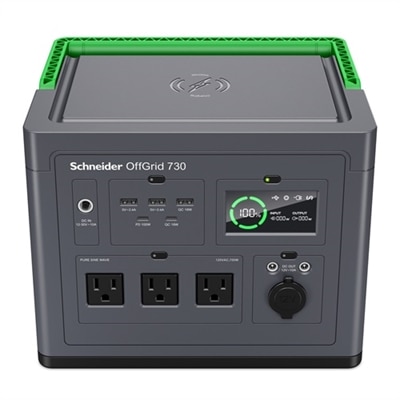
Battery-based power units add another consideration: how long they can support the intended equipment. As a simplified estimate, runtime in hours equals usable battery energy in watt-hours divided by the connected load in watts. A battery with a nominal capacity of 300 watt-hours powering a steady 60-watt load has a theoretical runtime of five hours, but actual runtime is generally shorter because of conversion losses, the unit’s own consumption, operating conditions, and battery-management limits. Laptop demand also changes as the battery charges and the workload rises or falls. Continuous output capacity must accommodate the devices running together, while any short-duration surge rating describes a separate capability rather than sustained performance. For shoppers creating a flexible workstation, Compact Power Stations offer a related category to consider for compatible laptops, monitors, and small accessories when wall power is out of reach. Portable battery power and an uninterruptible power supply serve different purposes, however. A portable unit is not automatically suitable for keeping a desktop running through an outage; transfer time, output characteristics, and the connected computer’s requirements all affect that use. A suitable battery backup can instead provide a window to save a document and shut down safely. These distinctions are relevant to students moving between study spaces, remote workers setting up a temporary desk, and creative users protecting an active project from a short interruption. Everyday care supports dependable operation across these settings. Power units belong on dry, stable surfaces with ventilation openings unobstructed, not buried beneath papers or soft furnishings. Cables last better when loosely coiled rather than tightly wrapped around an adapter, and connectors should be removed by the plug instead of the cord. Cleaning should follow the manufacturer’s directions with the unit disconnected; damaged insulation, loose plugs, swelling, or unusual odors call for stopping use. Rechargeable units also benefit from storage and charging practices appropriate to their battery chemistry. Matched to the equipment and treated with care, a power unit becomes a practical part of a comfortable, dependable computer setup.
FAQs:
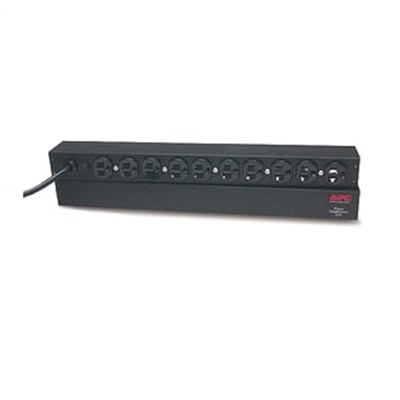
Common types of power units include uninterruptible power supplies (UPS), power strips, and external power adapters. Each serves a different purpose, such as providing backup power, distributing electricity to multiple devices, or converting voltage for specific electronics.
To select the right power unit, consider the total wattage your devices require, the number of outlets needed, and any special features like surge protection or battery backup. It's important to match the unit's capacity with your equipment's demands.
A UPS (Uninterruptible Power Supply) provides temporary battery backup during power outages, allowing you to save work and safely shut down devices. A surge protector guards against voltage spikes but does not supply backup power.
Yes, many power units are designed with multiple outlets or ports to support several devices simultaneously. Ensure that the combined load does not exceed the unit’s rated capacity.
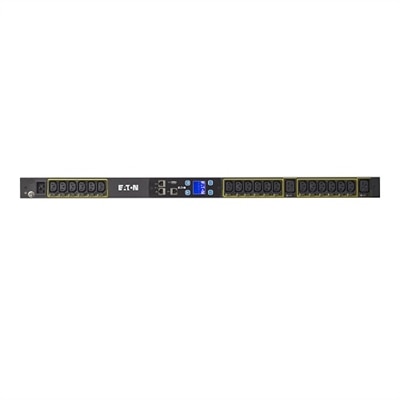
Modern power units may offer features such as energy monitoring, remote management via software or apps, automatic voltage regulation, and USB charging ports. These can enhance convenience and help optimize your energy usage.