$5699.99
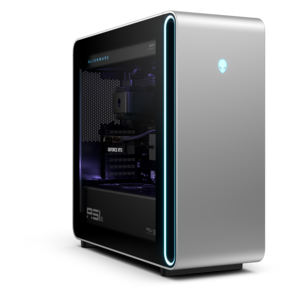
A flagship gaming desktop featuring AMD Ryzen 9000X3D series processors, advanced design, and high-performance hardware.
Explore prebuilt gaming desktop computers for ready-to-play performance without the complexity of building a system from scratch. Browse gaming desktops by configuration, design, and features to find a setup that fits your games, space, and preferences, with options from Alienware and Dell.
A flagship gaming desktop featuring AMD Ryzen 9000X3D series processors, advanced design, and high-performance hardware.
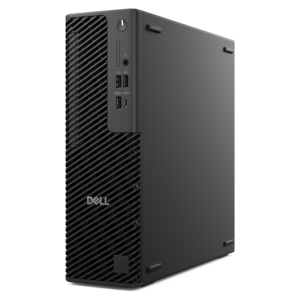
A slim desktop delivering exceptionally fast CPU and GPU performance for demanding professional workloads.
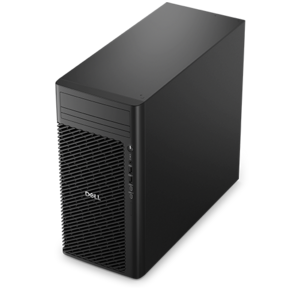
A high-performance desktop combining Intel Xeon 6 processors and advanced graphics for demanding professional workloads.
A powerful tower desktop with advanced graphics and massive expandability for creative workloads, gaming, and more.
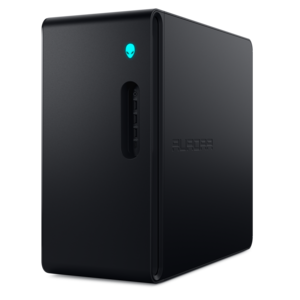
A purpose-built gaming desktop featuring efficient airflow and improved acoustics for immersive play in any setting.
A powerful gaming desktop featuring an advanced design for a legendary, high-performance gaming experience.
Prebuilt gaming desktop computers bring the essential parts of a gaming setup together in a system assembled for use, giving players a way to spend less time planning a build and more time enjoying their favorite games. Their appeal stretches from the first-time PC player moving beyond a console to the longtime enthusiast looking for a fresh start with a complete tower. A desktop can anchor a dedicated gaming room, tuck into a multipurpose home office, or become the centerpiece of a shared household setup where evening matches follow daytime homework and creative projects. The experience depends on how the processor, graphics hardware, memory, and drive capacity work together, rather than on any single specification. A fast-paced competitive game places different demands on a computer than a sprawling adventure filled with detailed landscapes, shifting light, and densely populated cities. The resolution of the connected monitor matters, too: drawing a sharper image generally asks more of the graphics hardware, while maintaining consistently high frame rates also depends on the processor and the game itself. For someone who enjoys a mix of genres, a balanced configuration can make the transition from a quick racing session to a long role-playing campaign feel more seamless. Prebuilt systems also offer a finished physical design, with internal components, cooling, and cable routing arranged within a single enclosure. Depending on the configuration, that may mean an understated tower that blends into a workspace or a windowed case that puts illuminated components on display. Neither appearance alone nor a long list of specifications tells the whole story. The most satisfying fit is a computer suited to the games, screen, and everyday tasks that will actually be part of its routine. For a household sharing one desk, that might mean enough flexibility for school projects, video calls, and a few hours of gaming after dinner; for a dedicated player, it may mean keeping demanding games responsive through extended sessions.
Inside a prebuilt gaming desktop, the graphics processor has a major role in rendering textures, effects, and movement, while the central processor handles game logic and many of the tasks happening alongside play. Their relationship becomes especially noticeable during busy scenes, whether that is a crowded multiplayer encounter or a simulation with many moving elements. System memory gives active games and applications room to work, which matters when voice chat, a browser, and recording software remain open in the background. Solid-state drives help with system responsiveness and loading, though actual load times vary with the game and configuration. Drive capacity deserves attention as well, since a collection of large installations, captured clips, and saved projects can grow quickly. Someone who rotates among a few favorites may have different needs from a player who keeps an extensive library ready to launch. For visually demanding games at higher resolutions, High End Gaming Desktops offer another category to explore, with the understanding that performance still depends on the individual configuration and selected settings. Display connections and peripheral ports shape everyday convenience just as much as internal specifications. Accessible front ports can simplify plugging in a controller or headset, while the connections at the back need to accommodate the intended monitor and other desk equipment. Wireless capability, where included, can help with flexible placement, while a wired internet connection may provide more consistent connectivity for online play when the home setup allows it. A desktop used for streaming or editing gameplay footage may also need more processing headroom than one devoted to gaming alone. These differences are practical rather than abstract: recording a match while chatting with friends is a different workload from playing a quiet single-player puzzle game. Matching the system to those habits helps create a setup that feels comfortable beyond its first launch, without treating the largest number in every specification as a requirement.
The enclosure gives a gaming desktop its character, but its construction also affects placement, cooling, and day-to-day care. Cases may combine a metal frame with plastic trim, mesh ventilation, or a glass side panel, each contributing a different look and handling experience. A solid panel can keep the appearance restrained, while a transparent side makes lighting and internal details part of the room. Mesh areas and other vents provide paths for airflow, so a tower needs breathing room rather than a tight cubby surrounded by books, cables, and furniture. Overall dimensions matter on a shallow desk or beneath a low shelf, and extra clearance is needed for rear cables and access to frequently used ports. A stable surface helps protect the case from bumps, while keeping drinks away from the tower reduces the chance of an accidental spill reaching electronics. Cooling designs vary, with fans and, in some configurations, liquid cooling helping move heat away from demanding components. Sound levels change with workload, room temperature, and cooling design; a system that is quiet during web browsing may become more audible during an intensive game. Routine care generally includes keeping exterior vents clear and following the manufacturer's directions for cleaning, with the computer shut down and unplugged before maintenance. Dust buildup, blocked airflow, and rough handling can undermine an otherwise capable setup over time. Future changes also depend on the design: room for additional drives, compatible memory, power capacity, and component access are not the same across all prebuilt towers. Warranty terms and support options are worth understanding alongside the hardware, particularly for a first gaming desktop or a computer intended as a birthday or graduation gift. A thoughtful gift fits the recipient's space and interests, including the monitor and accessories already on the desk. With the right physical fit and a configuration matched to actual use, a prebuilt gaming desktop can support everything from relaxed weekend exploration to focused practice, creative experimentation, and regular evenings spent playing with friends.
Add the products you would like to compare, and quickly determine which is best for your needs.