Printers For Shipping Labels
Printers for shipping labels are essential tools for businesses of all sizes, streamlining the process of preparing packages for shipment. Whether you're running a bustling e-commerce store or managing a warehouse, having a reliable printer specifically designed for shipping labels can significantly enhance your efficiency and accuracy. These printers are optimized to produce clear, professional labels that help ensure your packages reach their destinations without delays or errors. Explore our selection of printers for shipping labels to find the perfect solution tailored to meet your operational needs.
This product is not available
Check out the following recommendations.
Related Products
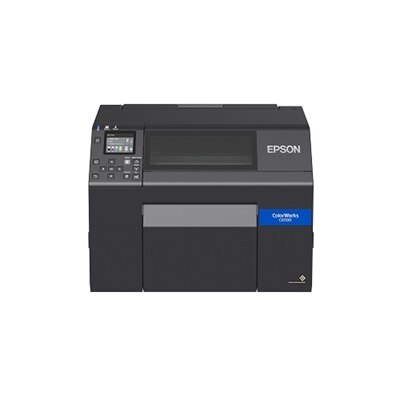
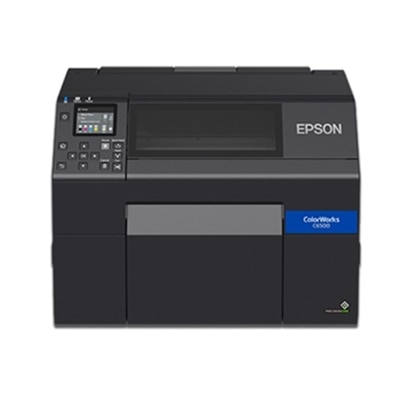
Printers For Shipping Labels
Printers for shipping labels give home offices, small businesses, online sellers, and busy fulfillment teams a cleaner way to prepare packages for delivery. Instead of printing labels on full-size sheets and trimming them by hand, a dedicated thermal printer creates crisp, properly sized labels with minimal setup and very little wasted material. Most shipping label printers are designed for the familiar 4 x 6-inch format used by many carriers, making them a practical match for parcels, padded mailers, cartons, and return shipments. Direct thermal printing uses heat-sensitive label stock rather than liquid ink or toner, so there are no ink cartridges to replace and fewer consumables to keep on a shelf. That can make a noticeable difference for anyone who prints regularly: a small business owner packing orders at a kitchen table, a craft seller turning a spare room into a shipping station, or a family member mailing care packages during the cooler months can move from order confirmation to labeled parcel with less interruption. These printers also tend to have a compact footprint, which is helpful when every inch of a desk, counter, or shelving unit matters. For shoppers comparing options, consider how many labels you expect to print in a typical day, how much room is available near your packing materials, and whether the printer will be used occasionally or as part of a steady fulfillment routine. A simple setup may be ideal for a few outgoing packages each week, while faster printing and convenient label handling can be valuable when orders arrive in batches. Clear barcodes, addresses, and tracking information are essential, so look for a model that produces sharp text and dependable graphics at a standard resolution of around 203 dpi. That level of clarity is generally well suited to shipping barcodes and QR codes when labels are loaded correctly and the print surface is clean.
Connectivity is another important consideration when choosing among printers for shipping labels. USB models are a strong fit for a shipping desk centered around a laptop or desktop, especially when orders are processed through a browser, inventory application, or accounting workflow. A wireless or Bluetooth-capable printer can offer more flexibility for people who prepare shipments from a phone or tablet, move between work areas, or prefer to keep the packing surface free from extra cables. Before making a selection, confirm that the printer works with the operating system and devices used for order processing, and check whether the setup requires a downloadable driver, mobile application, or particular connection method. Label compatibility deserves equal attention. Many printers accept rolls or fanfold stacks of generic direct thermal labels, while others may be designed around more limited supplies. Supporting standard, easy-to-source label sizes can simplify reordering and help you choose between roll labels for a compact station and fanfold labels for higher-volume work. Pay attention to the label width range, the way media is loaded, and whether the printer can detect gaps or marks between labels so each address begins in the right position. A built-in cutter may be convenient for certain workflows, although many shipping labels separate easily along perforations without one. Storage and durability matter, too. Keep unused labels away from excessive heat, moisture, and direct sunlight, and place the printer on a stable surface where dust and adhesive scraps are less likely to collect. A quick test print before a large batch can reveal an alignment issue before an entire stack is wasted. For shoppers who need a broader selection of equipment for identifying parcels, organizing inventory, or creating scannable tags, exploring Barcode Printers can provide additional context around label-focused printing needs.
The best choice ultimately depends on the rhythm of the person or business using it. An independent seller may value Bluetooth printing and a small footprint after photographing products in one room and packing orders in another. A home-based service provider may prefer a straightforward USB connection that starts printing as soon as a laptop is ready. A growing shop handling a steady stream of boxes may prioritize print speed, reliable media feeding, and a design that can withstand repeated use throughout the day. These printers can also be thoughtful gifts for someone starting an online shop, organizing a community fundraiser, managing a resale hobby, or preparing handmade goods for shipment. The value is practical rather than decorative: a shipping label printer can turn a cluttered stack of blank paper, scissors, and adhesive tape into a more orderly station with labels that look consistent from one package to the next. As the weather warms and later as cooler days encourage more indoor projects, it can support everything from occasional returns to a dependable order-packing routine. When comparing products on this page, review the included accessories, supported label dimensions, connection options, print speed, footprint, and ease of setup. Consider the full workflow as well: where labels will be stored, whether packages are usually packed beside a computer, and how often the printer will be handled or moved. A dependable label printer should make the final step of shipping feel calm and repeatable, with readable information, secure adhesion, and fewer avoidable pauses between a finished order and its journey to the recipient.
FAQs:
When choosing a printer for shipping labels, consider factors such as print speed, connectivity options (like USB, Ethernet, or wireless), compatibility with your operating system, and support for various label formats. It’s also helpful to look for easy-to-load media, low maintenance requirements, and durable construction to handle frequent use.
Yes, many shipping label printers are versatile and can be used for a variety of labeling needs, such as organizing files, creating barcodes, labeling storage bins, or producing product tags. Some models allow you to customize label sizes and designs, making them suitable for both personal and business applications.
Most shipping label printers offer multiple connectivity options, including USB for direct connection, Ethernet for networked environments, and wireless for flexible placement. Setup typically involves installing the manufacturer’s drivers or software, and then following on-screen prompts to complete the connection process.
Some shipping label printers are designed with energy efficiency in mind and may be compatible with recycled or sustainably sourced label materials. Additionally, certain models use direct thermal technology, which eliminates the need for ink or toner, reducing waste and ongoing supply needs.
Regular maintenance for shipping label printers typically includes cleaning the print head, removing dust or debris from the feed path, and occasionally updating firmware or software. Following the manufacturer’s recommended maintenance schedule helps ensure consistent print quality and prolongs the life of your device.
FAQs:
When choosing a printer for shipping labels, consider features such as wireless connectivity, compatibility with label printing software, high print resolution for clear barcodes, and support for various label types. Printers with fast print speeds and easy-to-use interfaces can also enhance your workflow.
Yes, both inkjet and laser printers can be used for printing shipping labels. However, specialized label printers may offer greater efficiency, especially for high-volume tasks, as they are designed to handle adhesive label materials and frequent use.
Many modern printers support wireless printing, allowing you to print shipping labels directly from your computer, tablet, or smartphone. Look for models with built-in Wi-Fi or Bluetooth capabilities for added convenience.
Most printers are compatible with standard adhesive label sheets, such as those from popular brands like Avery or compatible continuous label rolls for dedicated label printers. Always check the printer’s specifications for supported label formats.
Regularly clean your printer’s print heads and rollers, use recommended label paper, and keep firmware updated. This helps ensure crisp, smudge-free shipping labels and prolongs the life of your printer.