$79.99
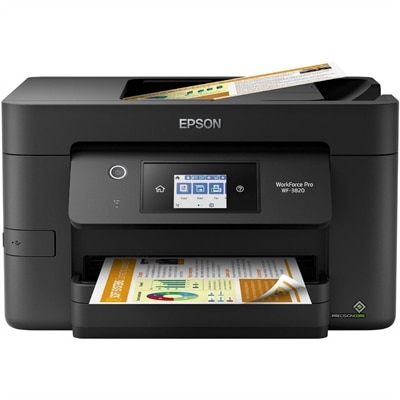
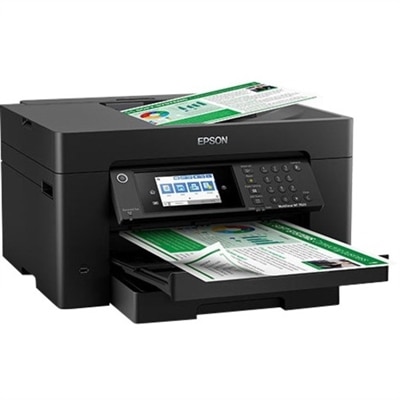
A wireless multifunction printer offering color printing, copying, faxing, scanning, and automatic duplex printing.
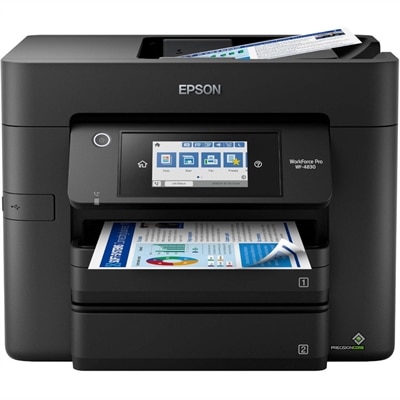
A wireless multifunction printer offering color printing, copying, faxing, scanning, and automatic duplex printing.
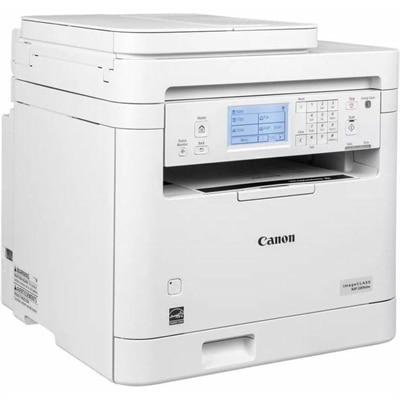
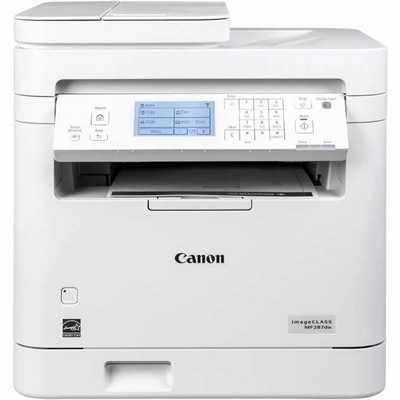
A white monochrome multifunction laser printer with wireless duplex printing, scanning, copying, faxing, and 35-ppm speed.
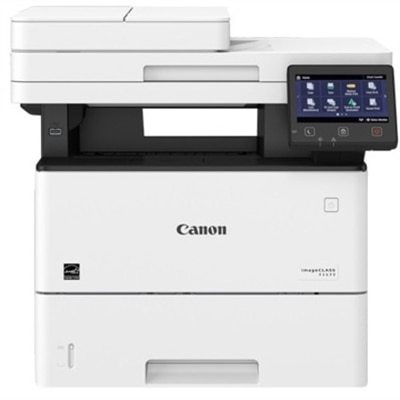
A monochrome laser multifunction printer delivering 45 ppm, 600x600 dpi, duplex scanning, and 2,300-sheet capacity.
Printers with auto duplex scanning combine printing, copying and scanning in one practical workspace, with the added convenience of handling both sides of a document automatically. Instead of standing beside the printer to turn each sheet over, you can place a stack of pages into the automatic document feeder (ADF) and let the printer capture the front and back in sequence. This is especially useful for contracts, school forms, insurance paperwork, receipts, invoices, meeting notes and other documents that arrive with information on both sides. A model with single-pass duplex scanning uses two scanning sensors to capture both sides as the page moves through the feeder, helping complete a double-sided scan in one pass. A dual-pass design scans one side, reverses or redirects the page, and then scans the other side. Both approaches can be useful, but single-pass scanning is often the better match for people who regularly digitize multi-page documents and want to reduce handling time. When comparing the products listed here, consider how often you will scan, copy or print, along with the type of pages you typically manage. A compact inkjet all-in-one can suit a household that prints colorful schoolwork, travel documents, recipes and occasional photos, while a laser all-in-one can be a strong choice for a home office or small workgroup that produces frequent text-heavy pages. Color capability matters when charts, highlighted notes, forms or images need to remain clear and recognizable; black-and-white printing may be sufficient for records, invoices and routine office correspondence. Print speed, resolution and paper handling also deserve attention. A faster printer can keep a long packet moving when several people are waiting, while a model with separate input trays may make it easier to switch between standard paper, envelopes or heavier media. If your desk or counter has limited room, check the printer’s footprint and allow extra space for the ADF to open fully and for printed pages to collect without bending.
ADF capacity is one of the most useful specifications for anyone who scans large documents. A feeder that holds around 50 sheets can reduce interruptions during reports, applications, tax records or project packets, although the right capacity depends on the size of your typical jobs. If you mostly scan a few pages at a time, a smaller feeder may be perfectly practical; if you handle paperwork in batches, a larger capacity can save repeated trips to the printer. Look for an ADF designed to accept mixed pages carefully, especially when documents include thin receipts, folded forms or pages of different lengths. An auto duplex scanner can simplify archiving by turning paper files into searchable digital folders, but the surrounding software experience is just as important. Features such as scan-to-email, scan-to-computer, cloud storage support and optical character recognition (OCR) can make it easier to locate a saved document later instead of opening one image file after another. Connectivity is another central consideration. Wi-Fi lets the printer sit in a convenient shared location while household members or coworkers send jobs from their computers, tablets or phones. Mobile printing support can be useful when a document arrives in an email and needs to be printed without first transferring it to a desktop computer. Ethernet can provide a dependable wired connection for a home office or small workplace where consistent network access is a priority. Some users also value a clear touchscreen, automatic paper-size detection, secure printing controls and the ability to monitor ink or toner levels from a computer or mobile device. For high-volume black-and-white documents, explore the selection of Auto Duplex Laser Printers alongside other duplex-capable options. Pay attention to the printer’s recommended monthly duty cycle, but treat that figure as a reference rather than a target; choosing a device that comfortably matches your normal workload can help support dependable operation and reduce unnecessary wear.
These printers can be a thoughtful addition to a family workspace, a shared home office, a small business reception area or a student’s study space. They are useful wherever paper still arrives in stacks and needs to be copied, signed, stored or shared. A parent can scan permission forms and school records without sorting every page by hand. Someone working from home can copy a two-sided identification document, save a signed agreement or print a packet for a meeting while keeping the original nearby. A small business can digitize customer paperwork, preserve both sides of delivery documents and create cleaner electronic records without dedicating a separate scanner to the task. During the cooler months, when more time may be spent indoors organizing files, preparing coursework or completing household administration, an all-in-one printer with automatic duplex scanning can help turn a crowded pile of paper into a more manageable workflow. Before choosing, consider the cost and availability of replacement ink or toner, whether the printer includes separate color cartridges, the types of paper it accepts and how easily the feeder and scanning glass can be cleaned. Think about where the printer will live as well: a nearby outlet, stable surface, comfortable viewing angle and enough room to load documents can make everyday use noticeably easier. The best fit is the one that matches your real habits, whether that means occasional color printing, steady black-and-white output, frequent double-sided scanning or a blend of all three. By comparing scanning method, ADF capacity, print technology, connectivity, paper support and ongoing supplies, you can find a printer that handles routine paperwork smoothly and keeps both physical and digital documents organized.
Add the products you would like to compare, and quickly determine which is best for your needs.