Replacement Laptop Hinges for Durable Fixes

Replacement Laptop Hinges for Durable Fixes are essential for restoring smooth functionality and stability to your laptop. Whether you're dealing with a loose screen or difficulty opening and closing your device, selecting the right hinges ensures reliable performance and extends the life of your laptop. Explore a variety of options designed to provide a secure fit, so you can get back to work, study, or entertainment with confidence. Find the ideal replacement laptop hinges for durable fixes and keep your device operating at its best.

Filters

$27.99

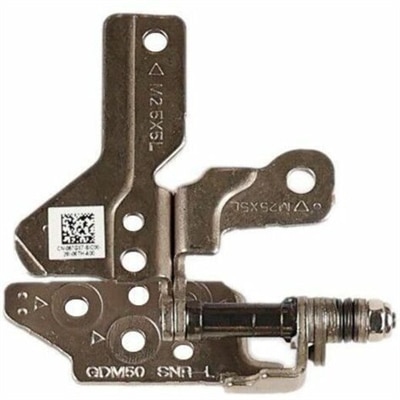
A replacement laptop display hinge made from original components for a precise fit.

$27.99
$27.99

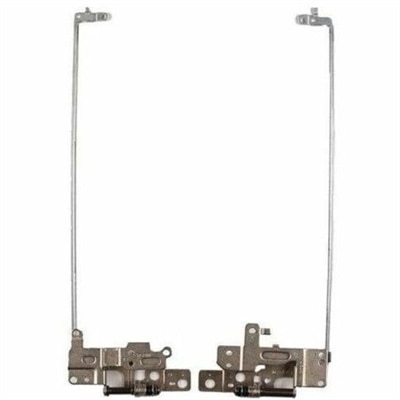
A laptop hinge kit featuring original components for reliable replacement and a precise fit.

$27.99
$237.99

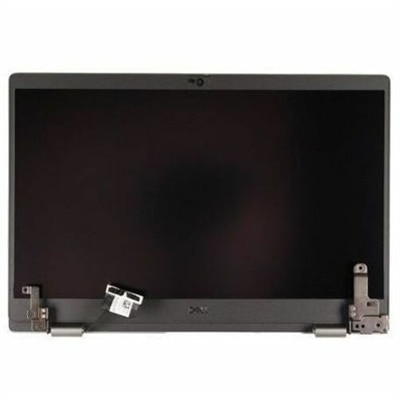
An FHD non-touch anti-glare LCD display with hinge, designed as an original replacement component.

$237.99

Replacement Laptop Hinges for Durable Fixes

Replacement laptop hinges are model-specific mechanical components that connect a laptop’s display assembly to its base and help hold the screen at a usable angle. A well-matched hinge allows controlled movement when the lid opens and closes, without excessive resistance or unwanted screen drift. That balance matters during ordinary moments: opening a laptop before a morning meeting, adjusting the display to reduce window glare, or closing the lid before a commute. When a hinge wears, bends, or seizes, the effects may extend beyond a loose screen. Uneven gaps around the display, lifting trim, clicking near a rear corner, or movement between the hinge and its mounting surface can indicate damage that deserves closer inspection. These symptoms do not always mean the metal hinge itself has failed; cracked mounting posts, loose fasteners, and damaged enclosure sections can produce similar behavior. Replacement laptop hinges for durable fixes therefore need to match both the device and the actual source of the problem. Many hinge assemblies use steel or other metal alloys for their pivot mechanisms and mounting brackets, with protective finishes that help resist corrosion. Material strength is important, but bracket geometry, pivot construction, and secure attachment are equally relevant to long-term performance. A thick bracket cannot compensate for incorrectly positioned screw holes, and a very stiff pivot is not necessarily more durable. Excessive opening resistance can transfer stress into the surrounding enclosure, especially where metal fasteners attach to molded supports. The right replacement preserves the movement and load distribution intended for the laptop’s design. Depending on the construction, hinges may be separate left and right components or part of a larger assembly. Cosmetic hinge covers serve a different purpose: they conceal the mechanism and finish the exterior, but they do not replace the load-bearing parts beneath them. Understanding that distinction helps keep a repair focused on stable screen support rather than appearance alone. A lid that sits neatly when closed still needs sound attachment points throughout its normal range of motion.

Compatibility is the most important consideration when comparing replacement laptop hinge assemblies. Screen size and a similar-looking exterior are not enough to establish fit, because laptops within the same family can use different mounting patterns, bracket lengths, pivot positions, or display configurations. The complete model designation, relevant hardware revision, and documented replacement part number provide a stronger basis for matching than a broad description such as “fits a fifteen-inch laptop.” Left and right orientation also matters; mirrored components can look nearly identical in a photograph while placing their mounting tabs differently. Touch-enabled displays, conventional displays, and convertible designs may have different structural requirements, even when their screen dimensions match. Correct fit includes the space around the hinge, not just the holes through it. Display cables, wireless antenna leads, trim pieces, and enclosure edges may pass close to the moving assembly, so an incorrect bracket can interfere with cable routing or prevent the lid from closing evenly. Fasteners deserve the same attention. Their length, thread type, and placement must correspond to the device’s specifications, since an unsuitable screw can fail to secure the hinge or damage nearby material. For a lasting repair, the condition of the attachment points matters as much as the replacement mechanism. If a threaded insert has pulled out of a plastic support or the display back cover has fractured around its mounts, a new hinge alone may leave the underlying weakness unresolved. Adhesive applied around a broken mounting area is not an equivalent substitute for an intact structural attachment. Related damage to the display enclosure or surrounding assembly may also make Laptop Screen Replacement Parts for Repairs relevant to the same repair. A repair professional can distinguish between a worn pivot, a damaged bracket, and a broken mounting structure, helping identify which components actually need attention. Clear compatibility documentation and a complete assessment are more useful than claims of universal fit or extra strength without a device-specific match. This is particularly important when an otherwise functional laptop has damage concentrated at one rear corner.

Durability also depends on how closely a replacement hinge’s movement matches the laptop’s intended use. A lightweight notebook opened several times during a school day places different demands on its display assembly than a convertible computer designed to move through multiple viewing positions. Neither benefits from an improvised substitute that restricts movement or applies the wrong resistance. Students carrying laptops between classrooms, professionals moving between desks and meeting rooms, and home users sharing a computer at the kitchen table all rely on predictable lid movement. A stable display is especially helpful during video calls, typing, and routine screen-angle adjustments, although some movement can be characteristic of a device’s original design. A replacement should restore appropriate function rather than promise a level of rigidity the laptop was never built to provide. Care after repair centers on limiting unnecessary twisting and keeping the moving area free from obstruction. Opening the lid near its center, supporting the base when needed, and avoiding pressure beyond the designed opening range help reduce uneven loads. Pens, charging cables, and other objects trapped between the keyboard and display can place sudden stress on the screen and hinge mounts when the lid closes. Dust and debris around exposed gaps can be removed gently according to the device’s care instructions, without introducing liquid into the mechanism. Lubrication or pivot-tension changes are not routine remedies for every hinge design; inappropriate adjustment can affect screen support or conceal a problem with the surrounding structure. When opening the lid causes the enclosure to separate, exposes wiring, or produces pronounced cracking sounds, continued movement can make the damage worse. Professional assessment is particularly valuable where display cables or the internal battery are close to the affected area. A durable repair brings together a correctly matched hinge, sound mounting surfaces, appropriate fasteners, and careful workmanship. That combination can help an otherwise useful laptop return to everyday tasks with smoother movement, secure screen positioning, and less strain on neighboring components.

FAQs:

Add the products you would like to compare, and quickly determine which is best for your needs.
Add the products you would like to compare, and quickly determine which is best for your needs.