Secure Laptop Cases

Find secure laptop cases to help protect your computer on your commute or while traveling. Compare laptop compatibility, case dimensions, and listed security features to choose an option that fits your device and how you carry it.

Filters

$84.99

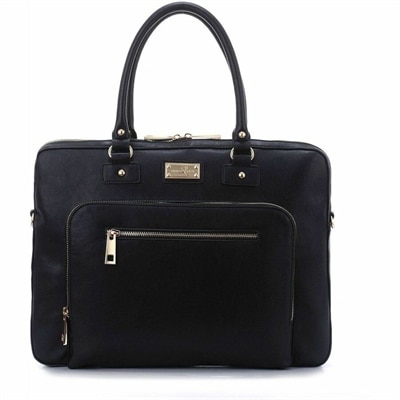
A sustainable briefcase offering protective laptop storage and smart organization for business travel.

$84.99
$59.99

A sustainable, lightweight protective case offering custom-fit coverage and exceptional usability for detachable laptops.

$59.99
$74.99

A black padded carrying case with dual device compartments, adjustable shoulder strap, handles, and zippered pockets.

$74.99
$47.99

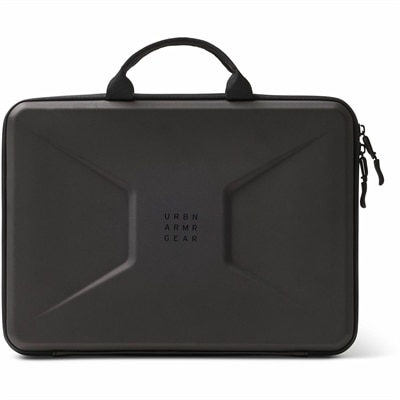
A black laptop sleeve featuring heat-molded EVA protection, microsuede lining, secure zippers, handle, and accessory storage.

$47.99
$315.95

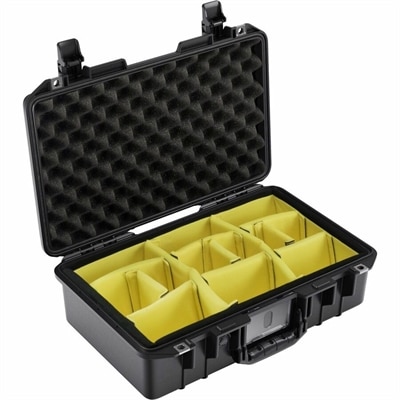
A lightweight, rugged protective case engineered for reliable equipment protection.

$315.95

Secure Laptop Cases

Secure laptop cases combine protection for a portable computer with features that can help discourage casual access or keep the device contained during travel. Security can mean several different things: a lockable closure, a compartment that keeps a laptop close to the body, reinforced construction, or cushioning that helps absorb everyday bumps. These features serve different purposes, and none makes a case theft-proof or guarantees that a computer will survive a fall. A padded sleeve is primarily a barrier against scratches and light contact, while a structured carrying case adds more separation between the laptop and the surrounding environment. Hard-sided construction can provide greater resistance to crushing, depending on its design, but the closure, hinges, and interior padding remain important parts of the protective system. Lock-compatible zipper pulls can help discourage someone from opening a compartment unnoticed, although a small luggage-style lock is not a substitute for keeping the bag within reach. A cable attachment offers a different kind of deterrence when the case has a purpose-built anchor point; an ordinary carrying handle should not be assumed to provide the same function. For a commuter standing on a crowded train, a laptop compartment positioned against the back can make the opening less exposed. For someone moving between meeting rooms, a securely closing briefcase can keep the computer from slipping out when the bag tips beside a chair. Protection also depends on the way the interior is arranged. A dedicated laptop compartment helps separate the computer from keys, charging adapters, and other objects that could press against its lid. Covered zipper edges and smooth interior seams reduce abrasive contact, while retention straps can limit movement inside some designs. Together, these details make secure laptop cases useful for people who want more controlled access, more dependable transport, or both, without confusing everyday carrying protection with a guarantee against loss or damage.

Materials and fit determine how that protection feels in daily use. Woven nylon and polyester are common choices for flexible cases because they can balance weight, abrasion resistance, and straightforward cleaning, although fabric thickness alone does not establish durability. Reinforced stitching, firmly attached handles, protected corners, and zipper construction all contribute to how well a case holds up to repeated carrying. Leather provides a different feel and appearance, with care needs that vary by finish; prolonged moisture and inappropriate cleaners can damage its surface. Molded shells offer structure, while foam, neoprene, and soft linings cushion or separate the laptop from harder exterior surfaces. A rigid outer shell still needs a well-fitted interior: empty space can allow the computer to shift, and a tight compartment can put pressure on the lid or make removal awkward. Screen size is only a starting point because two laptops with the same display measurement may have different widths, depths, and thicknesses. The usable dimensions of the laptop compartment matter more than the overall size of the bag, especially for thicker computers or devices carried inside an additional protective cover. A comfortable fit allows the closure to move freely without forcing the corners against the zipper. Raised padding around the base and edges can add separation from hard surfaces, and a suspended compartment may keep the laptop from resting directly on the bottom of the case. Water resistance is another distinct consideration. A coated fabric or covered zipper may help with a brief walk through drizzle, but that does not make the entire case waterproof or suitable for immersion. Seams, openings, and closures affect how moisture enters. Likewise, impact protection should be understood through any stated testing and its conditions rather than appearance alone. For someone setting a bag on a tile floor, sliding it beneath an airplane seat, or carrying it through a busy campus, these construction details can matter as much as an exterior lock.

Intended use brings the practical details into focus. A slim case works well for carrying a laptop between nearby rooms or keeping it separated inside a larger bag, while a briefcase, backpack, or structured travel case accommodates different walking distances and accessory loads. Balanced handles, adjustable straps, and padding at contact points can make the difference between an easy trip across a parking lot and an uncomfortable commute. Separate pockets keep chargers and small accessories organized without crowding the computer compartment, and a stable base helps a case remain upright beside a desk. For office-focused routines, Business Laptop Cases offer a related category for carrying computers and workday essentials. Students, traveling professionals, remote workers, and people who share a household workspace may all value a case that keeps their device protected and personal belongings contained. As a graduation or new-job gift, a laptop case is most useful when its interior measurements and carrying style suit the recipient’s actual computer and routine. Daily care helps preserve that usefulness. Loose grit should be removed from the interior so it does not rub against the laptop, and exterior cleaning should follow the material’s care directions. Harsh solvents, machine washing, or soaking can damage coatings, padding, adhesives, or leather finishes. A damp case should dry fully before a computer goes back inside, and worn stitching, damaged zipper teeth, or loose attachment hardware deserve attention before another trip. Physical protection also has limits beyond the bag itself. An ordinary laptop case does not block wireless signals, prevent malicious software, or protect files if someone gains access to the computer. Specialized signal-shielding designs require explicit specifications and testing rather than assumptions based on metallic-looking fabric. Device authentication and encryption remain separate safeguards. A well-matched case complements those measures by making everyday transport more organized, reducing avoidable contact, and adding an appropriate layer of physical protection.

FAQs:

Add the products you would like to compare, and quickly determine which is best for your needs.

Add the products you would like to compare, and quickly determine which is best for your needs.