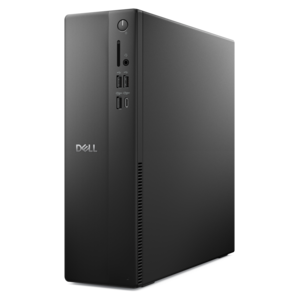
SFF Desktop PCs For Space-Saving Workstations

SFF Desktop PCs For Space-Saving Workstations offer an ideal solution for maximizing productivity in environments where every inch counts. Designed to fit seamlessly into compact offices, home workspaces, and shared desks, these small form factor desktops deliver reliable performance without taking up valuable real estate. Discover a range of SFF Desktop PCs For Space-Saving Workstations that help streamline your setup while maintaining a clean, organized look. Whether outfitting a business or upgrading your personal workstation, these desktops are tailored to meet the demands of modern users seeking efficiency and versatility.

Filters

$1059.00

A space-saving business desktop delivering reliable everyday performance with essential security features for productive work.
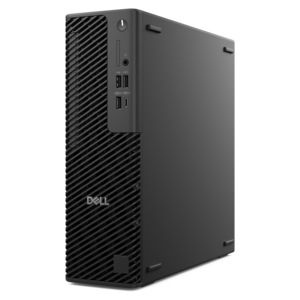
$1059
$1575.00

A slim desktop delivering exceptionally fast CPU and GPU performance for demanding professional workloads.

$1575
$829.99

A compact desktop designed for everyday productivity and creative tasks.

$829.99
$1579.99

A compact desktop designed for everyday productivity and creative projects.

$1579.99

SFF Desktop PCs For Space-Saving Workstations

Small form factor (SFF) desktop PCs provide the familiarity of a desktop computer in a smaller enclosure, leaving more room for monitors, paperwork, and the tools used throughout the day. The SFF designation describes the size and layout of the chassis, not a fixed level of computing performance. These systems generally occupy less space than conventional towers, although dimensions, internal layouts, and expansion options vary by model. That makes SFF desktop PCs for space-saving workstations a practical fit for home offices, reception counters, shared study areas, and business desks where a full-size tower would crowd the available surface. On a shallow desk, a narrower computer can leave room for a notebook beside the keyboard; beneath a counter, a shorter enclosure may preserve useful legroom. Physical fit involves more than the measurements of the computer itself. Power plugs, display cables, and connected accessories need clearance behind the case, while ventilation openings need unobstructed airflow. Upright or horizontal placement should follow the system’s supported orientation, and a mounting bracket or stand needs to be compatible with the particular chassis. Metal panels and molded plastic trim are common construction materials, but panel thickness, assembly quality, and ease of access matter more than appearance alone when assessing everyday durability. Rounded edges, accessible controls, and a stable base can make a difference in a busy workspace where people regularly connect a headset or reach for a flash drive. A compact desktop also allows the screen and keyboard to remain separate, supporting a more comfortable arrangement than a computer positioned wherever it happens to fit. The broader Compact Desktop Computers for Small Workspaces category reflects the same emphasis on fitting computing into the room rather than rearranging the room around a computer. For someone moving between spreadsheets, online meetings, and household tasks, that smaller footprint can make a permanent workstation easier to accommodate without turning the entire desk into computer equipment.

Performance depends on the components inside the enclosure and the software they support. For everyday office work, a responsive processor, sufficient memory, and a solid-state drive can help keep document editing, browser tabs, and meeting applications running comfortably together. For common multitasking, 16GB of RAM is a useful comparison point, while 32GB or more can provide additional headroom for larger projects, heavier applications, or several demanding programs running at once. Actual requirements depend on the software, file sizes, and working habits involved. Processor core counts and clock speeds are useful specifications, but neither number alone describes how quickly a computer will complete a particular task. Application requirements and relevant performance testing offer better context, especially when comparing systems for design, analysis, or content creation. An accounting workspace with two displays has different needs from a desk used to manipulate detailed three-dimensional models. Integrated graphics may suit routine office applications and supported multi-monitor arrangements, while more demanding visual workloads may require a compatible discrete graphics card. Small form factor cases often impose restrictions on card height, length, cooling, and power consumption, so a compact enclosure should not be assumed to accept the same components as a larger tower. Likewise, a space-saving workstation describes a workspace arrangement; it does not automatically mean the computer includes professional graphics or application certification. For specialized engineering or creative software, documented compatibility matters. Some configurations also include a neural processing unit, or NPU, designed to accelerate supported AI tasks. Its usefulness depends on the applications and features being used, rather than the presence of AI terminology alone. Thermal design remains important across all of these workloads. A compact computer can be capable without being silent, and fan noise may become more noticeable during sustained processing. For a desk used for calls, concentrated writing, or audio work, published acoustic information and the expected workload can be as relevant as peak performance.

Connections, maintenance, and future changes help determine how well a small desktop settles into daily use. Front-facing ports are convenient for frequently connected accessories, while rear connections can keep permanent cables tucked away. The number of physical display connectors is only part of a multi-monitor setup: supported resolution, refresh rate, graphics capability, and connector compatibility also need to match the intended screens. A workstation used for side-by-side documents may have different display requirements from one used for detailed visual work or fast-moving content. Wireless connectivity can simplify placement where supported, while a compatible wired connection may suit a desk with an existing cable run. Headsets, webcams, keyboards, and external devices also compete for ports, making a realistic count of everyday accessories more useful than simply looking for the smallest enclosure. Internal flexibility deserves similar attention. Memory slots, drive bays, expansion slots, and power connections vary, and some compact systems use parts that are specific to their chassis. Accessible internal components can make maintenance or supported upgrades more straightforward, but future changes should be checked against the system documentation rather than assumed. For work involving sensitive documents, supported security features, operating system protections, and an appropriate backup routine are important considerations; a smaller case does not remove those responsibilities. Routine care is generally simple: keep air vents clear, prevent papers from collecting against the enclosure, and remove exterior dust according to the manufacturer’s instructions. Shut down and disconnect power before cleaning, avoid spraying liquid directly onto the computer, and leave internal servicing to the appropriate procedures. A stable, dry location away from spill-prone edges helps protect the system from everyday accidents. Cable slack should allow access without pulling connectors tight, and frequently used ports should remain reachable after the desk is arranged. Taken together, these details distinguish a desktop that merely fits from one that works comfortably in its surroundings. The strongest match balances compact dimensions with the performance, connections, serviceability, and daily usability the workspace actually needs.

FAQs:

Add the products you would like to compare, and quickly determine which is best for your needs.

Add the products you would like to compare, and quickly determine which is best for your needs.